Descript Pricing 2026: Media Hours and AI Credits Explained
Vorec Team · 2026-09-17 · About 7 min read
Descript meters media hours and AI credits separately, and that matters more than the headline figure: the tier you need depends on your volume, not just your feature list.
Figures below come from Descript's own pricing page, first verified 17 September 2026 and re-checked 7 October 2026 with both billing toggles; no price, allowance, export resolution or seat number had changed. Prices are shown with a dollar sign and no currency selector, so confirm the currency at checkout.
The Short Version
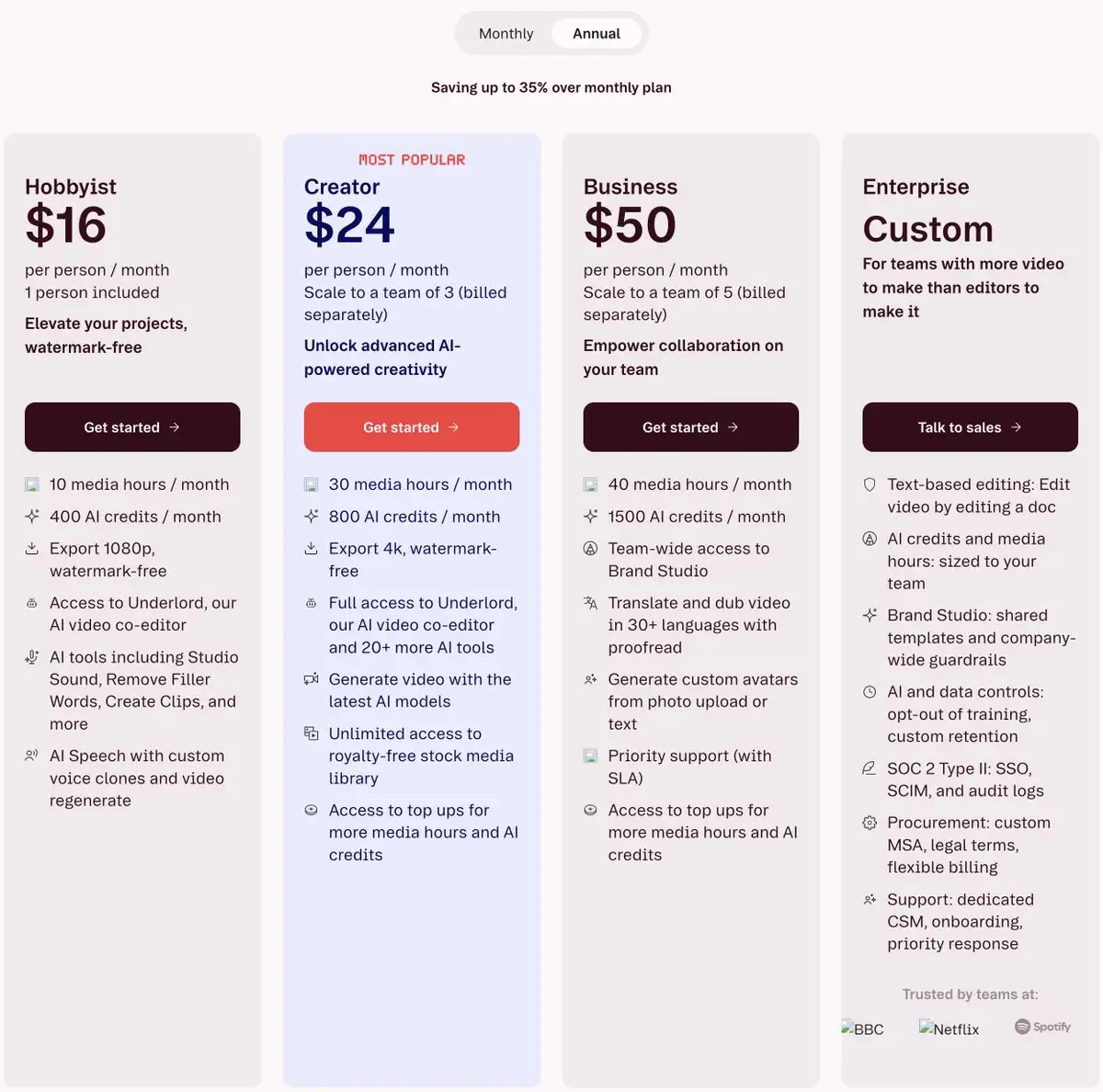
| Plan | Annual (per person/mo) | Monthly | Media hours/mo | AI credits/mo | Export |
|---|---|---|---|---|---|
| Free | $0 | $0 | 60 minutes | 100 one-time | 720p, watermarked |
| Hobbyist | $16 | $24 | 10 hours | 400 | 1080p, no watermark |
| Creator | $24 | $35 | 30 hours | 800 | 4K, no watermark |
| Business | $50 | $65 | 40 hours | 1,500 | 4K + team brand controls |
| Enterprise | Custom | Custom | Custom | Custom | Sales-defined |
Seats: Free and Hobbyist are 1. Creator scales to a team of 3, Business to a team of 5, and the page says those seats are billed separately, so a "3-person Creator plan" costs three Creator prices, not one.
Quick Answers
How much is Descript per month? $24 (Hobbyist), $35 (Creator) or $65 (Business) per person on monthly billing. Billed annually, the same plans work out to $16, $24 and $50 per person per month.
Is Descript free? There is a Free plan: 60 media minutes a month, 100 AI credits once, and 720p exports with a watermark.
What counts as a media hour? Descript's FAQ says media hours track uploaded media files and media recorded in Descript, whether or not you transcribe them. AI credits track AI features such as Underlord, Studio Sound, Green Screen, Eye Contact and AI-generated media and avatars.
Can I buy more? Creator and Business show access to top-ups for media hours and AI credits. Free and Hobbyist do not.
How long can a published video be? Web-link video exports run up to 1 hour on Free and Hobbyist and up to 3 hours on Creator and Business. Audio export duration is listed as unlimited on every plan.
The Two Limits You Will Actually Hit
Media hours count the footage you bring into Descript each month, uploaded or recorded there, transcribed or not. Free gives 60 minutes: one long meeting, or a handful of short tutorials.
AI credits meter the AI tools. Free gives 100 credits once: the included grant does not reset monthly.
Which limit binds first depends on your work. Long-form podcast editing burns media hours. Short clips with heavy AI cleanup burn credits. Check both against your actual volume, because upgrading for the wrong one is an easy mistake.
The Watermark Is the Free-to-Paid Trigger
Free exports at 720p with a watermark. That works for evaluating the editor; most teams will not want it on customer-facing material.
Hobbyist is the first watermark-free tier and lifts export to 1080p.
Creator is the 4K tier, plus unlimited royalty-free stock media, full Underlord access with 20+ AI tools, and custom drive and page branding with white-label publish pages. It is also the first tier with top-ups and 3-hour web-link exports.
Business adds TEAM brand controls — Brand Studio across the team — plus translation with proofreading and native-sounding AI speakers.
One wrinkle worth spelling out, because the page says it two different ways. The summary cards highlight custom avatars and dubbing under Business. Descript's detailed feature comparison further down lists them more broadly:
| Free | Hobbyist | Creator | Business | |
|---|---|---|---|---|
| Create custom avatar via image upload | Limited | ✅ | ✅ | ✅ |
| Translate audio (dubbing) | Limited | ✅ | ✅ | ✅ |
| Translation proofread (captions and dubbing) | ❌ | ❌ | ❌ | ✅ |
So image-upload avatars and basic dubbing are available from Hobbyist, with limited access even on Free. What Business actually adds is translation proofreading and native-sounding AI speakers, plus team-wide Brand Studio. The cards emphasise those features under Business without saying they are exclusive to it — worth checking the comparison table before upgrading for a capability you may already have.
Note also that avatars are distinct from AI Speech with custom voice clones, which the cards list on Hobbyist.
What a Small Team Pays
Because extra seats are billed separately, team cost is the per-person price multiplied out. Our arithmetic from the listed prices, before tax:
| Team | Plan | Annual billing | Monthly billing |
|---|---|---|---|
| 1 person | Hobbyist | $192/yr ($16 × 12) | $288/yr ($24 × 12) |
| 3 people | Creator | $864/yr ($24 × 12 × 3) | $1,260/yr ($35 × 12 × 3) |
| 5 people | Business | $3,000/yr ($50 × 12 × 5) | $3,900/yr ($65 × 12 × 5) |
What Makes Descript Different
The core idea is genuinely distinct: you edit video by editing text. Delete a sentence from the transcript and it vanishes from the video. Filler-word removal across an hour of footage is one action.
That suits talk-led content — podcasts, explainers, commentary — where the spoken track is the spine.
It is a different fit for screen-led tutorials, where the screen carries the content and the voice annotates it. There, the problems are legibility and pacing — a small button, an easy-to-miss cursor — and those are timeline problems rather than transcript problems.
Neither approach is better in the abstract. Ask whether your voice or your screen is doing the teaching.
How It Compares
| Entry price | Billing basis | Metering model | |
|---|---|---|---|
| Descript Hobbyist | $16/person/mo | Billed annually | Media hours + AI credits |
| Loom Business | $15/user/mo | Billed annually | Per seat; the free Starter plan caps recordings at 5 minutes |
| Camtasia Essentials (entry watermark-free plan) | $179.88/yr | Annual subscription | Per seat |
| Vorec Starter | $9/mo | Monthly ($86/yr annually) | Credits per analysis and per narration segment |
Sources: Loom (verified 6 October 2026), Camtasia (verified 7 October 2026; a $39/yr Starter plan with a watermarked editor also exists). Different models, so compare against your own monthly volume rather than the sticker price. Full breakdowns: Loom pricing, Camtasia pricing, Vorec pricing.
Where Vorec Fits
Descript generates narration too — its pricing lists AI Speech and text-to-speech, scripts, stock AI voices and voice clones. So this is not a case of one tool having narration and the other not.
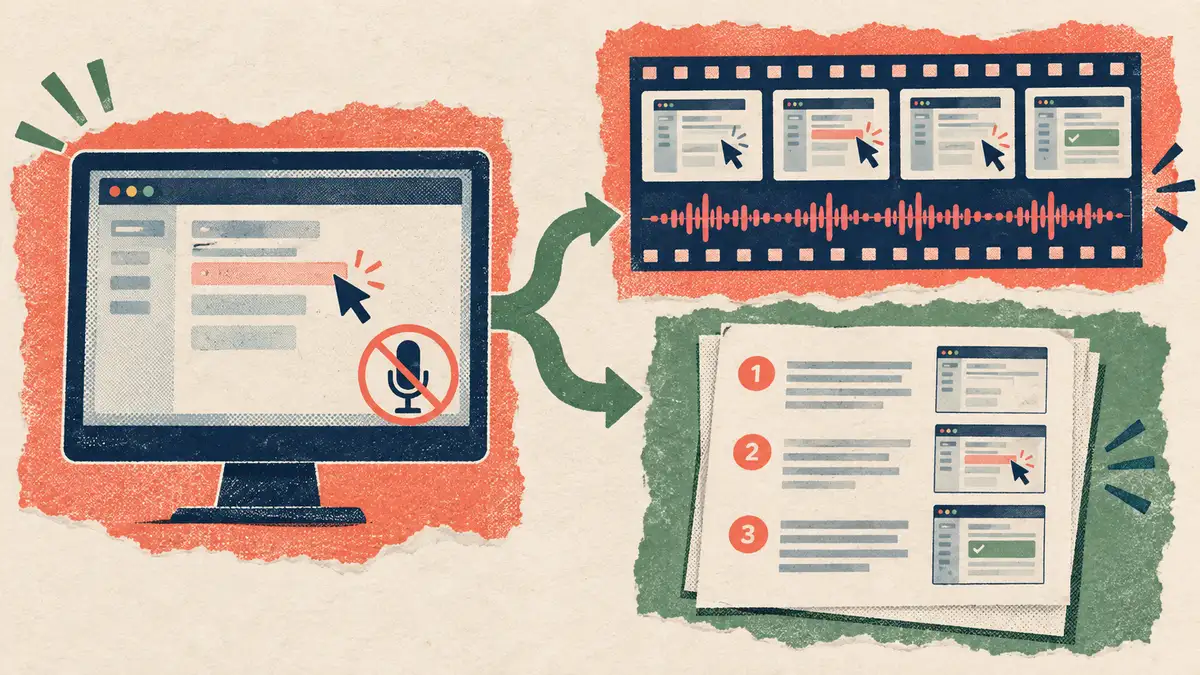
The difference is where each is strongest. Descript's signature capability is transcript-based editing of speech that exists, whether you recorded it or generated it. Vorec starts from the screen instead. It records with its own macOS app (an AI agent can drive it for you through the Claude Code plugin, capturing locally for you to review before anything is uploaded), or you can upload an existing recording. It then drafts narration matched to the captured workflow and generates the voiceover, so nothing is spoken into a microphone. Freeze-sync can hold a frame to give an explanation time to finish. You can also generate a written step-by-step guide from the same capture, and narration regenerates in supported languages on eligible plans, without re-recording.
Paid plans start at $9/month. The free trial needs no credit card (current allowances on the pricing page); trial exports carry a watermark. Vorec has no transcript-first editing model and no podcast tooling — Descript is the stronger choice for those, and Vorec is not trying to replace it.
Bottom Line
Price Descript against your monthly volume, not its feature list. Sixty free minutes evaluates the editor; Hobbyist is the first watermark-free tier, Creator adds 4K, top-ups and white-label publish pages, and Business adds team Brand Studio and proofread translation.
And be clear which meter binds for you. Media hours and AI credits run out independently, and the plan that fixes one may not fix the other.
Related: our Descript alternative guide and Camtasia vs Descript.
Related reading: VEED Pricing 2026, Clueso Pricing 2026 and Tella Pricing 2026; OpusClip pricing and credit limits.
See also: Camtasia Alternatives (2026): 7 Tools Compared on Price and Editing.
See also: Vorec vs Descript (2026): Transcript Editing or Drafted Narration?.
See also: Descript Alternatives (2026): 7 Tools Compared on Editing and AI Speech.
See also: Clueso vs Descript (2026): AI-Drafted Edits or Transcript Editing?.
See also: Descript vs Riverside (2026): Recording Studio or Text Editor?.
See also: Descript vs CapCut (2026): Transcript Editing or Templates?.
See also: Descript vs OpusClip (2026): Full Editor or AI Clip Maker?.
See also: Descript vs Loom (2026): Video Messages or Text Editing?.
Want the recording to narrate itself? Record with Vorec, or upload one you already have, and get a narrated tutorial plus a written guide. Start your free trial, no card needed. Trial includes up to 3 projects; exports carry a watermark.
For how these plans compare with other tools on free offers, trials and credit meters, see our pricing study of 31 video and tutorial tools.