VEED Pricing 2026: Annual Plan vs Monthly, Real Costs
Vorec Team · 2026-09-18 · About 8 min read
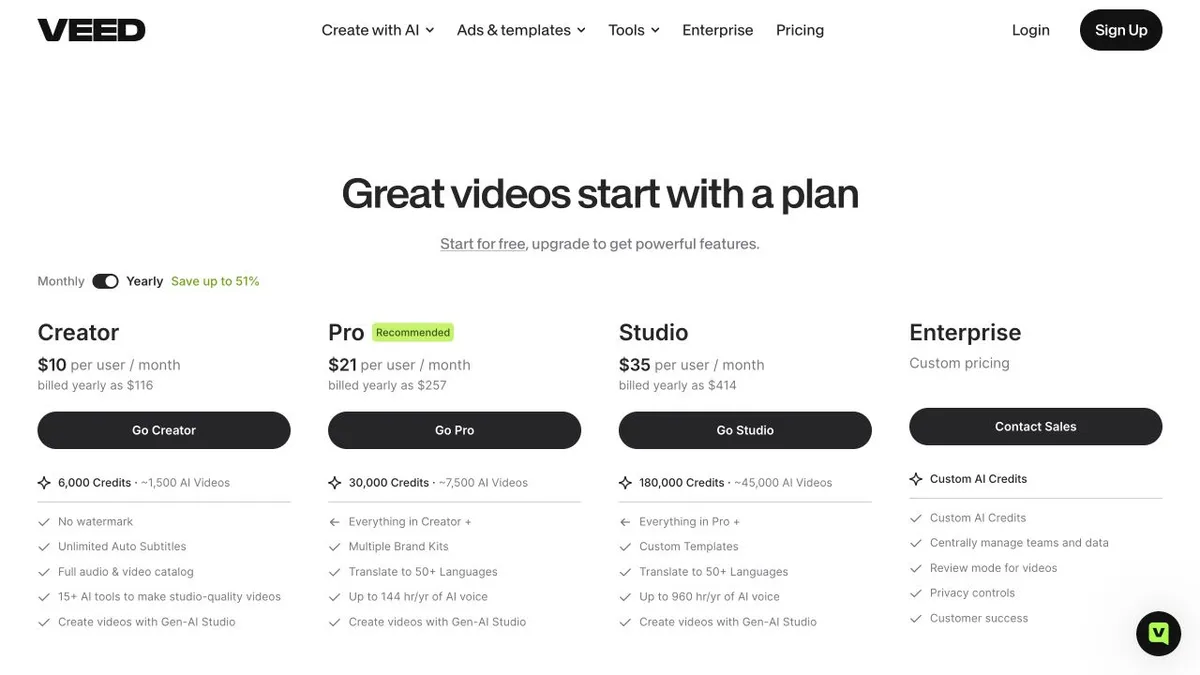
VEED's annual prices are not the card prices multiplied by twelve. The Creator card rounds to $10 a month; the actual annual charge is $116 per user per year, which works out at $9.67. The gap is small on one seat and stops being small on ten.
And the number that will actually stop you on the free plan is not the ten-minute limit — it is the 720p watermark, baked into the file.
Everything below was verified on VEED's pricing page with both billing states selected and the full comparison expanded, on 18 September 2026. The monthly and annual prices, credit allowances and free-plan limits were re-checked on 30 September 2026 and had not changed. Prices change; check before you buy.
The Short Version
| Plan | Monthly | Annual (actual) | Annual per month |
|---|---|---|---|
| Free | $0 | $0 | — |
| Creator | $20/user/mo | $116/user/yr | $9.67 |
| Pro | $44/user/mo | $257/user/yr | $21.42 |
| Studio | $70/user/mo | $414/user/yr | $34.50 |
| Enterprise | Custom | Custom | — |
Those annual figures are what VEED's own comparison table shows, not card price × 12. The cards round to $10, $21 and $35.
On paid plans, price multiplies by editor seats, charged when you invite someone. Editor caps are up to 3 on Free, Creator and Pro, up to 5 on Studio, and 5+ on Enterprise. On the paid tiers these are not included bundles — each editor is a charged seat.
These are the USD prices displayed in our session; location, promotions and checkout may differ.
What Free Actually Gives You
The limits are specific, and one of them is misread constantly:
- Watermarked exports at 720p
- 10-minute video export length — this is per exported video, not a monthly quota
- 2GB storage, 1GB maximum upload file size
- 10 minutes of automatic subtitles per month
- Up to 3 editors
You also get the recorder, manual and dynamic subtitles, edit-with-script, and a one-time try of selected AI editing functions. There is no free text-to-speech.
The watermark is baked into the exported file. Per VEED's export documentation, upgrading and re-uploading an already-watermarked MP4 will not remove it — you have to re-export the original project. If you are trialling on Free, keep your projects rather than just the files.
Audio exports carry the same length limits but no audio watermark, and there is no cap on how many times you re-download a file.
Where The Upgrades Actually Land
From the detailed comparison table:
Creator removes the watermark and lifts export to 1080p, with unlimited export length and upload file size, 5GB storage, subtitle downloads, a limited brand kit and subtitle styles, the stock catalogue, most AI editing functions and privacy controls.
Pro is where 4K and 50GB storage arrive, along with unlimited subtitle styles, multiple brand kits, custom vocabulary, custom templates, and embeds with CTAs.
Studio adds unlimited storage, custom watermarks, one branded video-hosting allocation, and up to 5 editors plus 1 reviewer.
Enterprise adds private workspaces, integrations, SSO and custom legal terms.
One note on resolution: VEED's raw comparison table renders "4096" for the 4K tiers, but VEED's export documentation states the real ladder as 720p / 1080p / 4K. And a higher export setting never adds detail that was not in the source.
Credits, And What "Unlimited" Excludes
Credits are the second currency. Monthly allowances are 500 / 2,500 / 15,000 for Creator / Pro / Studio; annual plans carry 6,000 / 30,000 / 180,000. VEED advertises these as roughly 125 / 625 / 3,750 AI videos monthly — an approximation, not a guarantee of that many finished projects, and not every model costs the same. Credits refresh at renewal and do not roll over.
Four things the word "unlimited" does not cover:
- Automatic subtitles have a 50 hours/month fair-use cap on every paid tier, per VEED's FAQ. Translation consumes the same allowance, and every additional target language consumes it again.
- Translation eligibility is contradicted by VEED's own sources. The comparison table shows Creator can "Translate with Credits", while VEED's subtitle-translation article says Free and Creator get a one-time try with ongoing translation starting at Pro. We could not reconcile these — confirm before buying Creator for translation.
- Text-to-speech scales oddly. Creator shows up to 2 hours/month on monthly billing but only 4 hours per year on annual. That is VEED's published inconsistency, not a typo we have corrected. Pro is 12 hours/month or 144/year; Studio 80/month or 960/year.
- AI dubbing is a one-time try on Free and Creator; Pro gets 30 minutes/month or 6 hours/year, Studio 1 hour/month or 12 hours/year. Proofreading and script upload are Enterprise-only.
A Card-vs-Table Trap
The Studio card advertises Custom Templates as though they begin there. The detailed comparison table ticks them on Pro as well. If custom templates are your reason for considering Studio, read the table row rather than the card.
Billing
Per VEED's subscription documentation, upgrades reset the billing cycle with unused time prorated. Cancelling ends renewal while access continues to the end of the current term. Web and Android are billed through VEED; iOS purchases made in-app go through Apple, and VEED Lite is a separate app with its own subscription. Each workspace is subscribed separately.
We did not find a dated official announcement for the current Creator/Pro/Studio lineup, so we are not assigning one — and older VEED marketing articles quoting Lite pricing are not evidence of current prices.
Is VEED Worth It?
Yes, if you edit video in a browser and want subtitles, translation and AI editing in one place. At $116 a year Creator is inexpensive for what it removes — watermark, length limit, upload cap.
Go to Pro if you need 4K, custom templates or embeds with CTAs. That is a real jump: $257 against $116.
Watch the seat multiplication. Three editors on Pro is $771 a year, not $257.
Reconsider Free for anything you will publish. It is genuinely usable for learning the editor, but the 720p watermark is baked into the output.
How It Compares
| Starting price (billing basis shown) | Notable | |
|---|---|---|
| VEED | $116/user/yr | Browser editor, subtitles and translation; credits meter the AI |
| Synthesia | $18/mo (annual billing) | Avatar presenters, one credit pool; see our Synthesia pricing breakdown |
| Descript | $16/person/mo (annual billing) | See our Descript pricing breakdown |
| Vorec | $86/yr ($7.17/mo equivalent) | Records your screen and drafts the narration for it |
Formats differ, so this is orientation rather than like-for-like.
Quick Answers
Is there a VEED annual plan discount?
Yes, and it is close to half. On annual billing VEED charges $116 per user per year for Creator, $257 for Pro and $414 for Studio. On monthly billing the same plans cost $20, $44 and $70 per user per month, which is $240, $528 and $840 over twelve months. That makes the annual charge about 52%, 51% and 51% lower. The cards show rounded monthly equivalents of $10, $21 and $35, but the amount charged is the annual figure. Prices re-checked on 30 September 2026.
How much does a VEED subscription cost?
The free plan is $0, with a 10-minute export limit and 720p output. Paid plans are Creator at $20 per month or $116 per year, Pro at $44 or $257, and Studio at $70 or $414, each per user. Every editor you invite is a charged seat. Enterprise is priced through sales.
Where Vorec Fits
VEED is a general-purpose browser video editor. You bring footage and it gives you a capable timeline, subtitles and translation. For social clips, talking-head edits and subtitle work, that breadth is the point.
Software documentation is a narrower job with a different bottleneck. The hard part is not cutting the footage — it is explaining what is happening on screen, repeatedly, without recording your own voice forty times.
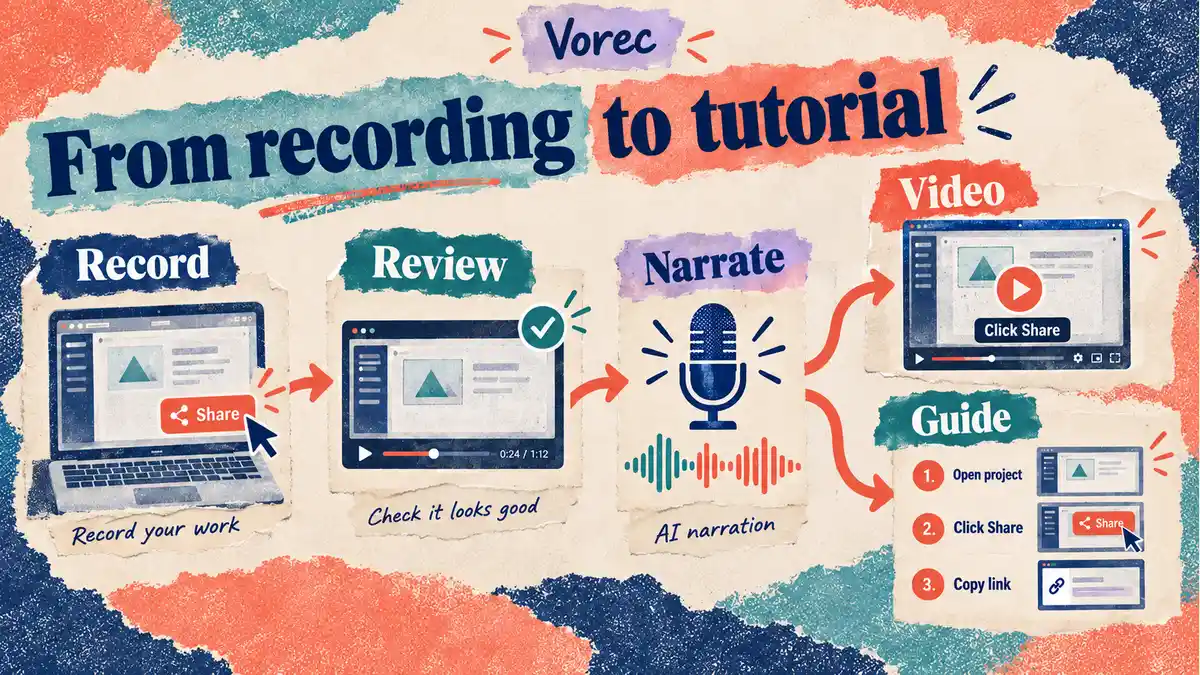
Vorec records your screen: it has its own macOS recorder, and an AI agent can drive that capture through the CLI, recording locally so you review the take before anything is uploaded. It then uses the captured action data — or analyses a recording you upload — to draft narration matched to the workflow and generate the voiceover, so no microphone narration is required. In the editor you can add smooth cursor motion, cursor-follow zoom and click-based auto-zoom, and freeze-sync can hold a frame to give an explanation time to finish. The same capture can also produce a written step-by-step guide with annotatable screenshots, and narration regenerates in supported languages on eligible plans without re-recording.
Plans start at $9/month, with a free trial whose exports carry a watermark.
Bottom Line
$116 per user per year for Creator, $257 for Pro, $414 for Studio — the real annual charges, not the rounded card figures times twelve. Multiply by editors, because on the paid plans every editor is a charged seat.
Buy Creator to remove the watermark and the 10-minute cap. Buy Pro for 4K. And before relying on any "unlimited" line, check the three that are not: 50 hours/month of subtitles, translation that consumes the same allowance per language, and text-to-speech whose annual allowance is smaller than twelve monthly ones.
Related reading: Clueso Pricing 2026, Guidde Pricing 2026 and Tella Pricing 2026.
For how these plans compare with other tools on free offers, trials and credit meters, see our pricing study of 31 video and tutorial tools.
See also: VEED Alternatives (2026): 7 Video Editors Compared on Price and Limits.
Documenting software rather than editing footage? Record with Vorec, or upload one you already have, and get a narrated tutorial plus a written guide. Start your free trial, no card needed.