Guidde Pricing 2026: What Each Plan Actually Costs
Vorec Team · 2026-09-17 · About 5 min read
Guidde's pricing is straightforward until you work out which tier holds the feature you came for. Two capabilities people commonly assume are included — recording outside the browser, and importing an existing video — are not on the tier most comparisons quote.
Figures below were verified directly on Guidde's pricing page with the billing toggle switched, on 16 September 2026.
The Short Version
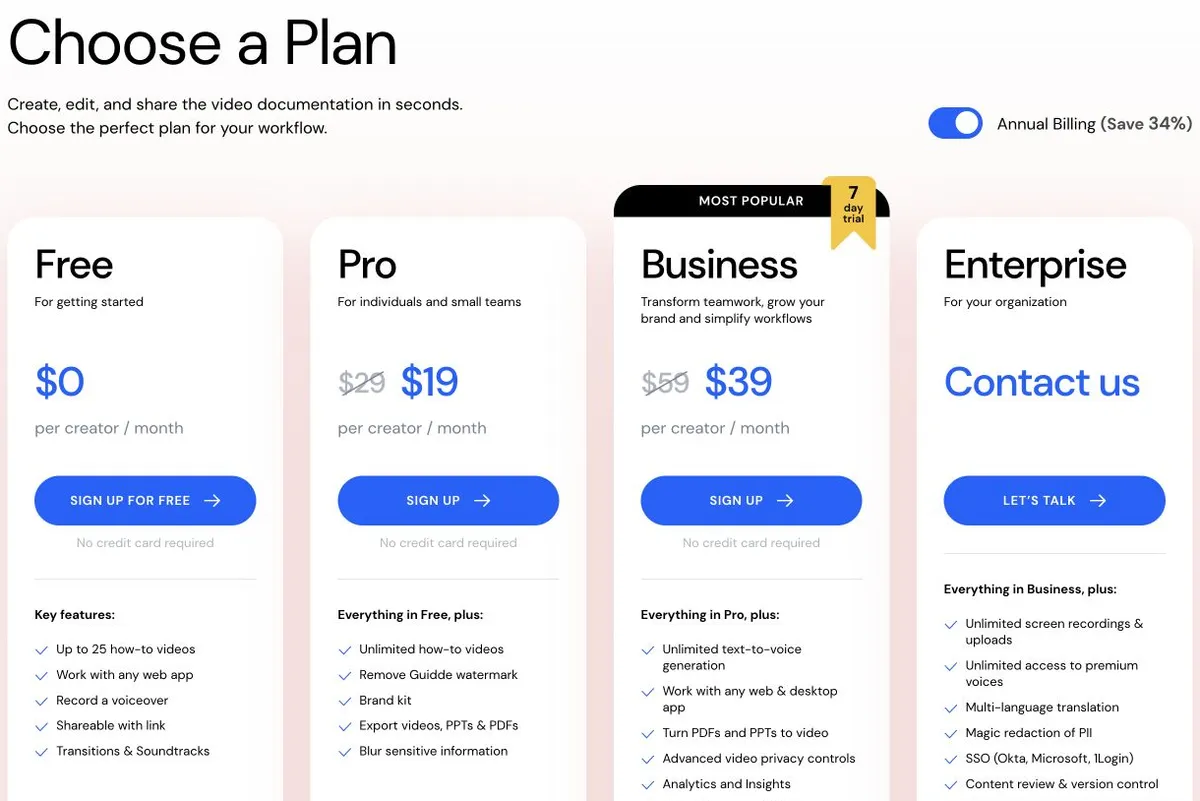
| Plan | Annual | Monthly | What it unlocks |
|---|---|---|---|
| Free | $0 | $0 | 25 guides, web capture |
| Pro | $19/creator/mo | $29 | Unlimited guides, watermark removed, exports, brand kit |
| Business | $39/creator/mo | $59 | Desktop + mobile capture, unlimited text-to-voice, MP4 import, advanced analytics — up to 5 creators |
| Enterprise | Custom | — | Magic PII redaction, security, support |
Viewers are free. Seats are consumed by Admins, Content Managers and Creators — so the per-creator rate applies to people who make guides, not people who watch them.
The Two Upgrades That Catch People Out
The watermark is the Free-to-Pro trigger. Free gives 25 guides with web capture and marks the output. Fine internally, not fine for a help centre. Note the trial FAQ: after a downgrade, existing videos remain but only the last 25 stay editable.
Desktop capture is the Pro-to-Business trigger. Free and Pro capture the web. Documenting an ERP client, Excel or any native application requires Business at $39 — more than double Pro.
Test this before buying. Open the actual application you need to document and confirm capture works on the tier you intend to purchase.
Unlimited text-to-voice is also Business. If the plan is "we will not narrate these ourselves," that is the $39 tier.
Guidde Imports Existing Video
Worth correcting a common assumption: Business and Enterprise can import an MP4 into a guidde, and convert PDF and PPT sources.
So Guidde is not strictly a capture-only tool. If you have a library of existing recordings, that is a Business-tier capability rather than a reason to look elsewhere.
What It Costs In Practice
Per-creator pricing, annual billing:
| Creators | Pro | Business |
|---|---|---|
| 1 | $228/yr | $468/yr |
| 3 | $684/yr | $1,404/yr |
| 5 | $1,140/yr | $2,340/yr |
Business is listed as up to 5 creators. Beyond that is an Enterprise conversation, so do not project a 10-creator Business cost — it is not a purchasable plan as published.
A pattern that saves real money: keep guide creation with two or three people. Viewers cost nothing.
Is It Worth It?
Yes, if your workflows are browser-based, you publish steadily, and you want AI-narrated video rather than screenshots. Pro at $19 is competitive.
Reconsider if you are paying Business purely for desktop capture. At $39 per creator you are in a price band with real alternatives.
Free is genuinely usable for internal documentation where a watermark does not matter — 25 guides covers a lot of onboarding.
How It Compares
| Entry paid (annual) | Notable | |
|---|---|---|
| Guidde | $19/creator/mo | AI video guides; desktop capture and MP4 import on Business |
| Scribe | $25 Personal · $23/seat Team (5-seat min) | Step guides, plus Movies video output and video import |
| Tango | $22 (1–2 users) · $15 (3+) | Step guides, browser + desktop capture on Pro |
| Vorec | $9/mo, or $86/yr | Narrated video from its own recorder or an upload; a written guide can be generated from the same capture |
Sources: Scribe and Tango, both re-checked 8 October 2026. Different output formats, so this is orientation rather than like-for-like.
Quick answers
How much does Guidde cost?
Free is $0 for up to 25 how-to videos; Pro is $29 per creator a month ($19 with annual billing); Business is $59 ($39); Enterprise is by quote (15 October 2026).
Does Guidde have a free plan?
Yes: up to 25 how-to videos with web capture and link sharing. MP4, GIF and PPT download starts on Pro.
Does Guidde need a browser extension?
Free capture is web-only through its Chrome extension or Edge add-on; desktop and mobile sources and AI text-to-voice start on Business.
Where Vorec Fits
Vorec records your screen — it has its own macOS recorder, and an AI agent can drive it for you through the Claude Code plugin, capturing locally so you review the take before anything is uploaded. It then drafts narration matched to the workflow it captured and generates the voiceover, so nothing is spoken into a microphone. In the editor you can add smooth cursor motion, cursor-follow zoom and click-based auto-zoom, and freeze-sync can hold a frame to give an explanation time to finish. The same capture can also produce a written step-by-step guide, with annotatable screenshots, and narration regenerates in supported languages on eligible plans, without re-recording. You can upload an existing recording instead if you already have one.
Paid plans start at $9/month (or $86/year). The free trial needs no credit card (current allowances on the pricing page). Trial includes up to 3 projects; exports carry a watermark.
Bottom Line
Price against the tier holding your feature, not the headline. Browser-only workflows with your own narration: Pro at $19 is fair. Desktop capture, MP4 import or unlimited text-to-voice: the real number is $39 per creator, capped at 5 creators.
Related: our Guidde alternative guide, Guidde vs Scribe and Scribe vs Tango.
Related reading: VEED Pricing 2026, Loom Pricing 2026 and Tella Pricing 2026.
For how these plans compare with other tools on free offers, trials and credit meters, see our pricing study of 31 video and tutorial tools.
Compare and alternatives: Vorec vs Guidde 2026: Plans, Capture and Agent Access, Clueso vs Guidde (2026): AI Video Documentation Compared, Loom vs Guidde (2026): Video Messages or AI Guides?.
See also: Guidde Alternatives (2026): 7 Tools Compared on Price and Capture.
See also: Guidde vs Tango (2026): Video Guides or Step Guides?, Trupeer vs Guidde (2026): Credits or Per-Creator Pricing?.
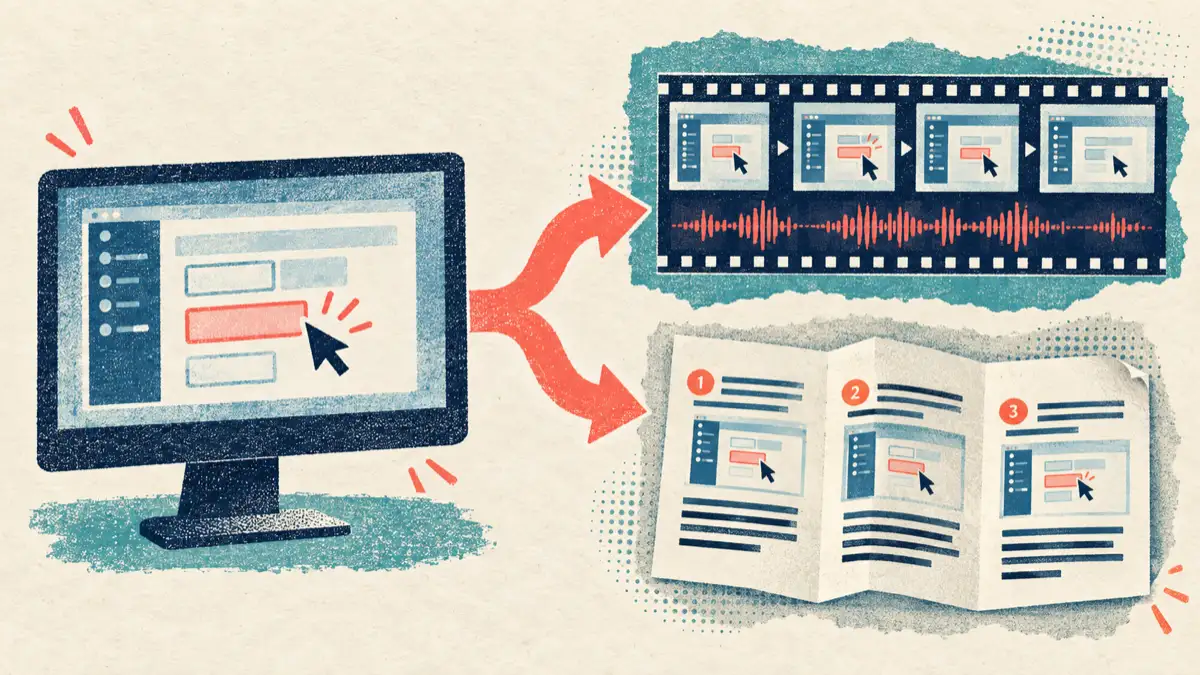
See also: One Recording, Two Outputs: Video + Written Guide.
Want the recording to narrate itself? Record with Vorec, or upload one you already have, and get a narrated tutorial plus a written guide. Start your free trial.