Vorec vs Descript (2026): Transcript Editing or Drafted Narration?
Vorec Team · 2026-10-20 · About 3 min read
Descript edits video through its transcript; Vorec drafts narration from a screen capture. They solve different problems. This page compares them from Descript's pricing and product pages (7, 12 and 15 October 2026) and Vorec's plan catalog (5 October 2026). Prices are dollars as displayed, we did not test the tools against each other, and "not checked" means we could not confirm it. Vorec is our product.
What Descript does
Descript generates a transcript from recorded or uploaded media, and deleting words deletes the matching video. Its AI Speech lists text-to-speech, custom voice clones and Regenerate, within a shared AI credit pool on Hobbyist and above. Free: 1 media hour, 720p with watermark, 100 AI credits once. Hobbyist $24 a month ($16 annual billing, 10 media hours, 400 credits); Creator $35 ($24, 30 hours, 800 credits); Business $65 ($50, 40 hours, 1,500 credits). The desktop app needs macOS 14 or Windows 11 or newer. See Descript pricing.
What Vorec does
Vorec records with its own macOS recorder or takes a recording you upload. An AI coding agent can drive the recorder through the CLI, saving the take locally for you to review before anything is uploaded. Vorec drafts narration matched to the captured workflow, generates the voiceover, and freeze-sync can hold a frame while an explanation finishes. A written step-by-step guide can be generated from the same capture. Plans (catalog, 5 October 2026): 7-day trial with 100 credits and no credit card; Starter $9, Pro $24, Business $59 a month ($86, $230, $566 a year). See Vorec pricing.
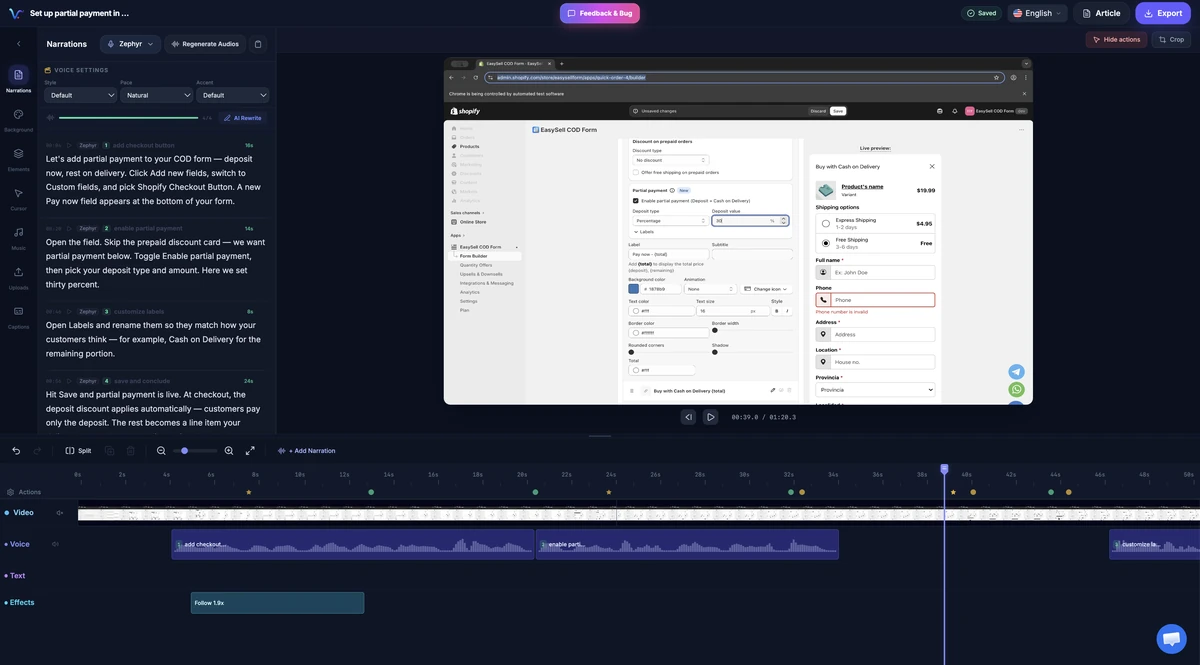
Descript vs Vorec
| Descript | Vorec | |
|---|---|---|
| Editing model | Transcript editing | Timeline editor; script editing per segment |
| AI voice | AI Speech (text-to-speech, voice clones) | Generated voiceover from drafted narration |
| Script drafted from the screen | Not confirmed | Yes, from the captured workflow |
| Metered by | Media hours and AI credits | Credits per action |
| Written guide | Not checked | On request |
| Free option | Free plan (1 media hour) | 7-day trial, 100 credits |
| Paid start (monthly billing) | $24 | $9 |
When Descript fits
- You edit talk-led video and want to cut by deleting transcript text
- You want voice cloning and AI Speech inside the editor
- You work with long spoken recordings
When Vorec fits
- You have a silent screen recording and want narration drafted for you
- You want the same capture to produce a video and a written guide
- You want a macOS recorder that an AI agent can drive
Frequently asked questions
Is Vorec a Descript alternative?
For narrated software tutorials, yes. For editing talk-led video by transcript, Descript is built for that. See Descript alternatives.
Does Descript write narration from a screen recording?
We did not confirm that on the pages we checked; its text-to-speech page describes generating a voiceover from typed text and adding screen recordings.
Which is cheaper?
Vorec Starter is $9 a month; Descript Hobbyist is $24 ($16 with annual billing). They meter different things, so compare against your volume. See Camtasia vs Descript.
Related reading: Descript pricing, Camtasia alternatives and the pricing study of 31 video tools.
Record or upload a workflow and get a narrated tutorial plus a written guide. Start the 7-day trial: 100 credits, no card. Trial includes up to 3 projects; exports carry a watermark.