Best Loom Alternatives in 2026 (With Real Screenshots)
Vorec Team · 2026-04-03 · About 15 min read
Loom changed how teams communicate asynchronously. Record your screen, talk through a problem, share a link. Simple, effective, and adopted by over 25 million users worldwide.
But the landscape has shifted. Loom's pricing now starts at $15/user/month for business features, free plans are capped at 25 videos of 5 minutes each, and the editor remains limited. Meanwhile, a new generation of tools has emerged with AI-powered narration, professional editing, and flexible pricing.
Whether you're frustrated with Loom's limitations, looking for a free alternative, or need features Loom simply doesn't offer, this guide covers seven alternatives worth evaluating in 2026.
Loom's free plan caps videos at 5 minutes, which is short enough that most people meet it quickly.
Quick Comparison: Loom vs. 7 Alternatives
Before diving into detailed reviews, here's how each tool stacks up at a glance:
| Tool | Best For | AI Narration | Free Plan | Starting Price | Editing |
|---|---|---|---|---|---|
| Vorec | Silent screen recordings with AI voice | ✅ Full AI narration | ✅ 100 credits, one-time trial | $9/mo | ✅ Timeline editor |
| Tella | Polished presenter-style videos | ❌ | ✅ Limited | $9/mo | ✅ Scene-based |
| Descript | Podcast and video editing | ✅ AI voice cloning | ✅ Limited | $24/mo | ✅ Document-style |
| ScreenPal | Education and training | ❌ | ✅ Generous | $3/mo | ✅ Basic |
| Vidyard | Sales prospecting | ❌ | ✅ 25 videos | $59/mo | ❌ Minimal |
| Guidde | Software how-to guides | ✅ AI voice | ✅ 25 guides | $16/mo | ❌ Step-based |
| OBS Studio | Livestreaming and full control | ❌ | ✅ Fully free | Free | ❌ None |
If you're looking for a free Loom alternative with no time limits, OBS Studio and ScreenPal's free tier are your best bets. If you want AI narration, Vorec and Descript are the leaders.
Why People Leave Loom
Loom pioneered async video messaging. But as teams' needs have grown, several pain points keep surfacing:
Pricing that scales fast. At $15/user/month (billed annually), a 20-person team pays $3,600/year for Loom Business. That adds up quickly for a tool many use only a few times per week.
The 5-minute free wall. Loom's free plan limits recordings to 5 minutes and 25 total videos. For anyone creating tutorials, onboarding videos, or product demos, that's barely enough for a test run.
Limited editing. Loom offers basic trimming and stitching, but no timeline editor, no multi-track audio, and no way to add professional polish without exporting to another tool.
Editing and narration corrections. Loom supports waveform trimming and clip stitching on Business, Business + AI and Enterprise plans; transcript editing is documented for Business + AI and Enterprise. Its beta text-to-speech correction lets you replace recorded speech with typed text. The replacement must be similar in length to the original, with up to 10 replacements per video. Voice quality may vary. The feature does not support meeting recordings, uploaded videos, non-English transcripts or clips you did not create.
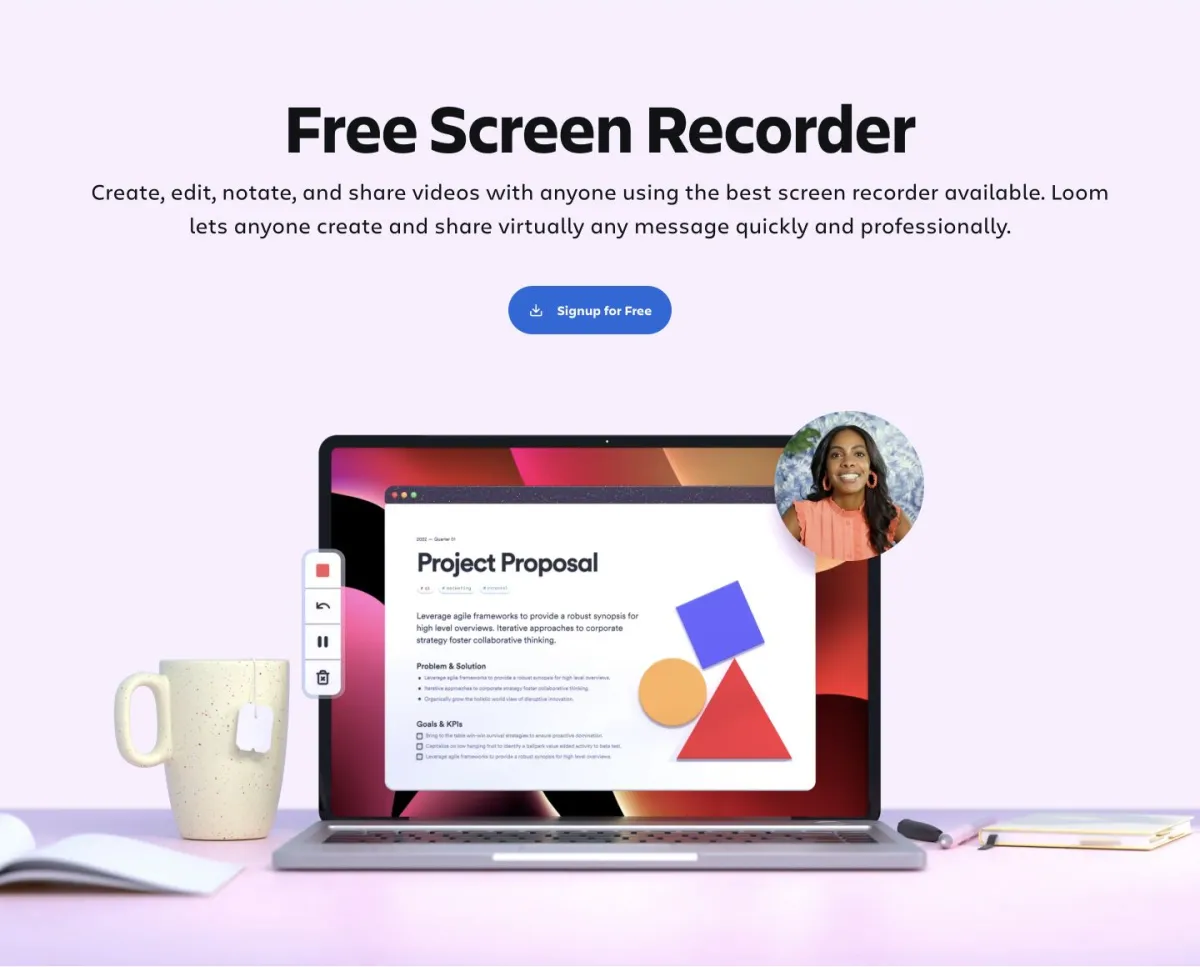
1. Vorec — Best for AI-Narrated Tutorials
Turn silent screen recordings into narrated videos.
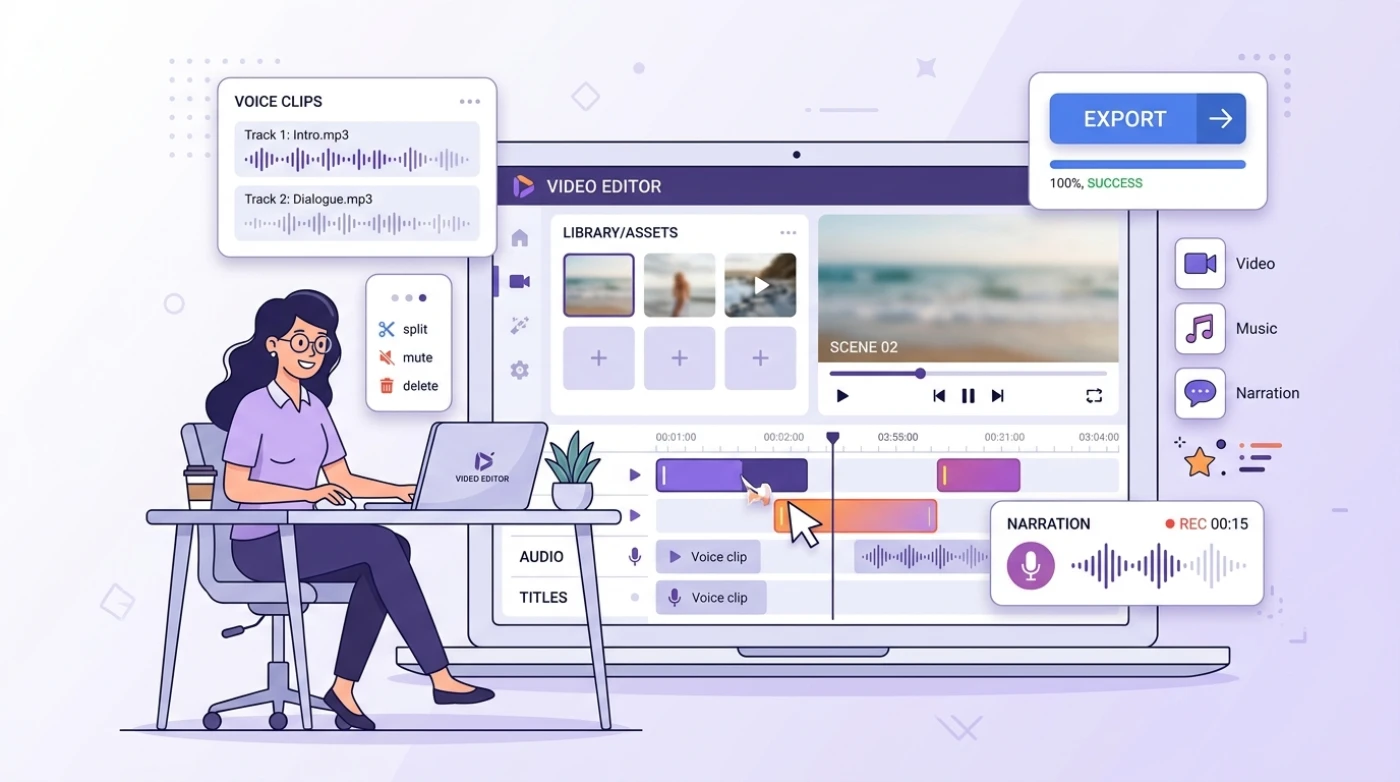
Vorec takes a fundamentally different approach to screen recording. Instead of talking while you record, you record silently and let AI generate the narration. The AI watches your video, understands what's happening on screen, and writes a script that syncs with your actions.
This means no more re-recording because you stumbled over a word. No more background noise issues. No more trying to explain and demonstrate simultaneously.
Best For
Teams and individuals creating tutorials, product demos, onboarding videos, and documentation — anyone who wants professional narration without recording their voice.
Key Features
- AI narration engine that analyzes your screen recording and generates synchronized voice-over
- Timeline editor with multi-track support for voice, effects, and captions
- Multiple AI voices with natural intonation and pacing
- Click detection that automatically identifies where you click and what you interact with
- Auto-zoom effects that draw attention to important UI actions
- One-click export to MP4 with embedded captions
Pricing
| Plan | Price | Credits |
|---|---|---|
| Trial | $0 | 100, one-time |
| Starter | $9/month | 150 |
| Pro | $24/month | 500 |
| Business | $59/month | 1,500 |
Pros and Cons
Pros:
- ✅ Record silently — no voice recording needed
- ✅ AI understands screen content and generates relevant narration
- ✅ Full timeline editor for precise control
- ✅ Auto-zoom and click effects built in
- ✅ Generous free tier to test the full workflow
Cons:
- ✅ Claude Code plugin automates recording, or upload any screen recording
- ❌ AI narration uses credits per segment
- ❌ Newer product with a smaller user community
Try Vorec free — Record with Vorec, or upload one you already have, and get AI narration in minutes. No credit card required. Get started at vorec.ai
2. Tella — Best for Polished Presenter Videos
Create studio-quality recordings with a webcam-forward design.
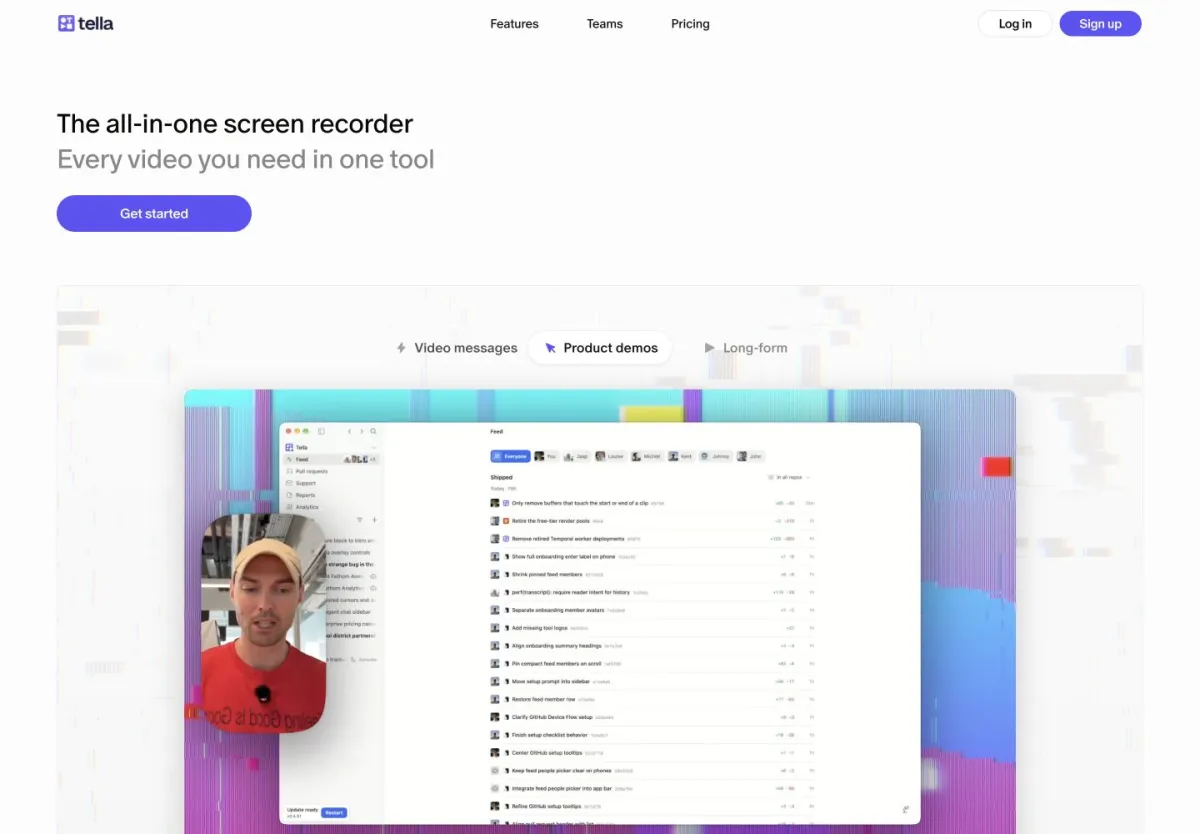
Tella is built for people who want to be on camera. It combines screen recording with a polished presenter experience: custom backgrounds, branded layouts, and scene-based editing that feels like assembling a slide deck.
Best For
Founders, marketers, and sales teams who want to create polished, branded video content with a personal touch.
Key Features
- Custom layouts combining webcam, screen, and slides in configurable arrangements
- Scene-based editing — rearrange, trim, and transition between scenes
- Branded recordings with custom backgrounds, colors, and logos
- Auto-captions for accessibility
- Direct sharing with custom video pages and analytics
Pricing
| Plan | Price | Videos | Features |
|---|---|---|---|
| Free | $0 | Limited | Basic recording |
| Pro | $9/month | Unlimited | Custom branding, analytics |
| Business | $39/month | Unlimited | Team features, SSO |
Pros and Cons
Pros:
- ✅ Beautiful presenter layouts out of the box
- ✅ Scene-based editing is intuitive for non-editors
- ✅ Strong branding and customization options
- ✅ Clean sharing pages with viewer analytics
Cons:
- ❌ No AI narration — you must record your voice live
- ❌ Limited editing beyond scene rearrangement
- ❌ Webcam-focused design is less suited for pure screen tutorials
- ❌ No timeline editor for precise audio adjustments
Tella vs. Vorec: Tella excels when you want to be on camera with polished layouts. Vorec is better when you want professional narration without recording your voice. Choose Tella for sales and marketing videos, Vorec for tutorials and documentation.
3. Descript — Best for Podcast and Video Editing
Edit video like editing a document.
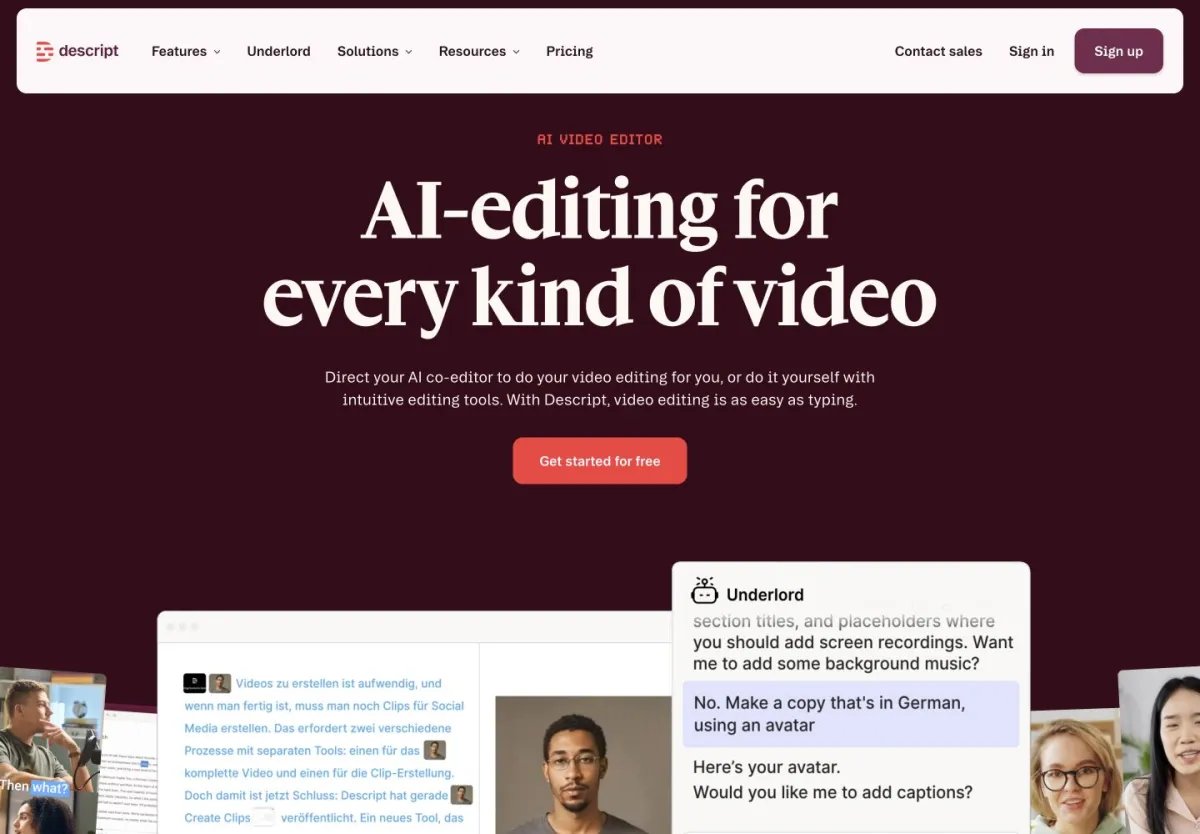
Descript's breakthrough idea is text-based editing: your recording is transcribed, and you edit the video by editing the transcript. Delete a sentence from the text, and the corresponding video segment disappears. It's powerful, especially for longer content.
Best For
Content creators, podcasters, and marketing teams who produce longer-form video and audio content requiring heavy editing.
Key Features
- Text-based video editing — edit video by editing the transcript
- AI voice cloning (Overdub) — type new words in your voice
- Filler word removal — automatically strips "um," "uh," and pauses
- Multi-track editing with screen recording, webcam, and audio layers
- Studio Sound AI that enhances audio quality
- Built-in publishing to YouTube, social platforms
Pricing
| Plan | Price | Transcription | AI Features |
|---|---|---|---|
| Free | $0 | 1 hr/month | Limited |
| Hobbyist | $24/month | 10 hrs/month | Full AI suite |
| Business | $33/month | 24 hrs/month | Team + brand kit |
Pros and Cons
Pros:
- ✅ Text-based editing is genuinely innovative
- ✅ AI voice cloning lets you fix mistakes without re-recording
- ✅ Excellent filler word and silence removal
- ✅ Strong multi-track editing capabilities
- ✅ Good for both video and podcast workflows
Cons:
- ❌ Steeper learning curve than simpler tools
- ❌ $24/month starting price is higher than most alternatives
- ❌ AI features consume credits that run out fast on heavy use
- ❌ Not purpose-built for screen recordings — it's a general editor
- ❌ Can feel sluggish with longer recordings
Descript reports that filler word removal saves the average user 45 minutes of editing per hour of recorded content.
4. ScreenPal — Best Budget Option for Education
Affordable screen recording with a surprisingly deep feature set.
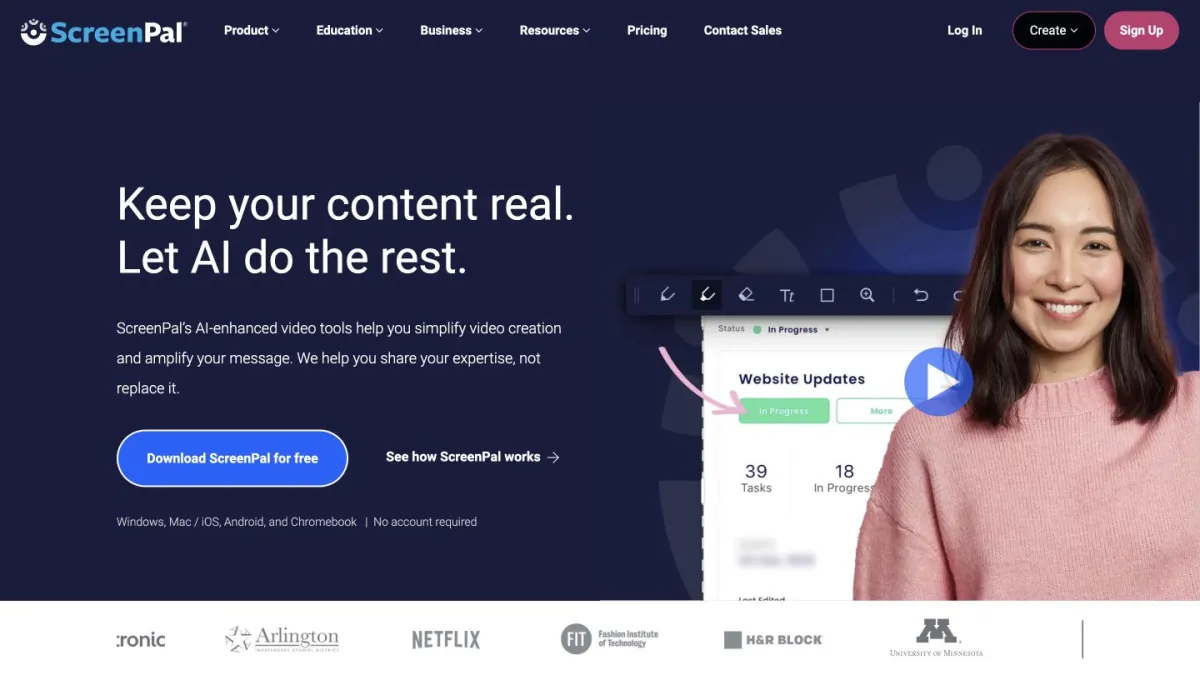
ScreenPal (formerly Screencast-O-Matic) has been around for over a decade and has built a loyal following in education. It's straightforward, affordable, and offers more editing features than you'd expect at its price point.
Best For
Teachers, trainers, and budget-conscious teams who need reliable screen recording with basic editing at a fraction of the cost of premium tools.
Key Features
- Screen and webcam recording with configurable layouts
- Built-in editor with trimming, annotations, transitions, and overlays
- Stock library with images, videos, and music
- Automated captions and transcript generation
- Screenshot tool alongside video recording
- LMS integrations for Google Classroom, Canvas, and more
Pricing
| Plan | Price | Features |
|---|---|---|
| Free | $0 | Recording up to 15 min, watermark |
| Solo Deluxe | $3/month | Unlimited recording, no watermark |
| Solo Premier | $6/month | Full editor, stock library |
| Team Business | $8/user/month | Team management, analytics |
Pros and Cons
Pros:
- ✅ Extremely affordable — full features from $3/month
- ✅ Generous free plan with 15-minute recordings
- ✅ Purpose-built for education with LMS integrations
- ✅ Simple enough for non-technical users
- ✅ Desktop app works offline
Cons:
- ❌ No AI narration or AI-powered features
- ❌ Editor is functional but not modern
- ❌ Video quality capped on lower tiers
- ❌ Interface feels dated compared to newer tools
- ❌ Limited analytics and sharing options
ScreenPal offers steep education discounts. If you're a teacher or work at a school, check their education pricing page — it can drop to under $2/month per user.
5. Vidyard — Best for Sales Teams
Screen recording built specifically for sales prospecting.
Vidyard isn't trying to be a general-purpose screen recorder. It's built for sales teams who want to send personalized video messages to prospects, track who watches them, and integrate viewing data into their CRM.
Best For
Sales development reps, account executives, and revenue teams who use video as part of their outreach workflow.
Key Features
- One-click recording optimized for quick sales videos
- Viewer analytics — see who watched, how much, and when
- CRM integrations with Salesforce, HubSpot, Outreach, and SalesLoft
- Video playlists for multi-step nurture sequences
- AI script generator for sales messaging
- Custom CTAs embedded in video pages
Pricing
| Plan | Price | Videos | Features |
|---|---|---|---|
| Free | $0 | 25 videos | Basic recording + sharing |
| Pro | $59/month | Unlimited | Analytics, CRM integrations |
| Business | Custom | Unlimited | Team management, SSO |
Pros and Cons
Pros:
- ✅ Detailed viewer analytics built for sales
- ✅ Deep CRM integrations that sales teams actually use
- ✅ Optimized for the quick-record-and-send workflow
- ✅ Custom video landing pages with CTAs
Cons:
- ❌ Expensive at $59/month for Pro
- ❌ Minimal editing capabilities
- ❌ No AI narration
- ❌ Overkill if you're not in sales
- ❌ Free plan limited to 25 videos total
Vidyard's pricing is per user. For a 10-person sales team on Pro, you're looking at $7,080/year. Make sure your team will actually adopt video prospecting before committing.
6. Guidde — Best for Software How-To Guides
AI-powered step-by-step documentation from screen recordings.
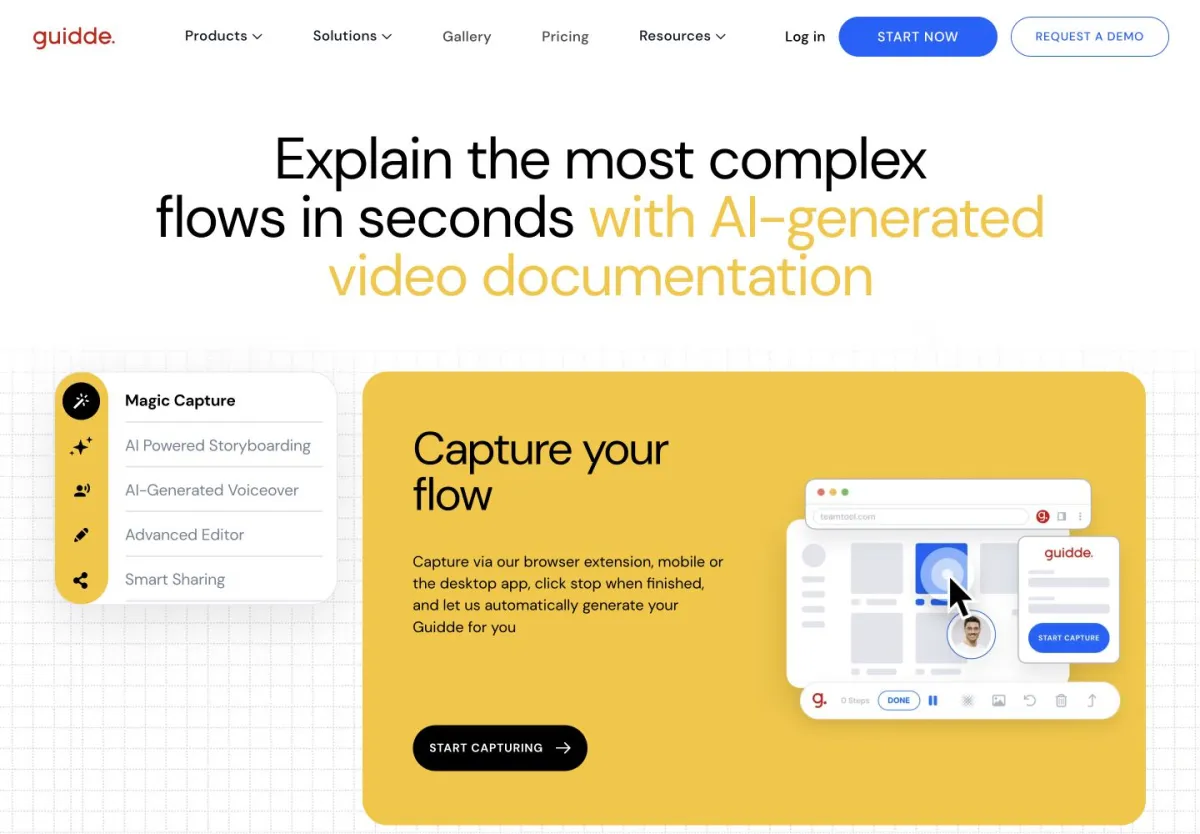
Guidde captures your screen and automatically generates step-by-step guides with screenshots, descriptions, and AI voice narration. It's less of a video editor and more of an automated documentation tool.
Best For
Customer success teams, support teams, and technical writers who need to create how-to documentation quickly.
Key Features
- Auto-generated step-by-step guides from screen recordings
- AI voice narration in multiple languages
- Browser extension for quick capture
- Shareable video guides with embedded steps
- Team knowledge base for organizing guides
- Integrations with Zendesk, Intercom, Slack, and more
Pricing
| Plan | Price | Guides | Features |
|---|---|---|---|
| Free | $0 | 25 guides | Basic capture + AI voice |
| Individual | $16/month | Unlimited | Custom branding |
| Pro | $32/month | Unlimited | Team features, analytics |
Pros and Cons
Pros:
- ✅ Fastest way to create step-by-step documentation
- ✅ AI narration included in the free plan
- ✅ Browser extension makes capture frictionless
- ✅ Great for building a team knowledge base
- ✅ Multi-language AI voices
Cons:
- ❌ Step-based format — not a full video editor
- ❌ Limited to software walkthroughs (browser-based capture only)
- ❌ Less control over narration timing and pacing
- ❌ Output is structured guides, not polished videos
- ❌ Requires a Chrome extension
Guidde vs. Vorec: Both offer AI narration, but for different outputs. Guidde creates structured step-by-step guides — ideal for support documentation. Vorec creates narrated videos with a timeline editor — better for tutorials, demos, and content you want to look cinematic. If you need a help center, choose Guidde. If you need YouTube-ready tutorials, choose Vorec. Read our full Guidde comparison.
7. OBS Studio — Best Free Option for Power Users
Open-source, infinitely configurable, completely free.
OBS Studio is the gold standard for free screen recording and livestreaming. It's open-source, has no recording limits, no watermarks, and no paywalls. The trade-off is complexity: OBS has a steep learning curve and zero built-in editing.
Best For
Developers, streamers, and technical users who want maximum control over their recording setup and don't mind configuring settings manually.
Key Features
- Unlimited recording at any resolution, no watermarks
- Scene composition with multiple sources (screens, webcams, images, text)
- Livestreaming to Twitch, YouTube, and custom RTMP servers
- Plugin ecosystem with hundreds of community extensions
- Audio mixer with filters, noise suppression, and per-source control
- Virtual camera output for video calls
Pricing
Completely free. No tiers, no limits, no upsells. Open-source under GPL v2.
Pros and Cons
Pros:
- ✅ 100% free with no limitations
- ✅ Most configurable recording tool available
- ✅ Massive plugin ecosystem
- ✅ Professional-grade audio mixing
- ✅ Active open-source community
Cons:
- ❌ No editing — you need a separate tool to edit recordings
- ❌ No AI narration or AI features
- ❌ Steep learning curve for beginners
- ❌ No sharing features — it just saves files locally
- ❌ No analytics or viewer tracking
- ❌ Desktop app only, no web version
OBS Studio pairs well with Vorec. Use OBS for maximum recording control, then upload to Vorec for AI narration and editing. You get the best of both worlds: professional recording quality with AI-powered post-production.
Head-to-Head Feature Comparison
Here's the complete feature matrix across all seven tools:
| Feature | Loom | Vorec | Tella | Descript | ScreenPal | Vidyard | Guidde | OBS |
|---|---|---|---|---|---|---|---|---|
| Screen recording | ✅ | ✅ Via upload | ✅ | ✅ | ✅ | ✅ | ✅ | ✅ |
| AI narration | ❌ | ✅ | ❌ | ✅ Clone | ❌ | ❌ | ✅ | ❌ |
| Timeline editor | ❌ | ✅ | ❌ | ✅ | ✅ Basic | ❌ | ❌ | ❌ |
| Auto-zoom effects | ❌ | ✅ | ❌ | ❌ | ❌ | ❌ | ❌ | ❌ |
| Click detection | ❌ | ✅ | ❌ | ❌ | ❌ | ❌ | ✅ | ❌ |
| Webcam overlay | ✅ | ❌ | ✅ | ✅ | ✅ | ✅ | ❌ | ✅ |
| Auto-captions | ✅ | ✅ | ✅ | ✅ | ✅ | ✅ | ✅ | ❌ |
| CRM integration | ❌ | ❌ | ❌ | ❌ | ❌ | ✅ | ❌ | ❌ |
| Free plan | ✅ Limited | ❌ 7-day trial | ✅ Limited | ✅ Limited | ✅ Generous | ✅ Limited | ✅ Limited | ✅ Full |
| Self-hosted option | ❌ | ❌ | ❌ | ❌ | ❌ | ❌ | ❌ | ✅ |
Which Tool Should You Choose? A Decision Guide
The right Loom alternative depends on what you're actually trying to accomplish. Here's a quick guide:
Choose Vorec if you create tutorials, product demos, or documentation and want AI to handle narration. You record silently and let the AI write and voice the script. Best when you want polished output without being on camera.
Choose Tella if you want to be on camera with polished, branded layouts. Ideal for founders recording product updates, marketers creating social content, or anyone who wants the "studio look" without a studio.
Choose Descript if you produce longer video or podcast content that needs heavy editing. The text-based editing paradigm is powerful for content creators who edit frequently and need AI voice cloning to fix mistakes.
Choose ScreenPal if budget is the primary concern. At $3/month for unlimited recording without watermarks, it is inexpensive for education and training use cases.
Choose Vidyard if you're in sales and need viewer analytics integrated with your CRM. The price is justified only if video prospecting is a core part of your sales workflow.
Choose Guidde if you need step-by-step software documentation rather than polished videos. Perfect for customer support knowledge bases and internal how-to libraries.
Choose OBS Studio if you want maximum control and zero cost. Best for technical users comfortable with configuration who plan to edit in a separate tool.
Not sure where to start? Here's a quick filter:
- Need AI narration? Vorec or Descript
- On a tight budget? OBS Studio or ScreenPal
- Sales team? Vidyard
- Want to be on camera? Tella
- Building a help center? Guidde
Frequently Asked Questions
What is the best free alternative to Loom?
For a completely free tool with no limitations, OBS Studio can't be beaten — it's open-source with unlimited recording, no watermarks, and professional-grade features. If you want something simpler with a free tier, ScreenPal offers 15-minute recordings for free, and Vorec gives you 100 credits on a 7-day free trial to try AI narration.
Can I get AI narration without recording my voice?
Yes. Vorec is specifically designed for this workflow. You record your screen silently, upload the video, and AI generates synchronized narration by analyzing what happens on screen. Descript offers AI voice cloning, but you need to first record samples of your voice. Guidde generates AI narration for step-by-step guides.
Which Loom alternative is best for making tutorial videos?
Vorec is purpose-built for tutorials. Its AI analyzes your screen recording, detects clicks and interactions, and generates narration that explains each step. The timeline editor lets you fine-tune timing, add zoom effects, and export polished videos. For a deeper look at creating tutorials, see our guide on how to make tutorial videos in 2026.
Is Loom still worth paying for in 2026?
Loom remains a solid choice for quick, informal video messages within teams — its share-a-link simplicity remains a real advantage for async communication. However, if you need serious editing, AI narration, or create customer-facing content, the alternatives on this list offer significantly more value. Read our detailed Loom alternative analysis for a deeper comparison.
What's the cheapest Loom alternative with good features?
ScreenPal at $3/month (Solo Deluxe) gives you unlimited recording without watermarks, which covers most basic needs. If you need AI narration, Guidde starts at $16/month and Vorec at $9/month — both cheaper than Loom Business at $15/user/month when you consider per-user pricing adds up fast.
Can I switch from Loom without losing my existing videos?
Most Loom alternatives don't offer direct import from Loom. The typical migration path is: download your Loom videos (Loom allows bulk download on paid plans), then upload them to your new tool. For Vorec specifically, uploaded videos get AI narration added automatically, which means your existing recordings become more useful, not less.
Which tool has the best AI features for screen recording?
For AI narration of screen recordings, Vorec leads with its ability to analyze video content and generate contextual narration. Descript leads for AI editing with text-based video editing and voice cloning. Guidde leads for AI documentation with auto-generated step-by-step guides. Each tool's AI serves a different purpose. For more on AI-powered screen recording, see our guide on screen recording software with AI narration.
Pre-Switch Checklist
Before moving away from Loom, make sure you've covered these bases:
- [ ] Download all existing Loom videos (bulk download available on paid plans)
- [ ] Export any viewer analytics data you need to keep
- [ ] Update shared Loom links in documentation, wikis, and emails
- [ ] Trial your chosen alternative with a real project before committing
- [ ] Check team size pricing — per-user costs vary dramatically between tools
- [ ] Verify integrations with your existing tools (Slack, CRM, LMS)
- [ ] Test the recording quality at your target resolution
The Verdict
Loom still has its place for quick, casual video messages. But if you're creating content that needs to look and sound professional — tutorials, product demos, training materials, customer documentation — the tools on this list do it better.
Vorec stands out as the strongest alternative for anyone who dreads recording narration live. The ability to record silently and get AI-generated voice-over that actually understands your screen content is a genuine workflow shift. No more re-recording, no more scripting anxiety, no more background noise.
For teams already comfortable on camera, Tella and Descript are excellent. For budget-conscious teams, ScreenPal and OBS Studio deliver surprising value. And for specialized use cases — sales outreach or support documentation — Vidyard and Guidde are purpose-built.
The best way to decide? Try two or three with a real project. Most offer free tiers generous enough to evaluate properly.
Related reading: Best Tutorial Video Creators in 2026 and Descript Alternative: Narrated Tutorials Without Editing.
Ready to try AI-narrated screen recording? Upload a silent recording to Vorec and get professional narration in minutes. Free to start, no credit card needed. Start creating at vorec.ai