Scribe Pricing 2026: Personal vs Team, and the Free Limit
Vorec Team · 2026-09-17 · About 10 min read
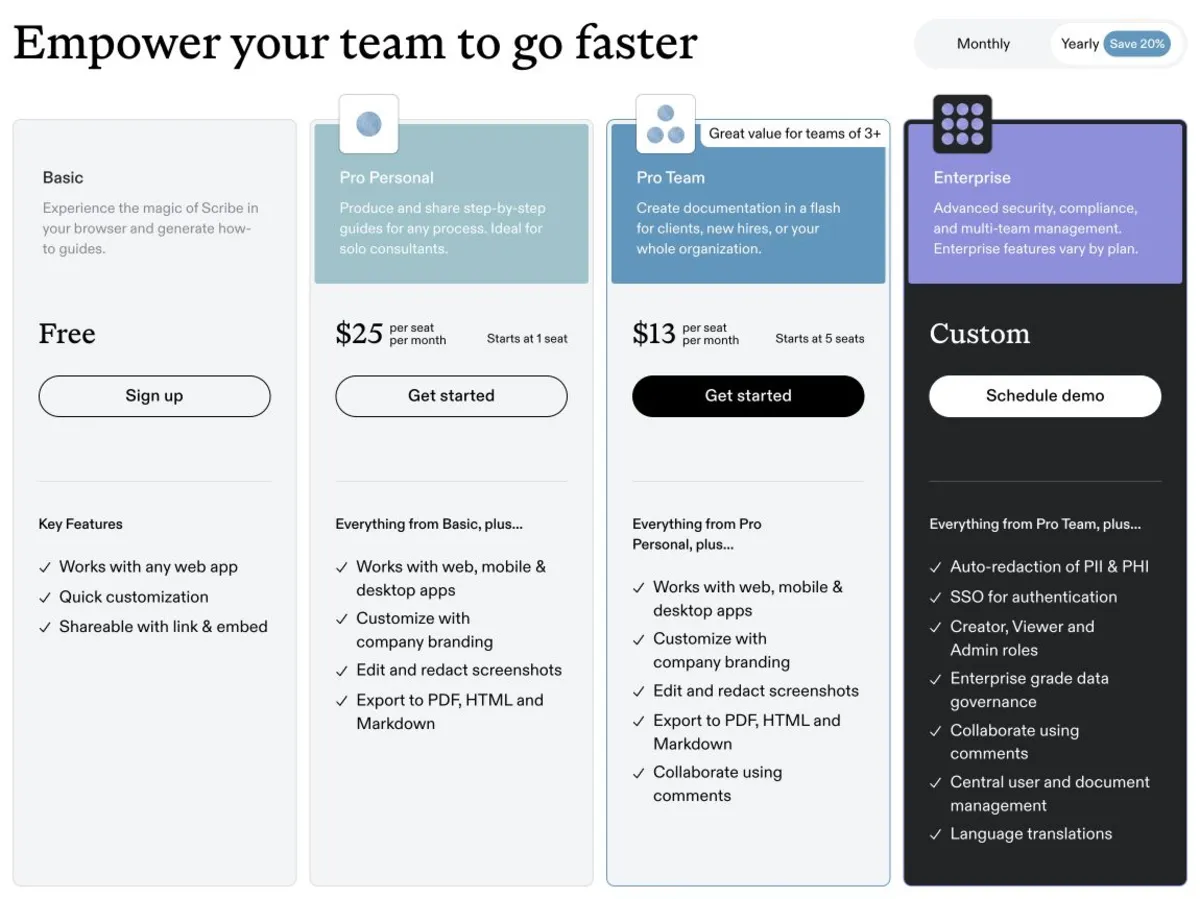
Scribe has a free Basic plan, then Pro Personal at $35 per seat a month ($25 billed annually), Pro Team at $29 per seat a month ($23 billed annually) with a five-seat minimum, and custom Enterprise pricing. Because of that minimum, Pro Team never costs less than $115 a month on annual billing, so it only beats Personal on price from five users. Annual plans are billed upfront, and these prices were verified on Scribe's pricing page on 8 October 2026.
Scribe's cheaper per-seat plan is not the one called Personal. Pro Personal is $25 per seat per month on annual billing; Pro Team is $23. The catch is that Team has a five-seat minimum, so its lower per-seat rate does not mean a lower bill until you actually have five people. At current list prices, that is where the crossover falls.
Current prices were verified in a browser on Scribe's pricing page, in both the monthly and annual billing states, on 8 October 2026. The page source also contains an older table with lower Team prices; the figures here are the ones the page displays. The plan feature details below come from the same page's comparison table, checked on 17 September 2026. Plans change; check before you buy.
The Short Version
| Plan | Monthly | Annual equivalent | Billed annually | Seat minimum |
|---|---|---|---|---|
| Basic | $0 | $0 | — | — |
| Pro Personal | $35/seat/mo | $25/seat/mo | $300/seat/yr upfront | 1 |
| Pro Team | $29/seat/mo | $23/seat/mo | $1,380/yr upfront at the minimum | 5 |
| Enterprise | Custom | Custom | Custom | — |
Annual is billed upfront, not spread monthly. $1,380 is 5 seats × $23 × 12. Scribe's page shows a savings badge, but the actual gap differs between the two Pro plans, so price against the figures above rather than a percentage.
Personal or Team: The Crossover
Pro Team's five-seat minimum means its real floor is $115/month ($1,380/year), regardless of how many people you actually have. Pro Personal has no multi-seat minimum, so you can buy a single seat. What matters is total spend:
| Users | Pro Personal | Pro Team (5-seat floor) | Cheaper |
|---|---|---|---|
| 1 | $25/mo | $115/mo | Personal |
| 2 | $50/mo | $115/mo | Personal |
| 3 | $75/mo | $115/mo | Personal |
| 4 | $100/mo | $115/mo | Personal |
| 5 | $125/mo | $115/mo | Team |
| 10 | $250/mo | $230/mo | Team |
All figures are annual-equivalent monthly rates. On monthly billing the crossover lands in the same place: four Personal seats cost $140 a month against Team's $145 minimum (5 × $29), and at five users Team is $145 against Personal's $175.
At current list prices, Team costs less than Personal only from five users. Scribe's support documentation on choosing a Pro plan, dated 22 April 2026, recommends Pro Team for teams of three or more. At three or four users that is a choice for Team's collaboration features, not for price: you pay $40 or $15 a month more than the same people on Personal seats.
One caveat about the table above: it is arithmetic on Scribe's published rates, not a completed purchase. We did not run a checkout. Treat the five-seat minimum as a billing floor and confirm the total at checkout before committing.
Per Scribe's Pro billing documentation, every member of a Pro team occupies a paid seat — you cannot mix free and paid members inside one Pro team. If you run multiple teams, each bills separately even for the same person. Seat additions are prorated and removals generate credit.
What Basic Actually Includes
Per Scribe's detailed comparison table, the free tier includes:
- Browser capture on Chrome and Edge
- Automatic guide capture — the core capture-to-guide loop
- Text and step editing
- On-screen walkthroughs
- Basic insights
- Share as video, links, embeds and customised sharing
What it does not include, per that same table: desktop capture, Pages, advanced insights, voice transcription, branding, screenshot annotation, redaction, and PDF/HTML/Markdown/Word export. Those start at Personal.
One genuinely useful free-tier detail: adding teammates costs nothing on the free plan. Scribe's support documentation on adding teammates, updated 15 September 2026, states unlimited teammates at no cost there. The seat economics above apply to Pro, not to Basic.
About That Free Guide Limit — Scribe's Own Site Disagrees
This is worth flagging because the source material does not support a confident answer.
Three official Scribe surfaces currently give three different answers:
- The pricing comparison table at scribe.com/pricing does not list "unlimited guide creation" or "Create Pages" on Basic — implying a cap without naming one.
- Scribe's free-screencasting-software page states up to 10 free screencasts saved on Basic, with Pro unlimited. That page carries no visible date.
- Scribe's knowledge-base article, which displays a date of 30 April 2023, says Basic includes unlimited Scribes and Pages, contradicting both of the above. Because this article is dated 2023, it may describe an earlier version of the plan.
We could not resolve this from public pages, and we have no logged-in account evidence of what is actually enforced. So: the current pricing table does not grant unlimited creation on Basic, one official FAQ says 10 saved screencasts, and an official article dated 2023 says unlimited. Confirm inside your own account before planning around any of the three. No minute cap is published anywhere we could verify.
Treat any single figure quoted as settled with caution until you have checked it in your own account.
The Upgrade Triggers
Basic to Personal ($25–35): capture and export. This is the jump for desktop capture — Basic is browser-only, so anything outside Chrome or Edge is not capturable. It also unlocks PDF, HTML, Markdown and Word export, branding, screenshot annotation, voice transcription, Pages, and advanced insights. If you need a guide to leave Scribe as a file, this is the tier.
Personal to Team ($23/seat, 5 minimum): collaboration. On the comparison table Team adds comments, and Team's plan card also lists Autocapture AI, described as turning work already done into Scribes. On price it only wins from five users; below that, it costs more than the same people on Personal seats.
Team to Enterprise: governance. Enterprise holds SAML, SCIM, RBAC, IP restrictions, authenticated viewers, translations, and enforced or custom auto-redaction. Note the redaction distinction: Personal includes manual and assisted redaction, which is not the same as the enforced, policy-level auto-redaction Enterprise provides. If a compliance team is asking, that gap is the reason for the conversation. Enterprise features vary by contract.
Version history is also tiered: absent on Basic, one week on Personal and Team, unlimited on Enterprise.
What It Costs In Practice
Annual billing, charged upfront, choosing the cheaper plan at each size:
| Team | Cheaper plan | Annual cost |
|---|---|---|
| 1 | Personal | $300 |
| 2 | Personal | $600 |
| 3 | Personal | $900 |
| 4 | Personal | $1,200 |
| 5 | Team | $1,380 |
| 10 | Team | $2,760 |
| 20 | Team | $5,520 |
Personal is seats × $300; Team is seats × $276 ($23 × 12), with five seats as the minimum. If you are at four users and expect to reach five soon, Team's $1,380 floor is $180 a year more than four Personal seats, and adds Team's features.
Is Scribe Worth It?
Yes, if your team documents click-through processes in web apps and readers want a page they can skim while working, not a video they have to sit through. The capture-to-guide loop is genuinely fast, and a written guide is the right artefact for a process someone follows in another window.
Reconsider if you need a continuous narrated walkthrough. Scribe can share a guide as video — that is listed even on Basic — but it is generated from the captured steps, not a recording of the screen with narration over it. If what you need is someone talking through a workflow as it plays, that is a different artefact from a sequence of captured steps.
Reconsider if you capture outside the browser. Desktop capture is Personal and above, so a free plan cannot document a desktop application at all.
Check Basic first. For browser-based documentation shared as links, the free tier may be enough, and teammates on Basic cost nothing.
How It Compares
| Entry paid (annual equivalent) | Notable | |
|---|---|---|
| Scribe | $25/seat/mo (Personal) | Fast capture-to-document; desktop capture is paid |
| Tango | see our Tango pricing breakdown | Guide capture with in-app guidance |
| Guidde | $19/creator/mo | Video documentation; watermark removed on Pro |
| Vorec | $9/mo, or $86/yr | Narrated video from its own recorder or an upload; a written guide can be generated from the same capture |
Formats differ, so this is orientation rather than like-for-like.
Quick Answers
How much is Scribe?
Basic is free. Pro Personal costs $300 per seat billed annually ($25 a month equivalent), or $35 per seat on monthly billing. Pro Team costs $23 per seat per month equivalent billed annually, or $29 per seat on monthly billing, with a five-seat minimum. The Team minimum is therefore $1,380 billed annually ($115 a month equivalent), or $145 each month on monthly billing. Prices checked on 8 October 2026.
Is Scribe Pro Team cheaper than Pro Personal?
Per seat, yes: $23 against $25 on annual billing. Per bill, only from five users, because Team has a five-seat minimum. At one to four users, Personal seats cost less in total.
Where Vorec Fits
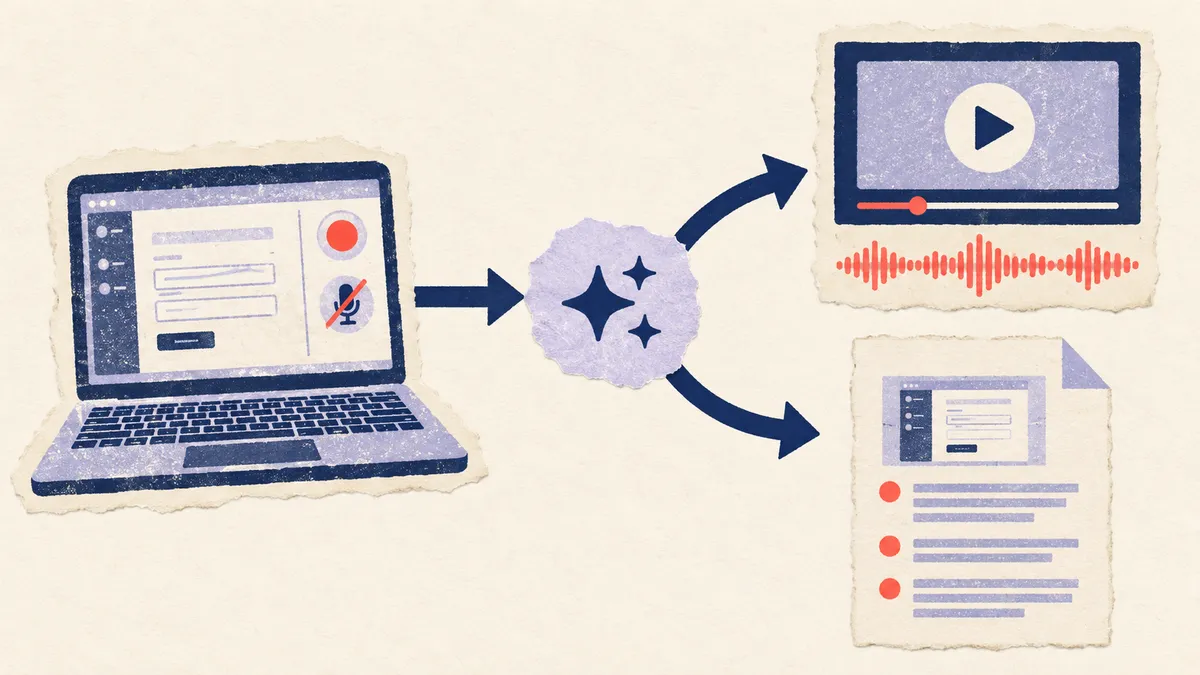
Scribe documents a process as text and screenshots. When someone is following along in another window, that is the right format.
It is a harder fit when the thing you are explaining needs motion — a drag, a timing-dependent interaction, an animation. Screenshots freeze exactly the part that needed to move. And capture alone records what was clicked, not why the step exists — the reasoning was never on screen to capture. Scribe's paid tiers do include voice transcription, so you can supply that commentary yourself; the point is that it has to come from you rather than from the capture.
Vorec records your screen. It has its own macOS recorder, and an AI agent can drive it for you through the Claude Code plugin, capturing locally for you to review before anything is uploaded. It then drafts narration matched to the workflow it captured and generates the voiceover, so nothing is spoken into a microphone. In the editor you can add smooth cursor motion, cursor-follow zoom and click-based auto-zoom, and freeze-sync can hold a frame to give an explanation time to finish. The same capture can also produce a written step-by-step guide, with annotatable screenshots, and narration regenerates in supported languages on eligible plans, without re-recording. You can upload an existing recording instead if you already have one.
So the useful distinction is what each tool is built around: Scribe centres on a scannable guide, Vorec on a narrated video, with a guide you can generate from the same capture.
Vorec plans are $9, $24 or $59 a month ($86, $230 or $566 a year). The free trial needs no credit card (current allowances on the pricing page). Trial includes up to 3 projects; exports carry a watermark. See Vorec pricing for credit allowances.
Bottom Line
One to four people: Pro Personal at $25/seat/month annually, $300 per seat per year. Five or more: Pro Team, from $1,380 a year at the five-seat floor, or earlier if you want Team's features and accept paying for unused seats. Governance, SSO or enforced redaction: Enterprise.
Price on total annual spend, not the per-seat number on the card. Team's lower per-seat rate only becomes a lower bill at five users.
Related: our Scribe alternative for video tutorials and Scribe vs Tango.
Related reading: Clueso Pricing 2026.
Compare and alternatives: Guidde vs Scribe (2026): Which Documentation Tool Wins?, Loom vs Scribe (2026): Video Messages or Written Guides?.
See also: Tango Alternatives (2026): 7 Tools Compared on Free Plans and Capture, Scribe Alternatives (2026): 7 Tools Compared on Guides and Exports.
See also: Trupeer vs Scribe (2026): AI Video or Written Guides?.
See also: Scribe vs Whale (2026): Step Guides or a Full SOP Platform?.
See also: Scribe vs Snagit (2026): Step Guides or Capture App?.
See also: Windows Steps Recorder Is Deprecated: What to Use (2026).
Need the video as well as the document? Record with Vorec, or upload one you already have, and get a narrated tutorial plus a written guide. Trial includes up to 3 projects; exports carry a watermark. Start your free trial, no card needed.
For how these plans compare with other tools on free offers, trials and credit meters, see our pricing study of 31 video and tutorial tools.