Tango Pricing 2026: The Third Seat Costs $12 a Year
Vorec Team · 2026-09-17 · About 8 min read
Tango's pricing has a breakpoint that almost no one notices: going from two users to three costs about $12 a year. Not $12 per month — $12 for the whole year. The per-user rate drops from $22 to $15 at three seats, so the extra person is nearly absorbed by the repricing.
There is a timing catch that decides whether you actually get that, and it is covered below.
Everything below was verified on Tango's pricing page with the billing toggle switched through all four states, on 17 September 2026, and the monthly Personal price was re-checked on 15 October 2026: it had risen from $26 to $30, while the annual ($22) and Team ($15 annual, $20 monthly) prices were unchanged. Plans change; check before you buy.
The Short Version
| Plan | Monthly | Annual equivalent | Billed annually |
|---|---|---|---|
| Free | $0 | $0 | — |
| Pro, 1–2 users | $30/user/mo | $22/user/mo | $264/user/yr upfront |
| Pro, 3+ users | $20/user/mo | $15/user/mo | $180/user/yr upfront |
| Enterprise | Custom | Custom | Custom |
Annual is billed upfront. Tango's own billing documentation, dated 3 August 2026, notes these rates took effect on 24 March 2026 — so any figure you find in an older article predates the current pricing.
The Third Seat Costs $12 a Year
The per-user rate drops at three users, and the drop applies across the whole workspace rather than only to the new seat — Tango's billing documentation states that Pro workspaces with three or more members are charged $15 per user per month on annual billing. Steady-state annual totals, each billed upfront:
| Users | Annual total (upfront) | Per user |
|---|---|---|
| 1 | $264 | $22/mo |
| 2 | $528 | $22/mo |
| 3 | $540 | $15/mo |
| 5 | $900 | $15/mo |
| 10 | $1,800 | $15/mo |
Two seats cost $528 a year. Three cost $540. The third person adds $12 a year, because crossing the threshold reprices everyone.
If you are a two-person team who has been hesitating to add a third, this is the cheapest seat you will ever buy from Tango. The reverse is also worth knowing: cutting from three users back to two raises your per-user rate, so a small team shrinking can see its bill barely move.
The timing catch. Tango's workspace documentation states that an existing Pro workspace moves to the Team rate at its next renewal after reaching three users, not at the moment you add them. So the $12 figure describes what a three-person workspace pays over a full year — not what you are charged the day you invite someone mid-cycle. Seat additions are prorated and reviewed monthly, and removed users generate credit. Budget the repricing from your renewal date, not from the invite.
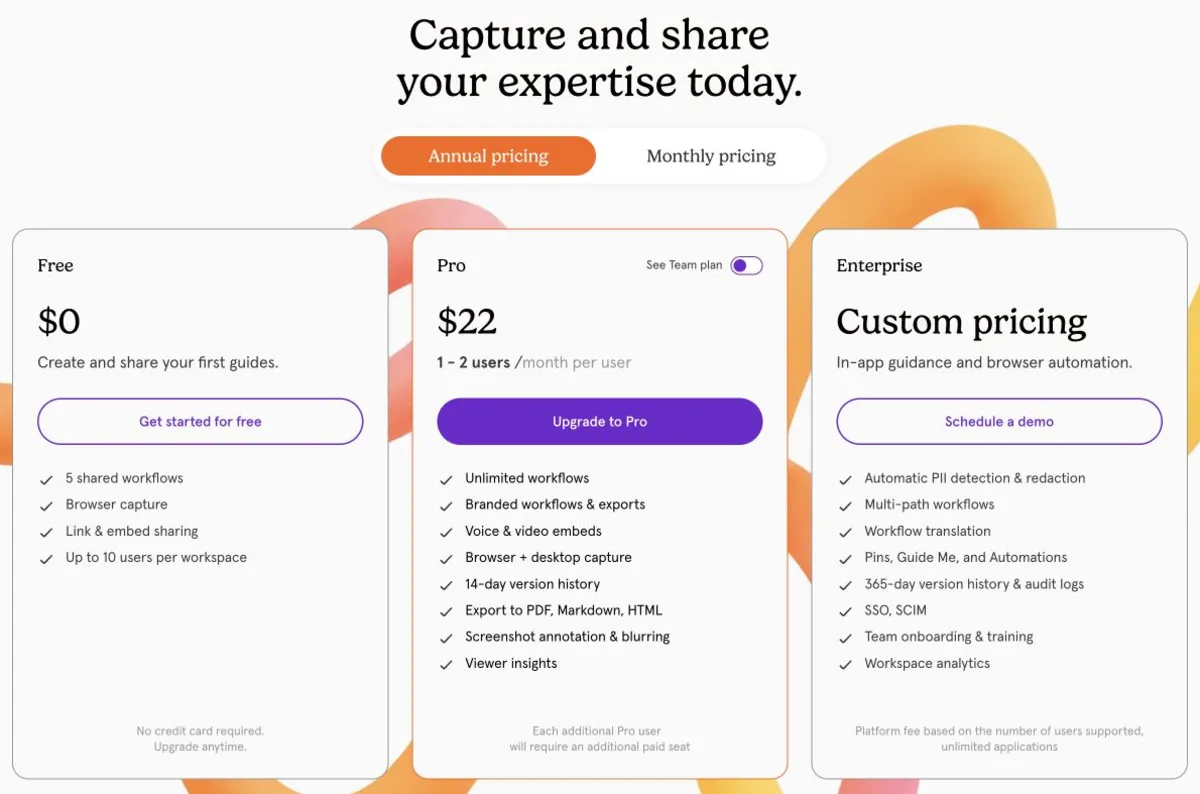
Note on the screenshot above: Tango's pricing page displays only one seat-count rate at a time, so it shows the default 1–2 user annual rate of $22. The $15 rate at three or more users is a separate state of the same page.
What Free Actually Includes — And What The 5-Workflow Limit Really Means
This is the most misreported thing about Tango, and it is worth getting right.
Free includes:
- 5 workflows in the shared Team Library
- Up to 10 users per workspace
- Browser capture
- Sharing by URL, paste and embed
- Callouts and headings
- Google login and secure hosting
Version history is not included on Free at all — that starts at Pro with 14 days, and Enterprise holds 365 days.
Now the part that is usually wrong. The five-workflow cap is not five captures for life. Per Tango's own support article on the five-workflow warning, dated 3 August 2026, the limit applies to published Team Library workflows. At the cap you can still create drafts, and you can archive or delete a published workflow to free a slot. What you get is five workflows that can be edited, shared, exported or embedded at the same time.
That is a meaningfully different constraint from "you only get five, ever" — it makes Free genuinely usable for a small rotating set of documents, and useless for building a permanent library. Free also covers one workspace.
The Upgrade Triggers
Free to Pro ($15–30): capture and output. Pro adds desktop capture — Free is browser-only — plus voice transcription, manual blur, custom highlight colours, branding and private folders, AI content, annotation and redaction, collaborative editing, comments and reactions, view and completion insights, PDF/HTML/Markdown export, video embeds, roles, and priority support. Lifting the published-workflow cap is usually the actual trigger.
Pro to Enterprise: governance and scale. Enterprise holds automatic PII detection and Secure Blur, conditional paths, subfolders and groups, audit logs, pinned guided walkthroughs, 15-language translation, SSO and SCIM, org usage analytics and advanced permissions. Pricing is a custom platform fee based on supported users, with unlimited applications and no published rate.
Everyone in a Pro workspace is a paid Pro member — you cannot keep some members on Free inside a Pro workspace. If you run more than one workspace, each is billed separately.
Two Places Tango's Own Documentation Disagrees
Worth knowing before you buy on the strength of a feature list:
On-screen guidance is not entirely Enterprise. The Enterprise card highlights Pins, GuideMe and Automations, which reads as though in-app guidance is Enterprise-only. The detailed comparison table tells a different story: Pro already includes sending on-screen guidance to anyone in the workspace. Only pinned guided walkthroughs are explicitly Enterprise. If you were about to buy Enterprise purely for in-app guidance, check that distinction first.
Flexible Steps is listed in two tiers. Tango's workspace support article lists Flexible Steps under Pro, while the current pricing comparison table gates it to Enterprise. We could not reconcile these from public pages, and we have no update timestamp proving which surface is newer. For this comparison we use the live pricing table, but the official sources conflict — confirm the feature in writing before buying Pro because of it.
No minute quota, watermark rule, or numeric export limit beyond the published-workflow cap is stated anywhere we could verify. If you see one quoted, it is not coming from Tango's published pages.
Is Tango Worth It?
Yes, if you document web-app workflows for people who follow them step by step, and you want the guide to live next to the app rather than in a video player. The capture-to-guide flow is fast and the output is readable.
Yes, if you are a team of three or more. The pricing is built to favour you, and the per-user rate at three seats is among the better ones in this category.
Reconsider if you are one person. At $264 a year for a single seat you are paying the highest per-user rate Tango charges, for a tool whose collaboration features you will not use.
Reconsider if you need the guide to explain why, not just what. Capture alone records the sequence of clicks well and the reasoning between them not at all — that reasoning was never on screen to capture. Pro does include voice transcription, so you can add the commentary yourself; it just has to come from you rather than from the capture.
How It Compares
| Entry paid (annual equivalent) | Notable | |
|---|---|---|
| Tango | $22/user/mo (1–2), $15 (3+) | Guide capture; rate drops at 3 seats |
| Scribe | $25/seat/mo (Personal) | See our Scribe pricing breakdown |
| Guidde | $19/creator/mo | Video documentation; watermark removed on Pro |
| Vorec | $9/mo | Narrated video from a silent recording, plus a written article |
Formats differ, so this is orientation rather than like-for-like.
Quick answers
How much does Tango cost?
Personal (1 to 2 users) is $30 a month ($22 with annual billing) and Team (3+ users) is $20 ($15); Enterprise is custom (15 October 2026).
Does Tango have a free plan?
Yes: up to 10 workspace users and 5 shared workflows with browser capture and link or embed sharing.
Does Tango have a desktop app?
Desktop 2.0 (September 2026) is for Pro and Enterprise, on macOS 14+ and Windows 10 (2004) or 11.
Where Vorec Fits
Tango produces a step-by-step document from captured clicks. For a process someone follows in another window, that works well.
It is a harder fit when the explanation matters more than the sequence. A captured list of clicks tells someone what to press; without commentary you supply, it does not tell them what the screen is doing in response, or why the step exists at all.
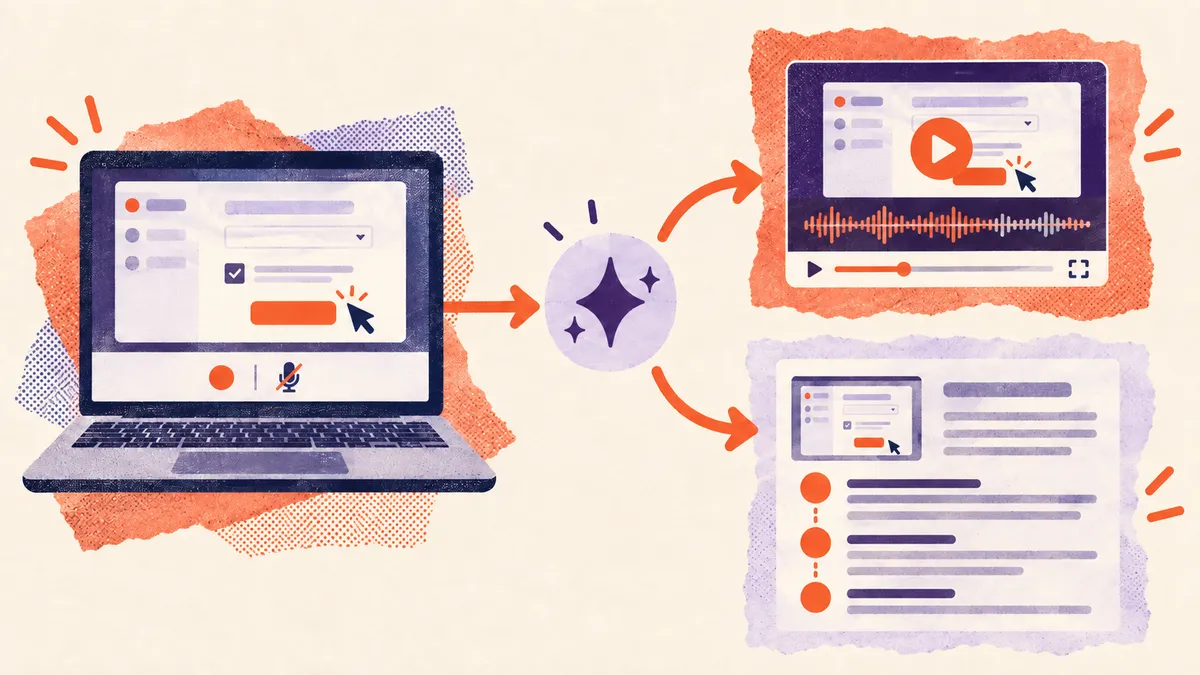
Vorec records your screen — it has its own macOS recorder, and an AI agent can drive that capture through the CLI, recording locally so you review the take before anything is uploaded. The AI uses the captured action data, writes narration matched to what happens on screen, and generates the voiceover — no microphone needed. Freeze-sync holds the frame when an explanation needs more time than the recording allows. The same recording also produces a written step-by-step article — Tango's output format — so one capture yields both.
Plans start at $9/month with a free trial (current allowances on the pricing page); trial exports carry a watermark. It does not do live in-app guidance, which is Tango's distinct strength.
Bottom Line
One or two people: $264 per seat per year, and you are paying Tango's top per-user rate. Three or more: $180 per seat per year, and the third seat costs roughly $12 a year over the two-seat bill — but the repricing lands at your next renewal, not the day you invite them.
Before upgrading, check whether the free tier's five-workflow cap is actually binding. It limits published workflows, not total captures, so archiving an old guide may buy you more time than a subscription would.
Related: our Tango alternative with AI narration and Scribe vs Tango.
Related reading: Snagit Pricing 2026, Clueso Pricing 2026 and Vidyard Pricing 2026.
For how these plans compare with other tools on free offers, trials and credit meters, see our pricing study of 31 video and tutorial tools.
See also: Tango Alternatives (2026): 7 Tools Compared on Free Plans and Capture.
See also: Guidde vs Tango (2026): Video Guides or Step Guides?.
See also: Windows Steps Recorder Is Deprecated: What to Use (2026).
Need narration and a document from one recording? Record with Vorec, or upload one you already have. Start your free trial, no card needed.