AI Voiceover for Videos: The Complete Guide (2026)
Vorec Team · 2026-04-03 · About 13 min read
What Is AI Voiceover and Why It Matters in 2026
AI voiceover for videos has moved from a novelty to a production standard. In 2026, creators, educators, and businesses use AI voice over for videos to narrate tutorials, product demos, onboarding walkthroughs, and marketing content — without ever stepping in front of a microphone.
The shift happened fast. Neural text-to-speech engines now produce natural-sounding voices, and a newer category of tools drafts the script from your video instead of only reading a script aloud.
Whether you're a solo creator publishing how-to content or a SaaS team documenting features, AI video voice over removes the biggest bottleneck in video production: recording and editing audio.
This guide covers how AI voiceover works, the best tools available today, when to use AI versus a human narrator, and practical tips for getting natural-sounding results.
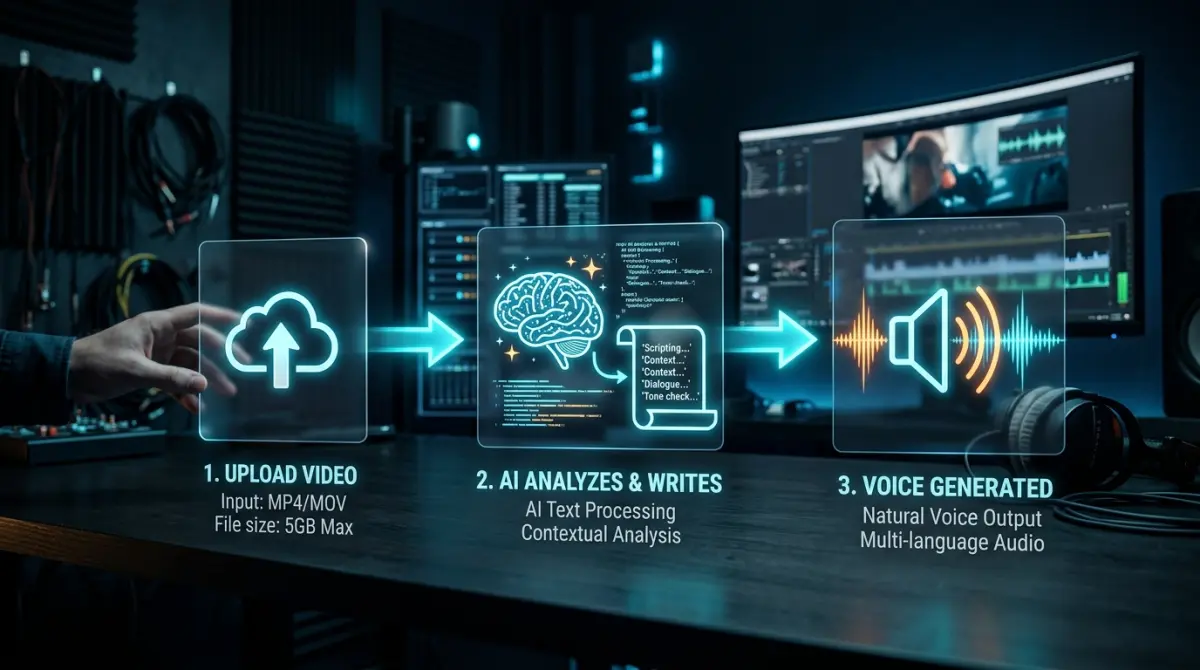
How AI Voiceover Works
Modern AI voiceover systems combine several technologies. Understanding the pipeline helps you pick the right tool and get better output.
Text-to-Speech (TTS)
At the core, every AI voiceover tool uses a text-to-speech engine. You provide text, the model generates audio. Current neural TTS models handle pacing, emphasis, and breathing pauses without manual tuning.
The best engines in 2026 support:
- Voice cloning — upload a sample of your voice (or any voice you have rights to) and the AI reproduces it
- Multilingual output — generate narration in many languages from one tool
- Emotion and style control — adjust tone from conversational to authoritative to energetic
- Real-time streaming — generate audio fast enough for live applications
Context-Aware Narration
Standalone TTS requires you to write the script first. A newer approach — used by tools built specifically for video — skips the manual scripting step entirely.
These systems use the captured actions or an analysis of the recording to draft narration that describes what happens on screen, and then time it to the video. You should still read the script before publishing.
This is particularly powerful for screen recordings and tutorials, where the narration needs to match specific on-screen actions rather than just accompany generic footage.
Voice Quality Tiers
Not all AI voices are equal. Here's a rough hierarchy:
| Tier | Quality | Typical Use |
|---|---|---|
| Basic TTS | Robotic, monotone | Accessibility, internal docs |
| Standard Neural | Natural but detectable as AI | Social media, quick demos |
| Premium Neural | Nearly human, expressive | Professional tutorials, marketing |
| Voice Clone | Sounds like a specific person | Brand consistency, personal channels |
Types of AI Voiceover Tools
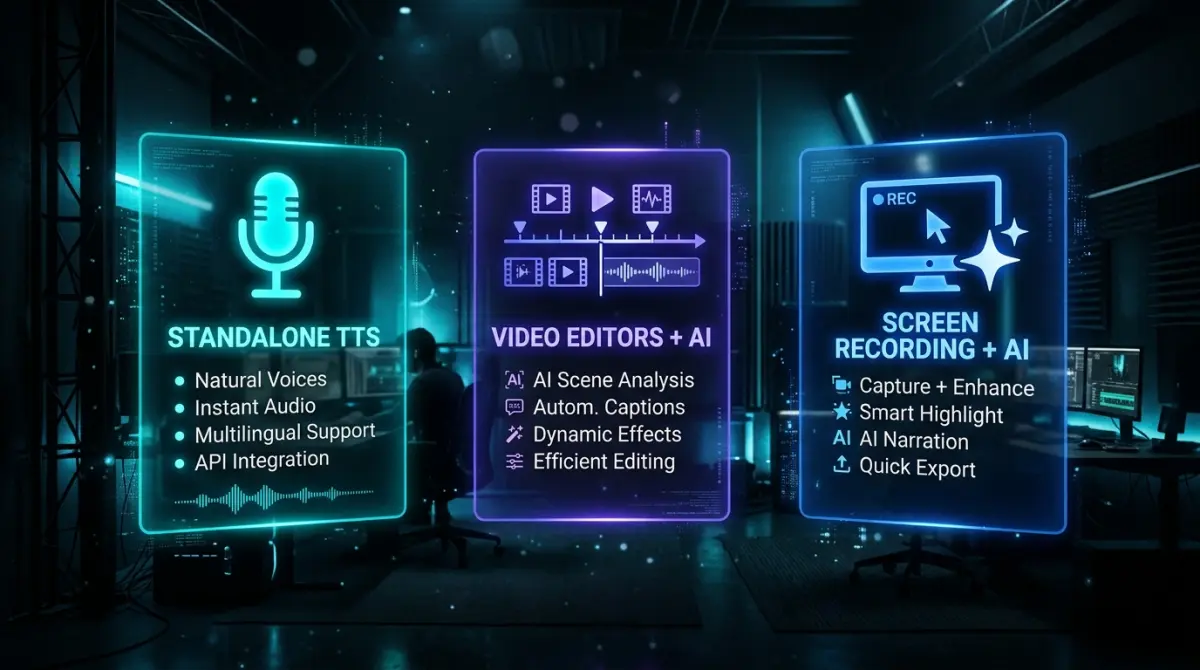
The market splits into three categories. Each serves different workflows.
1. Standalone TTS Platforms
These are pure text-to-speech engines. You paste a script, choose a voice, and download an audio file. You then import that audio into your video editor manually.
Best for: Podcasters, audiobook creators, and anyone who already has a polished script and a preferred video editor.
Limitation: No video awareness. You handle all timing and synchronization yourself.
2. Video Editors with AI Voice
Full video editing suites that include AI voiceover as one feature among many. You edit the video, add captions, and generate voiceover — all in one interface.
Best for: Content creators who need a complete editing workflow and want voiceover baked into the same tool.
Limitation: The AI voice is an add-on, not the core product. Voice quality and customization options vary.
3. Screen Recording Narration Tools
Built for turning screen recordings into narrated videos. These tools draft a script from the recording and generate the voiceover.
Best for: Software teams, educators, and anyone making tutorials or product demos from screen recordings.
Limitation: Focused specifically on screen content. Not designed for talking-head videos or cinematic footage.
If you're making tutorial content, you might also want to read our guide on how to make a tutorial video without a microphone.
Top AI Voiceover Tools Compared
These five tools cover the three categories above. Prices and limits come from each vendor's public pages, captured 10 to 15 October 2026, in dollars as displayed (currency and checkout not verified). We did not test voice quality side by side, so we do not rank how natural each voice sounds.
ElevenLabs: a dedicated text-to-speech platform
ElevenLabs is a text-to-speech and voice platform rather than a video tool: you supply the script and import the audio into an editor. Its plan comparison lists instant voice cloning from Starter and professional voice cloning from Creator, and the text-to-speech comparison lists 74 languages across its self-serve plans.
Pricing (15 October 2026):
| Plan | Monthly | Yearly selected, per month | Monthly credits (about minutes of speech) |
|---|---|---|---|
| Free | $0 | $0 | 10,000 (about 10) |
| Starter | $6 | $5 | 30,000 (about 30) |
| Creator | $22 | $18.33 | 121,000 (about 121) |
| Pro | $99 | $82.50 | 600,000 (about 600) |
| Scale | $299 | $249.17 | 1,800,000 |
Starter showed a $1 first-month offer and Creator an $11 first-month offer; these are promotions, not the recurring price. Minute figures are approximate and depend on the model. Licensing: free output has no commercial licence and requires attribution; paid plans carry commercial licensing subject to ElevenLabs' terms, so read them before publishing client work.
Best for: creators who already have a script and want a large voice and language catalog, and will do the video editing elsewhere.
Descript: voiceover inside a video editor
Descript edits video by editing its transcript, and it lists AI Speech with text-to-speech, custom voice clones and Regenerate. Its text-to-speech page says you can generate a whole voiceover from typed text and add screen recordings. A September 2026 release added a "Convert to AI Speech" command that replaces a recording's voice while keeping the script, and an ElevenLabs voice-library integration.
Pricing (annual-selected per month): Free $0 (100 AI credits one time, AI Speech limited); Hobbyist $24 monthly or $16 annual (400 credits a month, AI Speech included); Creator $35 or $24 (800 credits); Business $65 or $50 (1,500 credits, 60+ stock speakers). AI credits are shared across AI tools, and we could not confirm a separate plan gate for the Convert to AI Speech command.
Best for: people who edit a lot and want voice, transcript and timeline in one place.
Synthesia: AI presenters
Synthesia starts from a script and an avatar. Its pricing page lists 140+ languages, and stock avatars on every plan (9 on Basic, 125+ on Starter, 180+ on Pro). Its help center confirms it accepts an MP4 screen recording (up to 500 MB and 30 minutes) and turns existing speech into an avatar script; silent recordings are accepted, but we could not confirm automatic narration generated from what appears on screen.
Pricing (10 October 2026): Basic $0 (10 minutes of video a month, 1 editor); Starter $29 monthly or $18 billed yearly; Pro $89 or $64; Enterprise custom.
Best for: presenter-led training and communications where a digital presenter matters more than showing a live interface.
Vorec: narration drafted from a screen capture
Vorec is built for tutorials and demos. It has its own macOS recorder, and also takes uploaded recordings. It drafts narration matched to the captured workflow, voices it, and lets freeze-sync hold a frame so an explanation finishes. You can edit the script as text, and the same capture can produce a written guide.
Pricing (5 October 2026): free trial with no credit card required (current allowances on the pricing page); Starter $9, Pro $24, Business $59 a month. Narration can be regenerated in other languages: 3 on Starter, all supported languages on Pro and Business. Voice cloning is not part of the plan catalog we checked.
Best for: software tutorials, product demos and documentation videos where you want a first-draft script from the recording. It is not a general video editor or a standalone voice library.
Murf: a voiceover studio with video timing
Murf Studio is separate from its API product. Studio lists 200+ voices and supported languages and accents, and its video page describes uploading a video, images or slides, adding a script or an uploaded voiceover, and timing audio per scene.
Pricing (15 October 2026, Studio): Free (10 minutes of voice generation, no downloads, no commercial rights); Creator $29 monthly or $228 a year (2 hours a month, commercial rights); Business $99 or $792 a year (8 hours a month); Enterprise custom, with voice clones as an add-on. We have not verified whether Murf generates the script from the video.
Best for: e-learning and marketing teams who write their own scripts and want voice controls plus basic video timing.
How to Add a Voiceover to a Video (Step by Step)
If you already have a video — a screen recording, a demo, a webinar clip — and just need to add a voiceover to it, here is the fastest workflow in 2026. It needs no microphone.
- Have your video ready. A screen recording from QuickTime or OBS, a Loom export, or a clip you shot earlier. For screen-based content, keep it silent — you will not be talking over it.
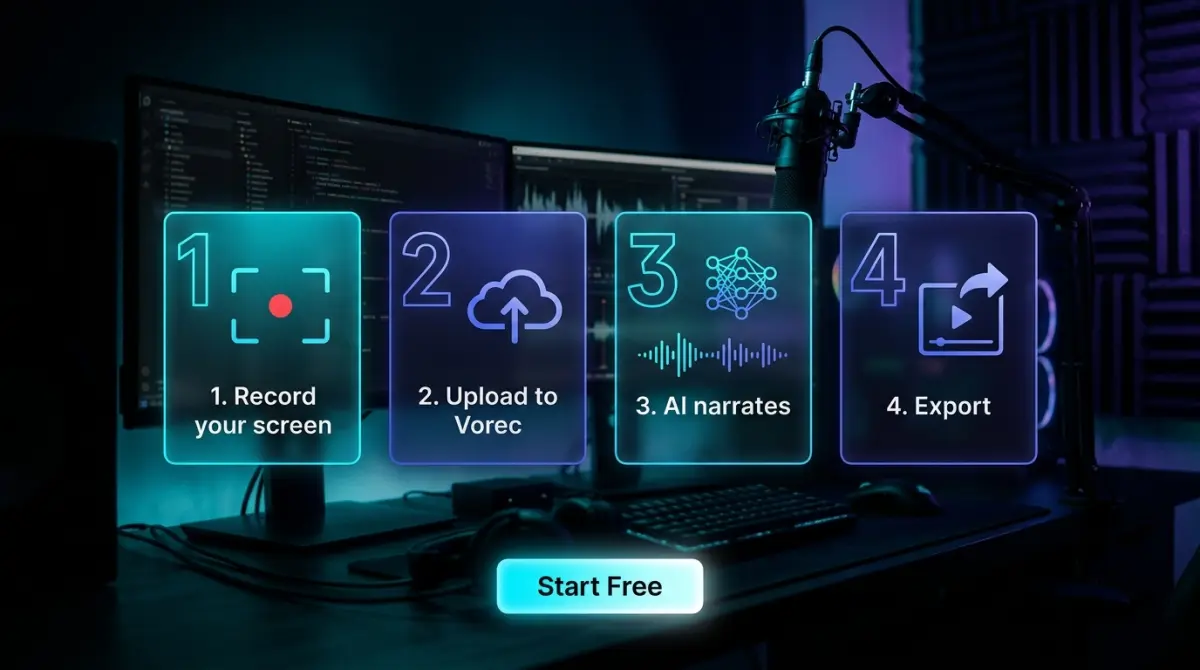
- Upload it to an AI voiceover tool. With a screen-recording narration tool like Vorec, you drop the file in (or record with its macOS app) and it drafts a script from the workflow instead of asking you for one.
- Let the AI write the script (or paste your own). Tools built for video generate narration matched to the on-screen action automatically. Text-to-speech tools like ElevenLabs expect a script you have written.
- Pick a voice and generate. Choose the tone — calm and instructional for tutorials, upbeat for marketing — and the tool produces the audio.
- Sync the voice to the visuals. This is the step people underestimate. If the audio and action drift apart, viewers rewind. Vorec times narration to the captured actions and its freeze-sync can hold a frame when a line needs more room.
- Review, tweak, and export. Read the generated script, adjust any wording, regenerate only the segments you changed, and export the finished video.
Adding a voiceover in a traditional editor (iMovie, Premiere, CapCut) works too, but you record your own voice against the timeline manually — expect several takes and manual alignment. The AI route skips the microphone and most of the retakes. For the no-microphone method in depth, see our guide on how to make tutorial videos without a microphone.
When to Use AI Voiceover vs. Human Voiceover
AI voiceover is powerful, but it's not always the right choice. Here's a practical framework.
Choose AI Voiceover When:
- Volume is high — You produce 10+ videos per week and recording voice for each is unsustainable
- Speed matters — You need the video published today, not after scheduling a recording session
- Budget is tight — AI plans cost a flat monthly fee, while a voice actor is paid per project
- Content updates frequently — Software tutorials go stale fast; re-narrating with AI takes minutes
- Multiple languages needed — Translating and re-recording in 5 languages multiplies cost; AI handles it natively
- Consistency is important — Same voice, same tone, every video, without variation from session to session
Choose Human Voiceover When:
- Emotional connection is critical — Brand storytelling, fundraising, high-stakes presentations
- The voice IS the brand — Think podcast hosts or YouTube creators whose voice is their identity
- Nuance is complex — Sarcasm, humor, dramatic timing that current AI still struggles with
- Audience expects it — Premium training courses where perceived quality directly affects pricing
- Regulatory requirements — Some industries require human-reviewed content
The Hybrid Approach
Many teams use both: AI for tutorial and documentation content, and a human voice for flagship marketing videos and courses where the voice needs to carry emotion.
For screen recording tutorials, AI can draft narration and generate a voiceover from your screen recording. Review the script, adjust timing or edits as needed, and export when the result is ready. Learn more about adding AI voice to screen recordings.
How to Get Natural-Sounding AI Voiceover
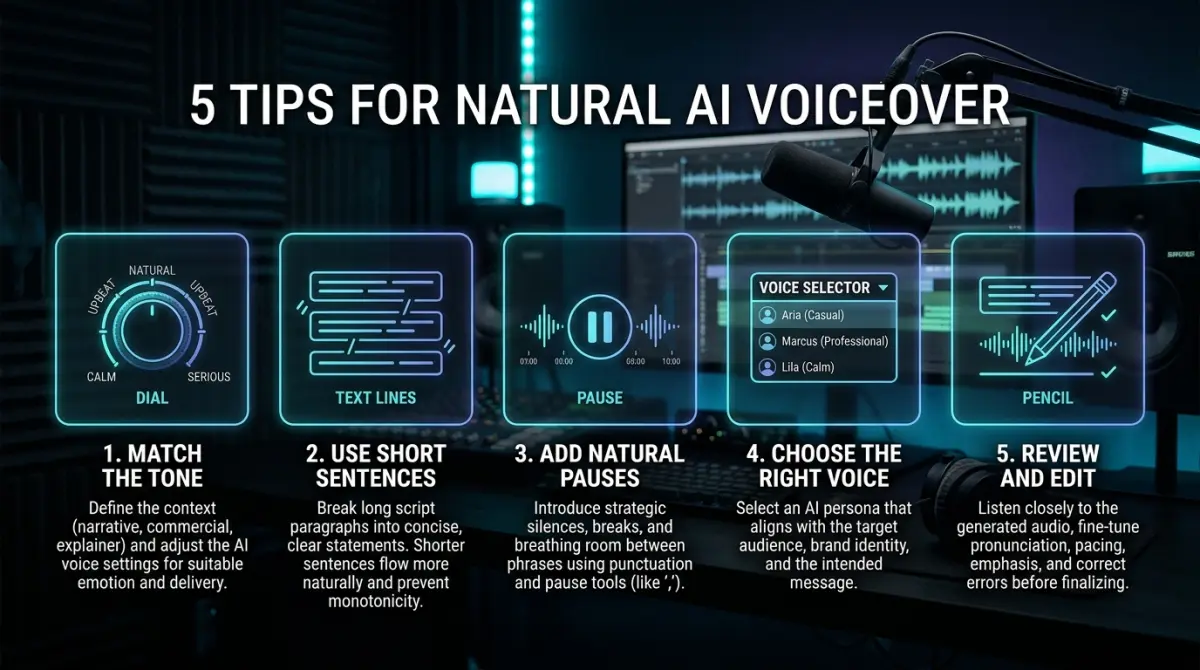
Even with premium AI voices, output quality depends on how you use the tool. These tips apply across all platforms.
1. Write for Speech, Not for Reading
If you're writing your own script (rather than using a tool that generates it automatically), write the way people talk:
- Use contractions ("you'll" not "you will")
- Keep sentences short (under 20 words)
- Read your script aloud before feeding it to the AI — if you stumble, simplify
- Use em dashes and ellipses to create natural pauses
2. Break Long Scripts into Segments
Don't paste a 2,000-word script as a single block. Break it into segments of 2-4 sentences. This gives you:
- Better control over pacing
- Easier editing (re-generate one segment without redoing the whole video)
- More natural pauses between sections
3. Match Voice to Content
A high-energy marketing voice sounds wrong on a developer tutorial. A calm instructional voice feels flat on a product launch video. Most tools offer voice previews — spend 5 minutes testing before committing.
General guidelines:
- Tutorials and documentation: Calm, clear, moderate pace
- Marketing and product demos: Energetic, confident, slightly faster
- Training and onboarding: Warm, patient, deliberate
4. Control Pronunciation
AI voices sometimes mispronounce product names, technical terms, or acronyms. Most tools offer pronunciation overrides:
- Phonetic spelling: Write "koo-ber-NET-eez" instead of "Kubernetes" in the script
- SSML tags: Some platforms support Speech Synthesis Markup Language for precise control
- Custom dictionaries: ElevenLabs and Murf let you save pronunciation rules
5. Add Post-Processing
Raw AI audio benefits from light processing:
- Normalize volume so narration levels are consistent across segments
- Add subtle background music (at 10-15% volume) to fill micro-pauses and make the voice feel less isolated
- Match audio levels between narration and any existing video audio (clicks, UI sounds)
AI Voiceover Tools Comparison Table
| Tool | Best for | Script from the video | Voice cloning | Entry paid price (monthly billing) |
|---|---|---|---|---|
| ElevenLabs | Voice catalog and TTS | No | Instant from Starter, professional from Creator | Starter $6 |
| Descript | Editing with AI Speech | Not checked | Custom clones, plan-dependent | Hobbyist $24 |
| Synthesia | AI presenters | Not confirmed for silent video | Custom avatars | Starter $29 |
| Vorec | Screen recording tutorials | Yes, drafted from the capture | Not in the plan catalog | Starter $9 |
| Murf | Voiceover studio | Not verified | Enterprise add-on | Creator $29 |
"Not checked" or "not verified" means we did not confirm it on the vendor's pages, not that it is absent.
How to read it:
- If you already have a script and want a large voice catalog, look at ElevenLabs or Murf.
- If you want voice, transcript and timeline editing in one tool, look at Descript.
- If you want an AI presenter on camera, look at Synthesia.
- If you make screen recording tutorials and want a first-draft script from the capture, look at Vorec.
Your AI Voiceover Checklist
Before you commit to a tool or workflow, run through this checklist:
- [ ] Define your content type — Are you narrating screen recordings, marketing videos, training content, or something else?
- [ ] Decide on scripting — Will you write scripts manually or do you want AI to generate them from your video?
- [ ] Test voice quality — Use free tiers to compare voices across 2-3 tools with your actual content
- [ ] Check language support — If you need multilingual output, verify quality in each target language (not just availability)
- [ ] Evaluate the editing workflow — How much post-production do you need? Does the tool handle it or do you need a separate editor?
- [ ] Calculate true cost — Factor in the time you actually spend, not just the subscription price. Time your current process, then time it with the tool
- [ ] Plan for scale — If you're producing 5 videos now but expect 50 in six months, pick a tool with volume pricing
- [ ] Test with your audience — Share an AI-narrated video with a small group before rolling out widely. your audience may have preferences
Conclusion
AI voiceover for videos in 2026 is fast and affordable, and the voices are good enough for many tutorials and demos; test with your own audience before you commit.
The right tool depends on your workflow. ElevenLabs and Murf fit script-first voiceover, Descript fits editing, Synthesia fits presenters, and Vorec fits screen recording tutorials where you want the script drafted from the capture.
Start with a free plan or trial, test with real content, and compare the first video's total time against your current process.
Related reading: Gemini TTS Explained, Murf AI Pricing 2026: Creator, Business and API Costs.
See also: ElevenLabs Alternatives (2026): 6 AI Voice Tools Compared on Price.
See also: How to Add Voiceover to a Screen Recording on Mac and iPhone (2026).
See also: How to Record Audio on PowerPoint (2026): Windows, Mac, Web.
Add a voiceover to your video without a microphone. Record or upload a screen recording in Vorec and get a narrated draft: it writes the script from the capture and times the voice to the actions. Start your free trial, no card needed.