Camtasia vs Loom (2026): Polish or Speed?
Vorec Team · 2026-09-12 · About 7 min read
Pick Loom for quick async updates and Camtasia for tutorials that must stay useful for months; neither is a one-time purchase any more, because Camtasia moved new buyers to annual subscriptions with its 12 February 2025 release. At list prices, 50 people on Loom Business cost $9,000 a year on annual billing ($15 a user a month), while 50 individual Camtasia Essentials subscriptions cost $8,994 a year ($179.88 each). Most teams buy Camtasia only for the few people who edit, so compare real seat counts, not headcount. Loom prices read 6 and 21 October 2026; Camtasia prices 12 September 2026.
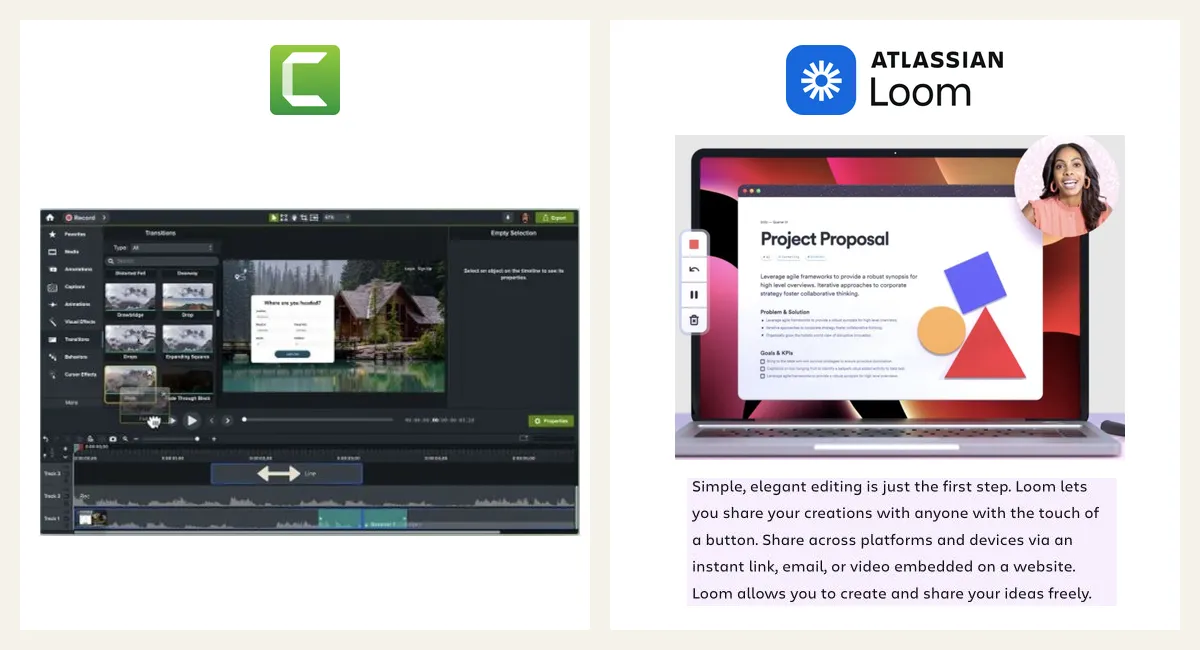
Camtasia and Loom get compared constantly, which is strange, because they were built for opposite jobs. Camtasia is a video editor. Loom is a send button. Teams that confuse the two end up either editing a two-minute status update for an hour, or shipping a customer-facing tutorial that looks like a hurried webcam call.
Here is the split, and the pricing as it actually stands in 2026.
The 30-Second Verdict
- Pick Loom for anything ephemeral: standups, code reviews, bug reports, "here is what I meant" replies. Recording is the deliverable.
- Pick Camtasia for anything durable: onboarding, help centres, courses, anything watched more than once by people who did not ask for it.
- Pick neither if you want durable-quality output without a person editing it — the gap both leave open, addressed at the end.
The Real Difference: Is the Recording the Final Product?
Loom's design assumes yes. You hit record, talk, stop, and the link is already live. The value is the removal of every step between having something to say and someone hearing it. Trimming exists, but heavy editing fights the product.
Camtasia assumes no. The recording is raw material. You bring it onto a timeline and build: zoom-and-pan onto the button you are describing, callouts, captions, quizzes, a cleaned-up audio track.
That is why "Camtasia vs Loom" is rarely a real decision. The honest question is how long the video needs to stay useful. Under a week, Loom. Over a year, Camtasia.
Pricing in 2026
| Free tier | Entry paid | Higher tiers | |
|---|---|---|---|
| Loom | Starter $0: up to 50 members, 25 recordings per person, 5-min screen recordings, 720p | Business $18 per user monthly ($15 with annual billing); Business + AI $24 monthly | Business / Enterprise per seat |
| Camtasia | Free Camtasia Online / desktop trial | $39/yr Starter (watermarked editor) | $179.88/yr Essentials · $249/yr Create · $599/yr Pro |
Loom monthly prices and Starter limits read on 21 October 2026; Loom's annual price was last read on 6 October. Camtasia prices checked 12 September 2026. Camtasia figures are US individual annual prices; Starter includes a watermarked editor. Essentials and above provide watermark-free editing. Team and regional prices differ. TechSmith pricing.
The important change: Camtasia is subscription-only now. TechSmith moved to annual subscriptions with the Camtasia 2025 release on 12 February 2025; perpetual upgrades stopped after 1 January 2025. Existing perpetual keys are grandfathered on that version, but every new seat is an annual subscription. For a lot of long-time users that reframed Camtasia from "buy once" to "another renewal," which is exactly why price complaints have risen.
Loom's cost scales per person. Camtasia's scales per person too, but only for the people who actually edit — usually one or two. Compare the actual number of recording and editing seats; team size alone does not establish which subscription costs less.
Head-to-Head
Speed
Loom finishes when you stop talking. Camtasia finishes when you decide it is finished.
Loom wins, and nothing about Camtasia is trying to compete here.
Output quality
Camtasia's zoom, callouts and captions are the difference between a recording of a screen and a video that teaches. On a 1080p screen recording played at half size, the unzoomed version is often literally unreadable.
Camtasia wins.
Audio and narration
Loom's core workflow captures a spoken update as you record. Camtasia supports recorded or imported audio, and Create / Pro add AI scripts and generated narration. Camtasia offers more production control, including a route that does not require recording your own voice. TechSmith plan features.
Sharing and analytics
Loom is built around the link: instant URL, view tracking, comments, reactions, embedding. Camtasia can export a file, while bundled Screencast and Camtasia Online provide hosting and sharing options.
Loom wins, decisively.
Reuse and maintenance
A Loom recording is hard to update — the fix is usually re-recording. A Camtasia project is a timeline you can reopen when the UI changes next quarter.
Camtasia wins, and this is underrated. Training content dates fast.
Feature Matrix
| Loom | Camtasia | |
|---|---|---|
| Record and share in one step | ✅✅ | ❌ |
| Timeline editing | Minimal | ✅✅ |
| Zoom / callouts / annotations | Limited | ✅✅ |
| Quizzing and LMS | ❌ | ✅ |
| View analytics and comments | ✅✅ | Sharing / feedback through Screencast |
| Editable months later | ❌ | ✅ |
| Generated narration | Compare current plan | ✅ Create / Pro |
| Free tier | ✅ | Camtasia Online; desktop trial |
Most Teams Need Both — And That Is the Problem
In practice, teams buy Loom for everyone and Camtasia for the one person who makes real tutorials. It works, but it creates the bottleneck everyone recognises: a queue of recordings waiting on the single colleague who knows the editor.
That bottleneck is not a tooling gap between Loom and Camtasia. It is a gap underneath both: producing durable, polished, narrated video without a person doing the editing.
Vorec addresses that directly. Record with Vorec's macOS recorder, or upload one you already have, and it drafts narration matched to each on-screen step and voices it with AI, so no microphone is needed. The editor adds cursor motion, cursor-follow zoom and click-based auto-zoom, and freeze-sync can hold a frame when a sentence needs more time than the recording gives it. Vorec can also generate a written step-by-step guide from the same capture, and on paid plans narration can be regenerated in supported languages without re-recording.
Plans start at $9/month, with a free trial with no credit card required (current allowances on the pricing page) (trial exports carry a watermark).

Quick answers
Does Camtasia still have a one-time license fee?
Not for new buyers. TechSmith moved Camtasia to annual subscriptions with the Camtasia 2025 release, and perpetual upgrades stopped after 1 January 2025. Older perpetual keys keep working on the version they were bought for.
Camtasia vs Loom cost for a team of 50 content creators?
At list prices, Loom Business for 50 people is $10,800 a year on monthly billing (50 × $18 × 12) or $9,000 on annual billing (50 × $15 × 12). Fifty individual Camtasia Essentials subscriptions would be $8,994 a year (50 × $179.88). Team prices differ from individual ones and we did not check them, so treat the Camtasia figure as a ceiling, not a quote. The bigger lever is seat count: many teams give everyone Loom and only the people who edit Camtasia.
Is Loom free?
Loom Starter costs $0 and allows up to 50 members, 25 recordings per person and screen recordings up to 5 minutes at 720p (read 21 October 2026). Paid plans remove the recording count and length limits.
Is Camtasia or Loom better for training videos?
Camtasia, if someone will edit: it adds zoom, callouts, captions and quizzing, and a project can be reopened when the interface changes. Loom suits short internal walkthroughs where speed matters more than polish.
Who Should Pick What
Choose Loom if: most videos are internal, disposable, and the point is speed. Asynchronous updates instead of meetings.
Choose Camtasia if: videos are customer-facing or training assets, you need quizzing or LMS tracking, and someone will own the editor.
Choose a narration tool if: you need Camtasia-grade output at Loom-grade effort, or nobody wants to be the narrator.
Bottom Line
Loom and Camtasia are not competitors; they are two ends of a spectrum with a genuine gap in the middle. Loom removes the work and accepts rough output. Camtasia produces excellent output and charges you an afternoon for it.
Pick by lifespan. Anything watched once, Loom. Anything watched for a year, Camtasia — unless you would rather not do the editing at all, in which case neither is the answer.
See also our Loom alternatives roundup and the Camtasia alternative guide.
Related reading: 8 Best Screen Recording Software Tools in 2026, Is Camtasia Worth It in 2026?, Clueso vs Camtasia for L&D Teams and Camtasia Pricing 2026.
See also: Camtasia Alternatives (2026): 7 Tools Compared on Price and Editing.
Polished tutorials without the timeline? Record with Vorec, or upload one you already have, and get a narrated video plus a written guide. Start your free trial, no card needed.