Product Training Videos for Support Teams (2026)
Vorec Team · 2026-11-06 · About 4 min read
Product training videos for support teams are short screen recordings of the exact steps that resolve a recurring ticket, made so that new agents learn the product and customers can be sent the answer instead of a paragraph. One way to make them is to record the fix once, let the narration be drafted from what happened on screen, and keep the video next to a written guide the team can paste into a reply.
Want the recording to narrate itself? Record with Vorec, or upload one you already have, and get a narrated tutorial plus a written guide. Start your free trial, no credit card required (current allowances on the pricing page).
Why Vorec fits a support team
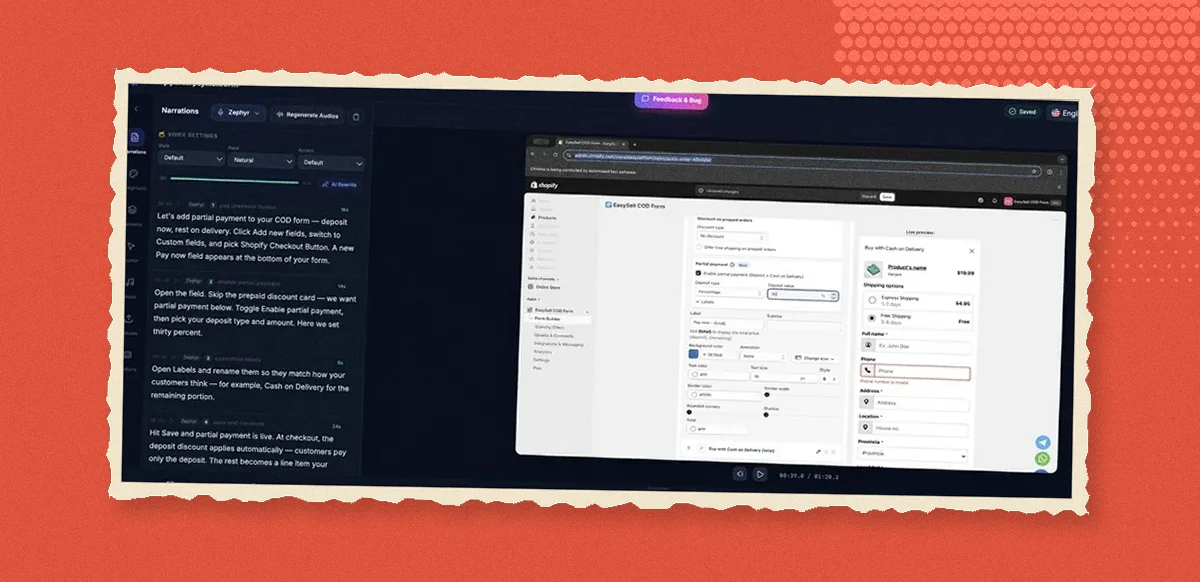
Support teams know which questions repeat; what they often lack is time to turn each answer into something better than a text macro. Vorec records your screen with its own macOS app, or takes a recording you already have, and drafts narration matched to the workflow it captured, then generates the voiceover. Nobody on the team has to script a take or speak into a microphone. The same capture can also produce a written step-by-step guide with annotatable screenshots, which is the version that goes into the help centre or the saved reply. In the editor you can add cursor-follow zoom and click-based auto-zoom, so the one setting a customer keeps missing is the thing on screen. When customers write in another language, narration regenerates in supported languages on eligible plans, without re-recording.
A workflow for recurring tickets
Take a support team for a subscription product. Three tickets come in every day: changing the billing email, exporting a report, adding a teammate. Each answer is already in a macro that customers still write back about.
- Pick the tickets with a visible fix. Pull the last month of tickets and keep the ones whose answer is a sequence of clicks in the product. Leave out bugs and account-specific problems; those need a person.
- Record the fix in a clean account. Use a demo or test account, not a customer's, and perform the steps slowly from where the customer would start. With Vorec's recorder the clicks are tracked while you work; a recording from another tool works too.
- Let the narration be drafted, then check the vocabulary. The draft narration follows the actions on screen. Read it once and replace internal names with the words customers use in tickets, because that is what they will search for.
- Zoom on the control that causes the ticket. If the ticket exists because a toggle is small or a menu is hidden, cursor-follow zoom or a click-based auto-zoom on that control is the point of the video.
- Generate the written guide from the same capture. Select the steps, annotate the screenshot where the setting hides, and publish it or copy it into your help centre. The macro becomes a link to the video and the guide.
- Train new agents from the same library. A new hire watches the videos for the top tickets in their first week and keeps the guides open while answering.
What comes out at the end: a narrated video and a written guide per recurring ticket, a saved reply that links to both, and a first-week curriculum the team can update when the product changes.
When the product changes
Settings move. Because the narration is drafted from the recording, updating a product training video means recording the new flow and regenerating the narration, not rewriting a script and booking a voice session.
Pricing
Vorec has a free trial, no credit card required (current allowances on the pricing page). Paid plans are $9, $24 and $59 a month ($86, $230 and $566 a year). Translation into supported languages is available on eligible plans; check the pricing page before promising a localized set of answers.
Related reading
For the ticket-deflection side, see customer support videos that cut ticket volume. For choosing tools, see the training video software guide, which has a section on software for support teams. For the written output, see the knowledge base article template and one recording, two outputs. For the customer-facing version of the same idea, see customer onboarding videos, and for the marketing side, product marketing videos for SaaS teams.
Want the recording to narrate itself? Record with Vorec, or upload one you already have, and get a narrated tutorial plus a written guide. Start your free trial, no credit card required (current allowances on the pricing page).