App Review Demo Video Requirements by Platform (2026)
Vorec Team · 2026-11-22 · About 15 min read
Your app works. The reviewer still sends it back, because the screen recording skipped the login screen, showed a permission it never used, or was in the wrong language. Many app review videos are sent back over a missing detail, not a broken product.
This guide collects what each platform's own documentation asks for, in one place. Every requirement below was read on the platform's own developer docs or help center on 22 November 2026, and each section links to its source. Where a platform says nothing about length, format or audio, we say so instead of guessing.
The short answer
A video is required for review on Shopify, Meta (Facebook, Instagram, WhatsApp), Google OAuth verification (sensitive and restricted scopes), TikTok for Developers, Slack Marketplace, HubSpot app certification and LinkedIn's Standard tier. Microsoft Teams lists a demo video in its testing instructions. Google Play needs one for certain sensitive permissions. Apple, Zapier and Zoom ask for one only in some cases. Atlassian, Chrome Web Store and Salesforce AppExchange treat video as an optional listing asset.
Across most review programs, reviewers want the same things: the full flow from a logged-out start, every permission or scope you request shown in use, a working test account with no two-factor prompts, and, where the platform requires it, English on screen or in captions.
Requirements at a glance
| Platform | Video for review? | Hosting or upload | Length stated | Language and audio |
|---|---|---|---|---|
| Shopify App Store | Required screencast | Submitted with the app | Not stated | English or English subtitles |
| Meta App Review | Required, one per permission or feature | Uploaded per permission | Not stated | English UI or captions; reviewers do not listen to audio |
| Google OAuth verification | Required for sensitive and restricted scopes | Unlisted YouTube | Not stated | Grant flow in English; narration helps |
| Google Play | Required for some sensitive permissions | YouTube preferred, or an MP4 link | 30 seconds or less for background location | Voice-over or captions where use is not obvious |
| TikTok for Developers | Required | Upload, up to 5 videos of 50 MB each | Not stated | Not stated |
| Slack Marketplace | Required for new apps and new scopes | Link | Listing video 30 to 90 seconds | Listing video: captions on |
| HubSpot certification | Required | YouTube URL | At least 3 minutes | Audio preferred, or text descriptions |
| Microsoft Teams Store | Listed in testing instructions | Link | Listing video 60 to 90 s, or 3 to 5 min walkthrough | Voice-over where applicable |
| LinkedIn (Standard tier) | Required for Community Management and Ads API tiers | Downloadable link | Under 5 minutes (migration guide) | Narration recommended |
| Apple App Store | When features need special hardware or a hard-to-replicate environment | Attachment in App Store Connect | Not stated | Not stated |
| Zoom App Marketplace | Optional, can stand in for the test plan | Link (document or demo video) | Not stated | Not stated |
| Zapier | Video or documentation for complex features | Not stated | Not stated | Not stated |
| Atlassian Marketplace | Listing video, highly recommended | YouTube link | Under 30 seconds | Not stated |
| Chrome Web Store | Optional listing video | YouTube link | Not stated | Per-language video allowed |
| Salesforce AppExchange | Optional listing video | YouTube, Vimeo or similar | Not stated | Not stated |
"Not stated" means we found no limit on the official pages we read, not that there is no limit.
Platforms that require a review video
Shopify App Store
Requirement 4.5.3 in Shopify's App Store requirements asks for a screencast that demonstrates "your app's onboarding and features as described in its listing", with clear step-by-step instructions for setting up its core features. The screencast must be in English or have English subtitles.
- Test account: requirement 4.5.5 asks for a dedicated test account exempt from 2FA, OTP or SSO challenges, and the credentials must keep working after the app is published.
- Extra screencasts: payment apps must show the payment flow in every supported browser; subscription (purchase option) apps need a screencast from the merchant's customer's point of view on the listed browsers and devices.
- Outcome per test case: Shopify's best practices ask you to show the expected outcome of each test case.
- Common rejection: Shopify's pass app review page names missing testing instructions or credentials, and its fix is a short screencast of how the app should work.
The public listing video is separate and optional: Shopify suggests 2 to 3 minutes, promotional rather than instructional, with screencast footage kept to about a quarter of it.
Meta App Review (Facebook, Instagram, WhatsApp)
Meta is the strictest. Its screen recording guide and submission guide say any permission or feature you request without a screen recording will not be approved.
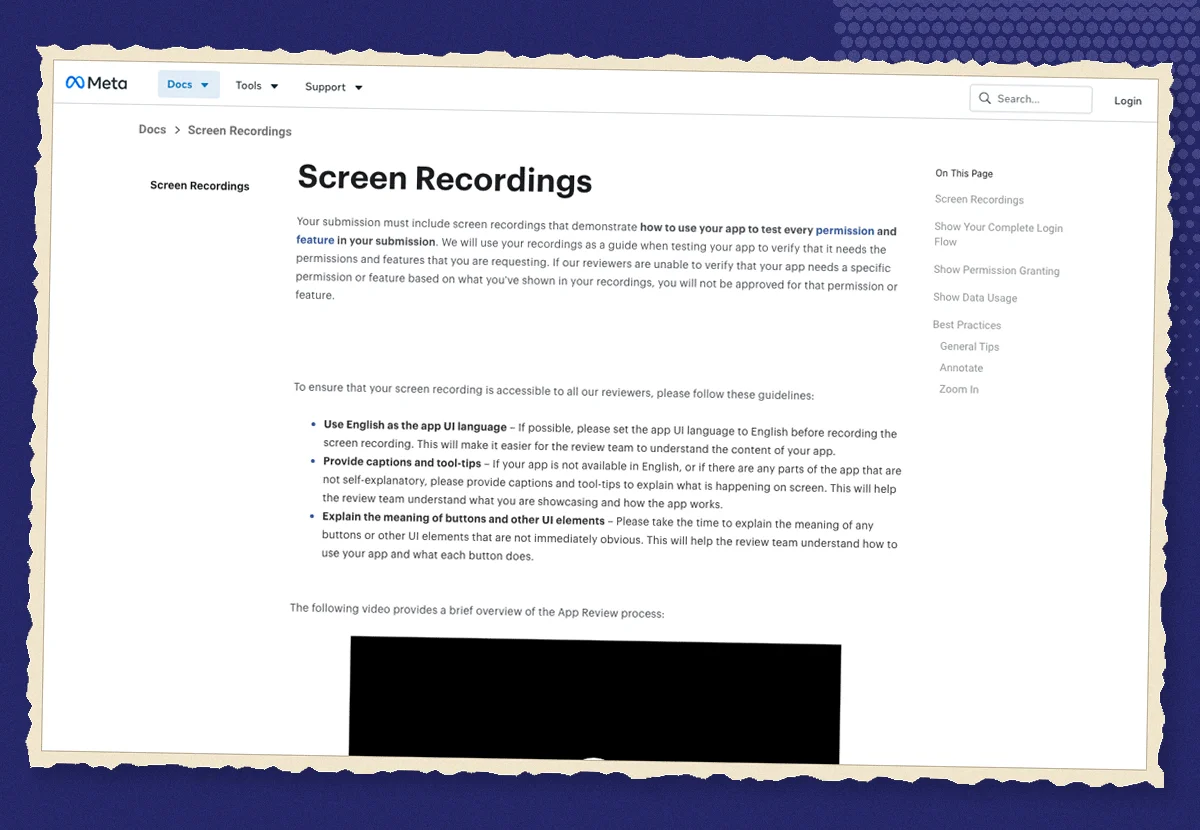
Meta's screen recording guide, read on 22 November 2026.
What each recording must show:
- The whole login flow, starting logged out and ending logged in.
- The user granting the permission you are demonstrating.
- The feature using that data: a user accessing data that needs the permission, and what your app does with it.
How to record it:
- Record in high resolution, ideally 1080p or better, and lower your monitor width to 1440 pixels or less so text stays readable.
- Set the app UI to English. If your app is not in English, add captions and tool-tips.
- Leave audio out: Meta says its reviewers will not listen to it. Captions, zoom and on-screen notes carry the explanation instead.
- Use the mouse rather than keyboard shortcuts, a larger cursor, and record only the app window.
On WhatsApp, Meta asks for a separate clip for each permission and warns that one video covering several may be rejected. A recording from a camera phone is accepted there, but a screenshot is not. Meta's common mistakes list adds: the app could not be accessed, Facebook Login could not be found, the app is still in development, or permissions were requested for future use. For the full process, from access levels to Data Use Checkup, see our Meta App Review guide.
Google OAuth verification
If your app requests sensitive or restricted Google scopes, Google's sensitive scope verification page asks for a demo video uploaded to YouTube with visibility set to Unlisted.
The video must:
- Show the end-to-end flow of your app, including the OAuth grant process, in English (the consent screen's language set to English).
- Use the same app name and branding as the app you submitted.
- Show the browser address bar on the consent screen with your app's OAuth client ID in it.
- Show the feature that uses each scope you request.
- For restricted scopes with several OAuth clients, show how data is accessed on each client.
Google's demo video help page says voice or text narration "can greatly help facilitate our review". It lists the usual reasons a video is sent back: the link could not be opened, the video shows a different app, it does not show the consent screen workflow, or it does not show enough of the app's functionality. If you provide a test account, Google's verification help asks you to turn off two-factor authentication on it. For the full process, including brand verification and the security assessment, see our Google OAuth verification guide.
TikTok for Developers
TikTok's app review guidelines require at least one demo video showing the complete end-to-end flow of your integration. You can upload up to 5 videos of up to 50 MB each.
- Every product and scope you selected must be clearly shown; unused scopes delay the review.
- Show the real website or app where the integration lives. For a web app, the domain in the video must match the URL you submit; for a mobile app, start with the app being opened.
- If your app has never been approved, you must demonstrate it in TikTok's sandbox environment.
Slack Marketplace
Slack's review guide requires a short demo for new submissions and for updates that add functionality or scopes. It must show the full installation and OAuth flow, setup, end-to-end use and uninstallation. Slack asks for completeness over polish, and says not to include code editors, terminal output, marketing intros or features still in development.
Before you submit, Slack's prerequisites ask that the app is already installed on 10 or more active workspaces (used in the past 28 days) and tested there.
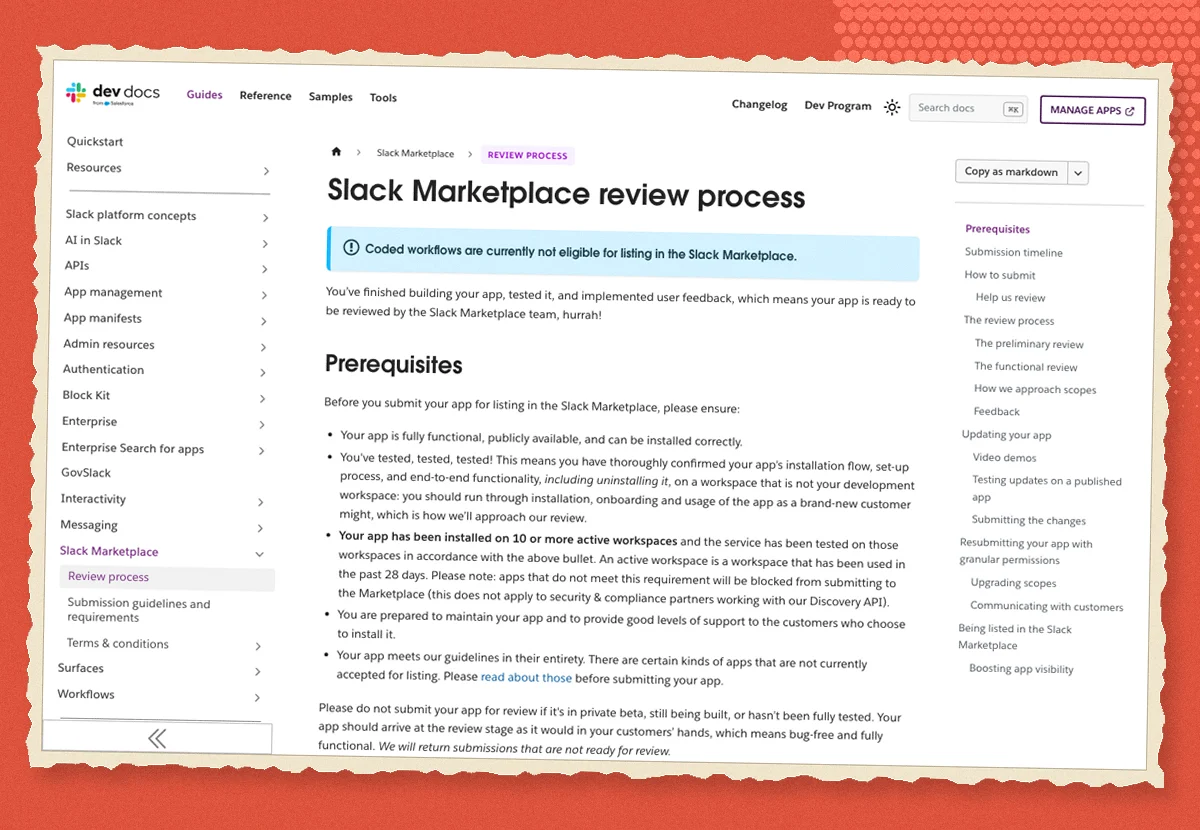
Slack's review process page, read on 22 November 2026.
For new scopes, explain in the demo how each one is used. Slack can't access your Slack workspaces, so give reviewers test credentials and a way to install the app themselves.
The public listing video has its own rules in Slack's listing guidelines: 30 to 90 seconds, a public YouTube link (not a channel or playlist), closed captions on, ads off, and the production app shown in a realistic workspace.
HubSpot app certification
HubSpot's certification page says the team will not review your app without a demo video that meets every requirement. The video is submitted as a YouTube URL and must:
- Be at least three minutes long.
- Include audio (preferred) or text descriptions.
- Cover the app's purpose and use cases, then installation, setup, primary features, use inside HubSpot where it applies, disconnecting, and uninstalling, including what happens to the data.
HubSpot's certification requirements spell out the uninstall proof: a user disconnecting their HubSpot account, the endpoint being called, and the app removed from the Connected Apps page. Promotional sales and marketing videos are rejected, and HubSpot says it does not publish the demo videos you submit.
For marketplace listings, HubSpot's May 2026 requirement update replaced testing credentials with demo videos or guided walkthroughs of core flows, configuration and permission use.
LinkedIn (Standard tier access)
To move the Community Management API to Standard tier, LinkedIn's app review page asks for an access request form plus a screen recording of your app. It must be high resolution and downloadable, show only your app, and cover the use cases you request access for, such as the OAuth flow, posting, comments and mentions, and which member fields you display. LinkedIn recommends narration so reviewers can follow what you are showing, and its migration guide asks you to keep the screencast under 5 minutes. If a Standard tier request is rejected, LinkedIn says you can't re-apply from the same app; you need a new one.
For Advertising API Standard tier, LinkedIn's partner support guide asks for a demo recording shared as a Google Drive or SharePoint link, showing campaigns being created, edited and optimized.
Microsoft Teams Store
Microsoft's submission checklist lists a demo video among the testing instructions, so Microsoft can "fully understand" your app. The test notes must give steps for each capability, and you need an admin account, non-admin accounts with data already in them, and at least one account that is not pre-configured. Microsoft lists accounts that need multifactor sign-in as a common reason for failing validation, and resubmissions sent to its concierge validation team include a video of the app used in Teams.
The public listing video is optional, but if you add one the validation guidelines apply: 60 to 90 seconds for a value video or 3 to 5 minutes for a walkthrough, narrative form, showing setup and use, ads turned off, and only YouTube or Vimeo links.
Platforms that ask for a video only in some cases
Google Play
Google Play asks for a video demonstration when you declare certain sensitive permissions:
- Permissions Declaration Form (SMS, Call Log and similar): a YouTube link is preferred, or a cloud link to an MP4. Use test credentials only, never a real user's.
- Background location: aim for 30 seconds or less, and show the feature running in the background, the in-app disclosure and the runtime permission prompt. Do not submit a video of your iOS app.
- AccessibilityService API: show the app opening, the full disclosure (scroll slowly so all text is visible), and what happens when the user accepts and when they decline. Add a voice-over or captions if the use is not obvious.
- Foreground services: a video for each foreground service feature.
Apple App Store
For most apps, Apple's guideline 2.1 asks for a working demo account (and a running back end), not a video. Apple's App Review page says to be ready to provide a demo video when features need an environment that is hard to replicate or specific hardware. For apps that need hardware, Apple's review help page asks for a video of the app running on a physical Apple device, not a screen recording. Our guideline 2.1 demo video guide walks through answering that request.
Zoom App Marketplace
Zoom requires a test plan with every submission, and its common rejection issues page says the plan can be a document or a demo video. A walkthrough of your team following the test plan is listed as optional. Meeting SDK apps may be asked for a live session or a demo video of features and authorizations.
Zapier
Zapier's publishing requirements ask for a demo video or detailed documentation for any complex feature, plus a non-expiring test account using Zapier's testing email address, with the paid features needed and no trial limits.
Listing videos (public and optional)
These do not decide whether you are approved, but they sit on your public listing:
- Atlassian Marketplace: the listing principles call a video "highly recommended": under 30 seconds, showing the app solving a real problem rather than a marketing montage. Atlassian's listing guide asks for a YouTube link.
- Chrome Web Store: a YouTube video is optional; only the icon and at least one screenshot are required, and you can add a localized video per language.
- Salesforce AppExchange: a demo video link adds a Watch Demo button to the listing, hosted on YouTube, Vimeo or a similar platform. We found no official requirement for a video in the security review itself.
The shot list that works on every platform
Build one recording plan and adjust it per platform:
- Start logged out, in a clean browser or fresh app install, with the app's real name and branding visible.
- Sign in with the test account you give the reviewer.
- Show each permission or scope being granted, with the consent screen readable (for Google, with the client ID in the address bar).
- Show each permission in use: the feature that needs it, the data it reads, and what the app does with that data.
- Show setup and the main task end to end, including the expected result of each test case.
- Show disconnecting and uninstalling where the platform asks (Slack, HubSpot).
- Keep it readable: 1080p or better, a window narrow enough for large text, zoom on small controls, no notifications or other apps on screen.
- Put the explanation in captions, in English, because some reviewers watch without sound and Meta ignores audio entirely.
Why review videos get sent back
From the platforms' own lists of common problems:
- The reviewer can't open the video: a private YouTube video, an expired link or a restricted share.
- A permission or scope is missing from the recording, or one is requested that the app never uses.
- The video shows a different app, a different name, or a domain that doesn't match the submission.
- The consent or login flow is skipped, so the reviewer can't see how users grant access.
- The test account doesn't work: two-factor prompts, expired credentials, no data, or no admin access.
- The app isn't finished: features still in development or testing.
- Wrong kind of video: a promotional or marketing cut where the platform asked for a walkthrough (HubSpot rejects these outright).
- Wrong language: non-English UI with no English captions where English is required.
How to make the video with Vorec
A review video is a narrated screen recording with a strict checklist, which is the job Vorec is built for. Record the flow silently with Vorec's macOS recorder, or upload a recording you already made on any operating system. Vorec drafts narration matched to the workflow and generates the voiceover, so you never record your own voice, and you edit any line before it is voiced.
For review videos specifically:
- Captions for reviewers who watch muted: captions come from the narration, and you can download them as SRT or VTT files for platforms that take a separate caption track.
- English for every reviewer: narration can be generated in supported languages on eligible plans, so a team whose app runs in another language can still give the reviewer English narration and captions.
- Readable consent screens: cursor-follow zoom and click-based auto-zoom make small permission dialogs readable, and callouts can point at the client ID or scope being granted.
- Private data hidden: blur boxes cover customer emails, tokens or anything else you don't want in the recording.
- Timing that holds: freeze-sync can hold a frame so a line about a permission finishes before the next screen appears.
- Length: Starter accepts recordings up to 10 minutes, Pro up to 20 and Business up to 30, so HubSpot's three-minute minimum and LinkedIn's five-minute guidance both fit.
Export the MP4, upload it where the platform asks (unlisted YouTube for Google and HubSpot, a direct upload for TikTok and Meta), and keep the project: when a reviewer asks for a narration or caption change, you edit the script and re-export; only missing footage needs a new take. Plans start at $9 a month, with a free trial and no credit card required (current allowances on the pricing page).
For the general workflow, see how to add narration to a screen recording; if you are preparing a launch at the same time, our Product Hunt launch checklist covers the demo video there.
Frequently asked questions
Do app review videos need narration?
Usually no, but it helps. Google says voice or text narration can greatly help its review, LinkedIn recommends narration, and HubSpot prefers audio. Meta is the exception: its reviewers do not listen to audio, so explain each step with captions and on-screen notes.
Which platforms require English?
Shopify asks for English or English subtitles, Google OAuth asks for the grant flow in English, and Meta asks you to set the app UI to English or add captions. Most other platforms we checked don't state a language for the review video.
Where should I host the video?
Follow each platform: unlisted YouTube for Google OAuth, a YouTube URL for HubSpot, a direct upload of up to five 50 MB files for TikTok, and a downloadable Google Drive or SharePoint link for LinkedIn's Ads API. Make sure the reviewer can open the link without signing in to your account.
How long should an app review video be?
Long enough to show every flow the platform lists. Only a few platforms set a number: HubSpot asks for at least three minutes, LinkedIn's migration guide says under five, and Google Play suggests 30 seconds or less for background location.
Can one video cover several permissions?
For Meta and WhatsApp, plan one recording per permission or feature; WhatsApp warns that a single video covering several may be rejected. Google, TikTok and Slack want an end-to-end video that shows every scope you request (TikTok accepts up to five).
What if the reviewer asks for changes?
Fix the specific gap they name, such as a missing scope, an unreadable consent screen or a broken test account, and resubmit with a video that shows it. Keeping the editable project means you can change the narration and captions without recording the whole flow again.
Need an app review video? Record the flow once with Vorec, or upload a recording you already have, get narration and captions, and add zoom on each permission screen. Start your free trial, no card needed.