Microsoft Execution Containers (MXC) for AI Agents, Explained
Vorec Team · 2026-10-21 · About 6 min read
On 7 October 2026, Microsoft's Windows Developer Blog announced that Microsoft Execution Containers, or MXC, are generally available. The problem it targets is easy to state: AI agents that can work across files, networks and applications also open new security risks. Microsoft calls MXC a "policy-driven execution layer" for untrusted or dynamically generated code.
For people who record, document or train others on software, the interesting part is not the security plumbing. It is a consequence of it: an AI agent can now do its work in a separate, isolated place, and teams will need a way to review what it did there.
This post covers what Microsoft's developer post says, then gives our reading of what it means for tutorials and process documentation. Sources: Microsoft Execution Containers: Policy-driven containment for AI agents (Windows Developer Blog, 7 October 2026). Microsoft published a companion Windows Experience post the same day; we didn't review it for this article.
Checked on 21 October 2026. Product posts get updated after launch. Treat the linked pages as the source of truth and re-check details before you rely on them.
What MXC is
The model is declarative. A developer lists the resources a workload needs, such as particular files and network destinations, and MXC enforces that boundary while the workload runs.
The post is firm that the agent doesn't get to set its own limits. In Microsoft's words, "An agent cannot be its own security authority." The boundary is defined by the developer or organisation and enforced independently of the agent.
Microsoft presents MXC as part of three things it is building for agents on Windows:
- Containment: limiting what an agent can reach and do.
- Identity: telling an agent's activity apart from a person's.
- Manageability: giving organisations tools to govern access and monitor agent activity.
The four containment levels
| Level | Where it runs, per Microsoft | What it isolates |
|---|---|---|
| Process container | Windows 11, macOS, Linux | A lightweight boundary using each platform's sandbox |
| Session container | Windows 11 only | A separate, OS-isolated Windows session for the agent |
| WSL container | Windows 11 only | Linux-first workloads |
| MicroVM | Windows 11 and Linux, experimental | Hardware-backed virtualisation |
The session container is the one that changes how an agent relates to the screen. Microsoft describes it as running under its own Windows account and session, with the agent's desktop, clipboard, interface and input kept apart from the user's. The post doesn't describe how, or whether, a person can observe that session while the agent works.

What a policy controls, and the three modes
According to the post, an MXC policy covers five areas: which containment environment to use, how processes start, file system access, network connectivity, and access to the user interface.
A policy runs in one of three modes:
| Mode | What it is for, per Microsoft |
|---|---|
| Enforcement | Running the workload under its production policy |
| Learning | Diagnosing failures and checking the policy grants only the access needed; access the policy doesn't grant is still blocked |
| Permissive | Observing what the agent does; operations the policy would deny are allowed and logged |
The post also describes an agent activity report listing which resources a workload tried to use. As Microsoft describes it, that report applies to Windows process containers in the Learning and Permissive modes, not to every backend. Permissive mode doesn't override other operating-system or organisation restrictions, per Microsoft's description.
On identity, Microsoft says separate tracking of agent and user activity, through Microsoft Entra and Microsoft Agent 365, is coming soon rather than available now.
Who supports it
Microsoft names GitHub Copilot, OpenClaw, OpenAI Codex, Replit, LM Studio and Unsloth AI as agents and frameworks that already support MXC, and lists others, including Anthropic's Claude Code, as releasing support. Developers get an SDK, a configuration schema, documentation and samples in Microsoft's MXC repository.
What this means if you document or teach software
The rest of this section is our reading, not Microsoft's.
Agents will increasingly work in a separate session. A session container deliberately keeps the agent's desktop and input apart from yours. That is good for security, and for not having your cursor taken over. Whether you can still watch depends on the setup, which Microsoft's post doesn't cover. Teams should decide how they will observe and review an agent's work in each setup.
A resource report is not a walkthrough. As Microsoft describes it, the activity report is about which resources a workload tried to use. That helps answer "did it stay inside the boundary?", though on its own it isn't complete proof of compliance. It doesn't answer "which screens did it go through, in what order, and why?", which is what a colleague needs to repeat the task or a reviewer needs to trust it.
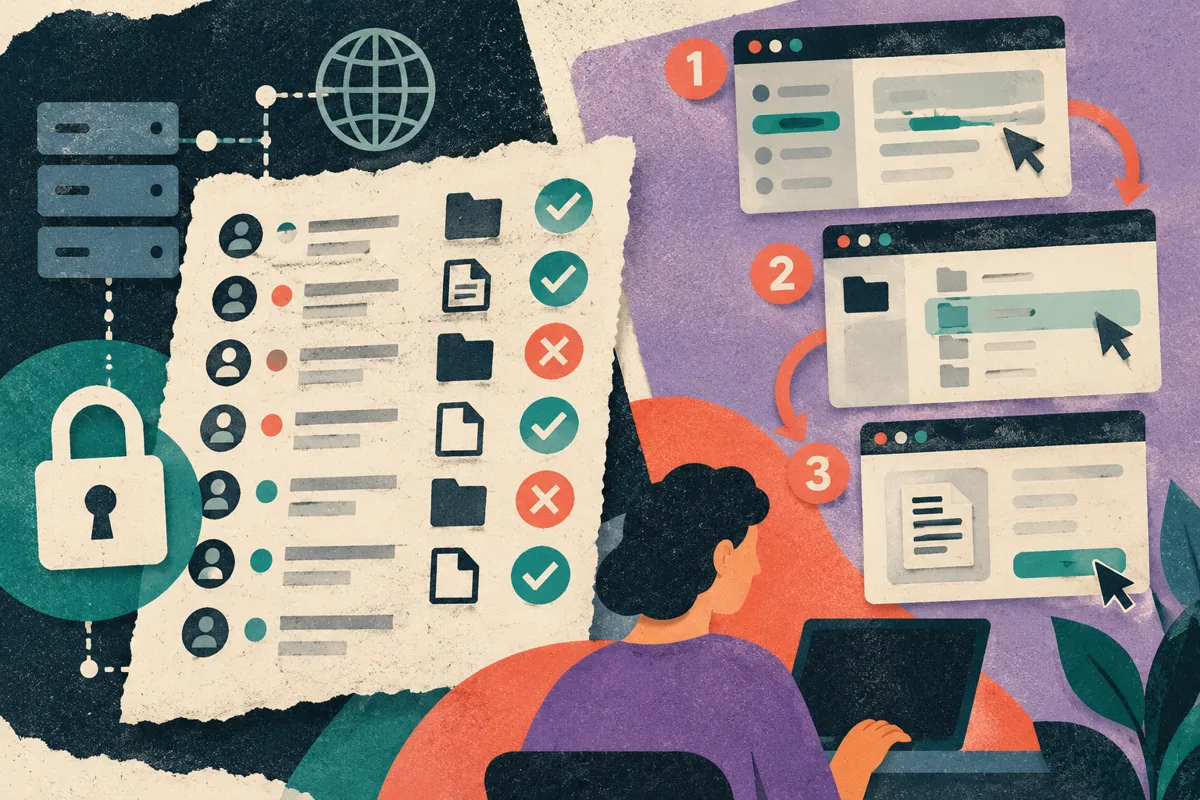
So the record of an agent's work becomes its own artifact. If agents are going to do real tasks in software, teams will want two different records: an access record for security, and a human-readable account of the workflow for everyone else. That second record looks a lot like a tutorial: ordered steps, the screen at each step, and a short explanation.
Three cautions apply to any such record, whoever makes it:
- Agents take detours. Retries and wrong turns belong in a debug log, not in a teaching sequence.
- Screens show private data. Anything captured in an agent's session needs the same review as a human recording before it is shared.
- Policy limits shape the workflow. An agent blocked from a site or folder may take a path no person would. Don't treat its route as the recommended one without checking.
Where Vorec fits
Vorec is our product, so weigh this section accordingly. Vorec's recorder is a macOS app, while MXC's session containers are Windows 11 only, so Vorec doesn't record inside an MXC session container. We haven't tested Vorec with MXC in any mode, and this post makes no claim that they integrate.
What Vorec does is the walkthrough side of the problem above. It has its own macOS recorder, and an AI agent can drive it through the Claude Code plugin and CLI: the agent runs the capture locally, you review the take, and only then is it uploaded. Vorec drafts narration matched to the captured workflow and generates the voiceover, and the same capture can also produce a written step-by-step guide. You can upload an existing recording instead.
FAQ
When did Microsoft Execution Containers become generally available?
Microsoft's Windows Developer Blog announced general availability on 7 October 2026.
Does MXC work on macOS?
Microsoft lists process containers for Windows 11, macOS and Linux. Session and WSL containers are listed as Windows 11 only, and MicroVM as Windows 11 and Linux, experimental.
Can I watch what an agent does inside a session container?
The developer announcement we reviewed describes the session as kept apart from the user's desktop and input, but doesn't say whether or how a person can observe it. Check Microsoft's documentation for your setup.
Does MXC record what the agent did?
The announcement we reviewed describes an activity report of the resources a workload tried to use, for Windows process containers in Learning and Permissive modes. It doesn't describe a screen recording of the session; check Microsoft's MXC documentation for other observability options.
Which AI agents support MXC?
Microsoft names GitHub Copilot, OpenClaw, OpenAI Codex, Replit, LM Studio and Unsloth AI as supporting it now, with others, including Anthropic's Claude Code, releasing support. Check each vendor's own documentation for status.
Related reading: Computer Use Agents: What the Vendor Docs Say, AI Agents That Submit Forms: Anthropic's Oct 2026 Report, Warp Agents Record Video Proof, AI Agent Screen Recording.
Want the recording to narrate itself? Record with Vorec, or let an agent drive the recorder and review the take yourself, then get a narrated tutorial plus a written guide. Start the 7-day trial: 100 credits, no card. Trial includes up to 3 projects; exports carry a watermark. Paid plans start at $9/month.