Vibe Coding Guide: Ship Your First App in a Weekend
Vorec Team · 2026-04-02 · About 10 min read
You have an idea for an app. Maybe it's a habit tracker, a recipe organizer, or a tool that solves a specific problem at work. You've had this idea for months — maybe years. But you've never built it because learning to code felt like a mountain you didn't have time to climb.
That mountain just got flattened.
In 2026, a new approach called vibe coding is letting complete beginners ship real, working applications in days instead of months. And in this guide, you'll learn exactly how to go from idea to live app in a single weekend.
What Is Vibe Coding?
Vibe coding is building software by describing what you want in plain language and letting an AI coding assistant write the code for you. Instead of memorizing syntax, debugging semicolons, and reading documentation for hours, you have a conversation with an AI tool that translates your intentions into working code.
The term was coined by Andrej Karpathy in early 2025, and it perfectly captures the experience: you focus on the vibe — what the app should look and feel like — while the AI handles the implementation details.
Here's what that looks like in practice:
- You say: "Create a landing page with a signup form and a dark theme"
- AI writes: The HTML, CSS, JavaScript, and framework code to make it happen
- You say: "Make the button bigger and add a loading spinner when the form submits"
- AI updates: The code instantly
You're the architect. The AI is the builder. You don't need to know how to lay bricks to design a house.
Why 2026 Is the Year Anyone Can Build an App
AI coding tools have existed for a few years, but 2026 is the tipping point for three reasons:
- AI models understand full applications now. Early tools could autocomplete a line of code. Today's tools can build entire features, set up databases, and deploy to the internet — all from a conversation.
- The tools are finally beginner-friendly. You don't need a terminal, a code editor, or any prior setup knowledge. Several tools now guide you through every step.
- Deployment is one click. Getting your app on the internet used to require understanding servers, DNS, and hosting. Now most AI coding tools can deploy your app with a single command.
The gap between "I have an idea" and "people are using my app" has never been smaller.
What You Need to Get Started
The barrier to entry is remarkably low:
- A laptop (Mac, Windows, or Linux — any will work)
- An AI coding tool (more on choosing one below)
- A weekend of focused time
- An idea for something you'd actually use
That's it. No computer science degree. No bootcamp. No $500 course. If you can describe what you want in a few sentences, you can vibe code it.
Choosing Your AI Coding Tool
Three tools dominate the vibe coding space in 2026. Here's a quick comparison:
Claude Code
Best for ambitious projects. Works directly in your terminal and can scaffold entire applications, set up databases, handle authentication, and deploy — all through conversation. Excels at understanding complex requirements and building production-quality code. The learning curve is slightly steeper since it's terminal-based, but it's the most capable option for building something real.
Cursor
Best for visual learners. A code editor with AI built in. You can see your code as the AI writes it, which helps you understand what's happening. Great middle ground between power and approachability.
GitHub Copilot
Best for people already using VS Code. Integrates into the most popular code editor. Good for autocomplete-style assistance but less suited to building entire apps from scratch compared to the other two.
Our recommendation for beginners: Start with Claude Code if you're comfortable with a terminal, or Cursor if you prefer a visual interface. Both can get you from zero to deployed app in a weekend.
The Weekend Plan
Here's your hour-by-hour blueprint for going from idea to live app.
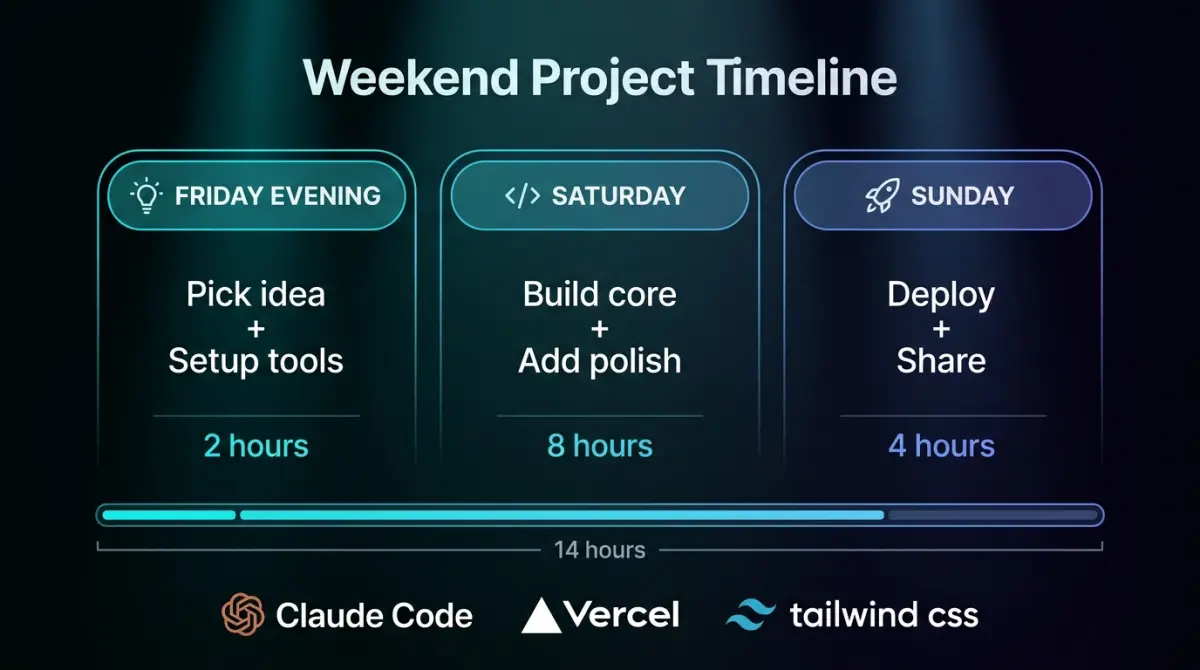
Friday Evening: Pick Your Idea and Set Up Your Tools (2 hours)
Hour 1: Choose the right idea. Not every idea is a good weekend project. Pick something that:
- Solves a real problem you personally have
- Has one core feature (not ten)
- Could be useful even in a basic form
Good weekend project ideas:
- A personal bookmark manager with tags and search
- A meal planning app that generates grocery lists
- A simple invoicing tool for freelancers
- A habit tracker with streaks
- A link-in-bio page builder
Bad weekend project ideas (too complex for a first build):
- A social network
- A real-time multiplayer game
- Anything requiring payment processing on day one
Hour 2: Install your tools. Follow the setup guide for your chosen AI coding tool. Create accounts, install the software, and run the "hello world" tutorial. Get comfortable with the basic flow of giving instructions and seeing results.
Saturday Morning: Build the Core Feature (4 hours)
This is where the magic happens. Open your AI coding tool and start describing your app.
Start broad, then get specific. Begin with the big picture:
"I want to build a bookmark manager. Users should be able to save URLs with a title and tags, then search through their bookmarks."
The AI will scaffold your project — creating files, setting up a framework, and building the basic structure. Then refine:
"Add a form at the top of the page where I can paste a URL. It should automatically fetch the page title. Let me add comma-separated tags."
Key tips for your first morning:
- Be specific about what you see. "Add a blue button" is better than "make it look nice."
- Test constantly. After every few changes, look at what the AI built. Click around. Try to break it.
- Don't chase perfection. Get the core flow working first. You can polish later.
- Save your progress. Ask the AI to help you set up version control (git) early so you never lose work.
By lunch, you should have your core feature working — ugly, maybe, but functional.
Saturday Afternoon: Add Polish (4 hours)
With your core feature working, spend the afternoon making it feel like a real app.
Authentication (1 hour). Ask the AI to add user login. Most tools can set up email/password authentication in minutes:
"Add user authentication. Users should be able to sign up with email and password, and only see their own bookmarks."
Styling (2 hours). This is where vibe coding really shines. Describe the look you want:
"Make it look modern and clean. Use a dark theme with rounded corners, subtle shadows, and smooth animations. The font should be something like Inter."
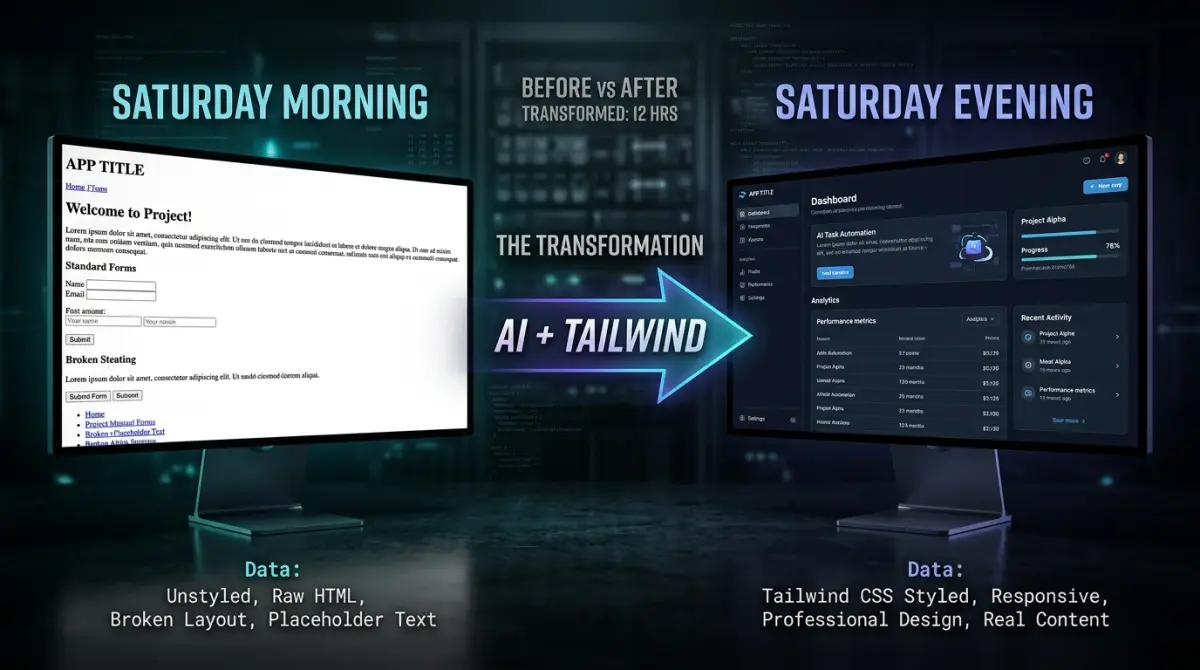
Responsive design (1 hour). Make sure it works on phones:
"Make the layout responsive. On mobile, stack the sidebar below the main content and make the buttons full-width."
Sunday Morning: Deploy to the Internet (2 hours)
Your app works locally. Time to put it on the internet where anyone can use it.
Ask your AI tool to help you deploy. The most common options:
- Vercel — connects to your code repository and auto-deploys. Free tier is generous.
- Netlify — similar to Vercel, great for frontend apps.
- Railway — good for apps that need a backend server and database.
The conversation might look like:
"Help me deploy this to Vercel. Walk me through connecting my GitHub repo and setting up the deployment."
Within an hour, you should have a live URL you can share with anyone.
Buy a domain (optional but recommended). A custom domain like `mybookmarks.app` costs about $10/year and makes your project feel real. Your AI tool can help you configure DNS.
Sunday Afternoon: Share It With the World (2 hours)
You built something. Now tell people about it.
- Post on X/Twitter with a short demo video or screenshots
- Share on Reddit in relevant subreddits (r/SideProject, r/webdev, r/indiehackers)
- Show friends and family — their feedback will surprise you
- Write a short post about what you built and what you learned
If you want to create a polished demo video of your app, tools like Vorec can turn a screen recording into a narrated walkthrough — useful for landing pages or social posts where you want to show off what you built.
For a deeper look at creating effective demo videos, check out our guide on how to create a product demo video fast.
Real Examples of Weekend Apps
Think a weekend isn't enough? Here are real examples of apps built by beginners using vibe coding:
- A recipe scaler that adjusts ingredient quantities based on serving size — built in 8 hours by someone who had never written code before
- A meeting notes app that records audio and generates summaries — built in a weekend by a project manager
- A pet sitting scheduler for a local community — built in 2 days by a veterinary assistant
- A flashcard app with spaced repetition — built in 12 hours by a medical student studying for exams
None of these people were developers. They were people with problems who used AI to build solutions.
Common Mistakes First-Time Vibe Coders Make
Learn from others' mistakes so you don't waste your weekend:
1. Trying to build too much. The number one killer of weekend projects. Ship one feature that works, not five features that don't. You can always add more next weekend.
2. Giving vague instructions. "Make it better" tells the AI nothing. "Make the header sticky, increase the font size to 18px, and add a subtle bottom border" gets results.
3. Not testing as you go. Don't write code for three hours and then check if it works. Test after every change. Small bugs are easy to fix. Big bugs from hours of untested changes are weekend-enders.
4. Ignoring mobile. Half your users will visit on their phones. Ask the AI to make your app responsive from the start, not as an afterthought.
5. Spending too long on the logo. Your app doesn't need a logo this weekend. It needs to work. Ship first, brand later.
6. Not saving your work. Set up git in the first hour. Commit often. There is nothing worse than losing progress to a crashed computer or an accidental file deletion.
What to Do After You Ship
Congratulations — you have a live app. Now what?
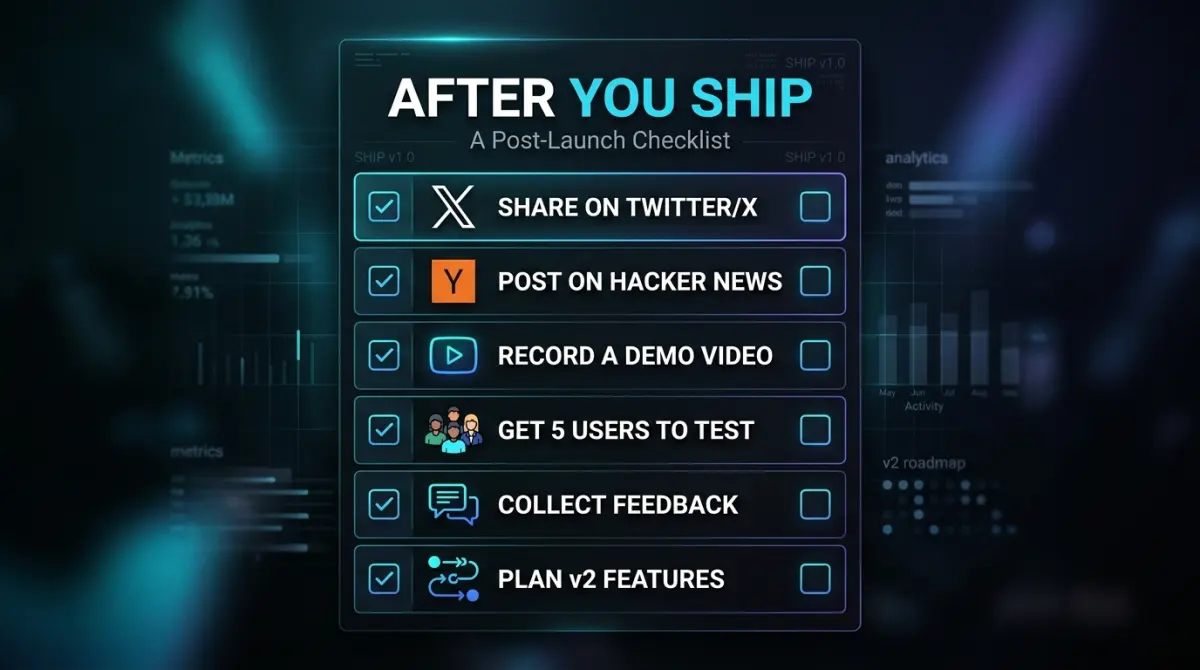
Get feedback immediately. Share your app with 5-10 people and watch how they use it. The things that confuse them are your roadmap for version 2.
Iterate fast. Based on feedback, make small improvements. Vibe coding makes iteration almost instant — describe the change, see it live in minutes.
Document what you built. Record a quick walkthrough of your app and turn it into a tutorial or demo. This helps when sharing on social media, applying to programs like Product Hunt, or simply remembering your own architecture when you return to the code in a month.
Learn what the AI wrote. You don't need to understand every line, but reading through the code and asking your AI tool "explain this file" will build your programming intuition over time. If you want to go deeper, check out our guide on building a full SaaS with Claude Code.
Keep building. Your first app won't be perfect. But your second one will be better. And your third will be better still. The skill you're developing isn't coding — it's the ability to translate ideas into working software. That skill compounds.
Your Weekend Checklist
Print this out, tape it to your monitor, and check each box as you go:
Friday Evening
- [ ] Choose an idea with one core feature
- [ ] Install your AI coding tool
- [ ] Run the "hello world" tutorial
- [ ] Set up a project folder and initialize git
Saturday Morning
- [ ] Describe your app to the AI and scaffold the project
- [ ] Build the core feature
- [ ] Test it — click every button, fill every form
- [ ] Commit your progress
Saturday Afternoon
- [ ] Add user authentication
- [ ] Style the app (describe the look you want)
- [ ] Make it responsive for mobile
- [ ] Commit again
Sunday Morning
- [ ] Deploy to Vercel, Netlify, or Railway
- [ ] Test the live URL on your phone
- [ ] (Optional) Buy and connect a custom domain
Sunday Afternoon
- [ ] Share on social media with screenshots or a demo video
- [ ] Send to 5 friends for feedback
- [ ] Write down 3 things to improve in version 2
- [ ] Celebrate — you just shipped an app
The best time to start building was last weekend. The second best time is this Friday.
Pick your idea. Open your AI tool. And ship it.
Related reading: From Vibe-Coded App to Narrated Demo, Fast.