How to Build a SaaS with Claude Code (Complete Guide)
Vorec Team · 2026-04-02 · About 9 min read
You Have the Idea. AI Has the Engineering Hours.
Building a SaaS used to require months of full-stack development, a team of engineers, or at minimum a deep expertise across frontend, backend, auth, payments, and deployment. Most solo founders stalled somewhere between "I have the idea" and "it actually works."
That changed with vibe coding.
Vibe coding is the practice of building software by describing what you want in natural language and letting an AI coding assistant write the implementation. You stay in control of architecture and decisions. The AI handles the boilerplate, the debugging, and the parts that used to eat your weekends.
Claude Code is one of the best tools for this approach. It runs in your terminal, reads your entire codebase, executes commands, and writes production-quality code across files. It is not a chatbot that generates snippets — it is a coding agent that ships features.
This guide walks you through building a complete SaaS product with Claude Code, from initial setup to a deployed app with auth, payments, and a landing page.
Why SaaS Is the Perfect Vibe Coding Project
Not every project is a good fit for AI-assisted development. SaaS products are ideal because:
- Patterns are well-established. Auth, CRUD, dashboards, billing, settings pages — these follow predictable structures. AI excels at generating code for known patterns.
- The stack is standardized. Most modern SaaS apps use the same handful of technologies. Claude Code knows these stacks deeply.
- Iteration speed matters. SaaS is about shipping fast, learning from users, and iterating. Vibe coding compresses your build cycle from weeks to days.
- You can describe features in plain English. "Add a settings page where users can update their email and change their plan" is a complete enough spec for Claude Code to work with.
The result: solo founders and small teams are launching real SaaS products in days instead of months.
Step 1: Choose Your Stack
Before opening your terminal, decide on your technology stack. For vibe coding, you want technologies with large training footprints — meaning the AI has seen thousands of examples and can generate reliable code.
The Recommended Vibe Coding Stack
- Frontend: Next.js or Vite + React with TypeScript and Tailwind CSS
- Database + Auth: Supabase (Postgres, auth, row-level security, edge functions)
- Payments: Stripe or Polar
- Deployment: Vercel or Cloudflare Pages
- Styling: Tailwind CSS with a component library like shadcn/ui
This stack is popular for a reason — every piece has excellent documentation, and Claude Code can generate accurate code for all of them.
Avoid exotic or bleeding-edge frameworks in your first vibe coding project. The more common your stack, the more reliable the AI output.
Step 2: Set Up Claude Code
Getting started takes about two minutes:
- Install Claude Code globally:
```bash npm install -g @anthropic-ai/claude-code ```
- Navigate to your project directory and run:
```bash claude ```
- Authenticate with your Anthropic account when prompted.
That is it. Claude Code now has access to your project files and terminal.
Create a CLAUDE.md File
This is the most important step most people skip. A `CLAUDE.md` file at the root of your project tells Claude Code about your architecture, conventions, and rules. Think of it as onboarding documentation for your AI pair programmer.
A good `CLAUDE.md` includes:
- Project overview — what the app does in 2-3 sentences
- Tech stack — exact frameworks and versions
- Project structure — key directories and what lives where
- Architecture rules — patterns you follow (e.g., "never put API calls in components")
- Key commands — how to run dev, build, test, deploy
- Environment variables — what is needed and where
The better your CLAUDE.md, the better your AI output. Update it as your project grows.
Step 3: Build Core Features First
Start with the feature that makes your SaaS unique — the core value proposition. Do not start with auth, billing, or a landing page. Those are commodity features you can add later.
How to Prompt Claude Code Effectively
The difference between mediocre and excellent AI output is how you describe what you want. Follow these principles:
Be specific about behavior, not implementation:
Reference existing patterns:
Break large features into steps: Instead of asking for an entire feature at once, work in stages:
- "Create the database table and types for team members"
- "Build the API service for CRUD operations on team members"
- "Create the UI for listing and inviting team members"
Each prompt builds on the last, and you can review and adjust between steps.
Let Claude Code Run Commands
Claude Code can run your dev server, install packages, run database migrations, and check TypeScript errors. Let it. The more context it has from actual command output, the better it can fix issues.
When Claude Code suggests running a command, approve it. When it encounters an error, it will often fix the issue automatically in the next step.
Step 4: Add Auth and User Management
Once your core feature works, add authentication. With Supabase, this is straightforward:
Claude Code will typically:
- Install the Supabase client library
- Create the auth context with proper TypeScript types
- Build login and signup pages
- Add the auth guard wrapper
- Set up the Supabase client configuration
Review the auth flow carefully. This is one area where you should read every line the AI generates. Auth bugs are security bugs.
Row-Level Security
Ask Claude Code to set up RLS policies for your database tables:
This ensures data isolation between users at the database level — even if your application code has a bug, users cannot access each other's data.
Step 5: Add Payments
Every SaaS needs a way to collect money. Stripe and Polar are the most common choices for vibe-coded projects.
Ask Claude Code to:
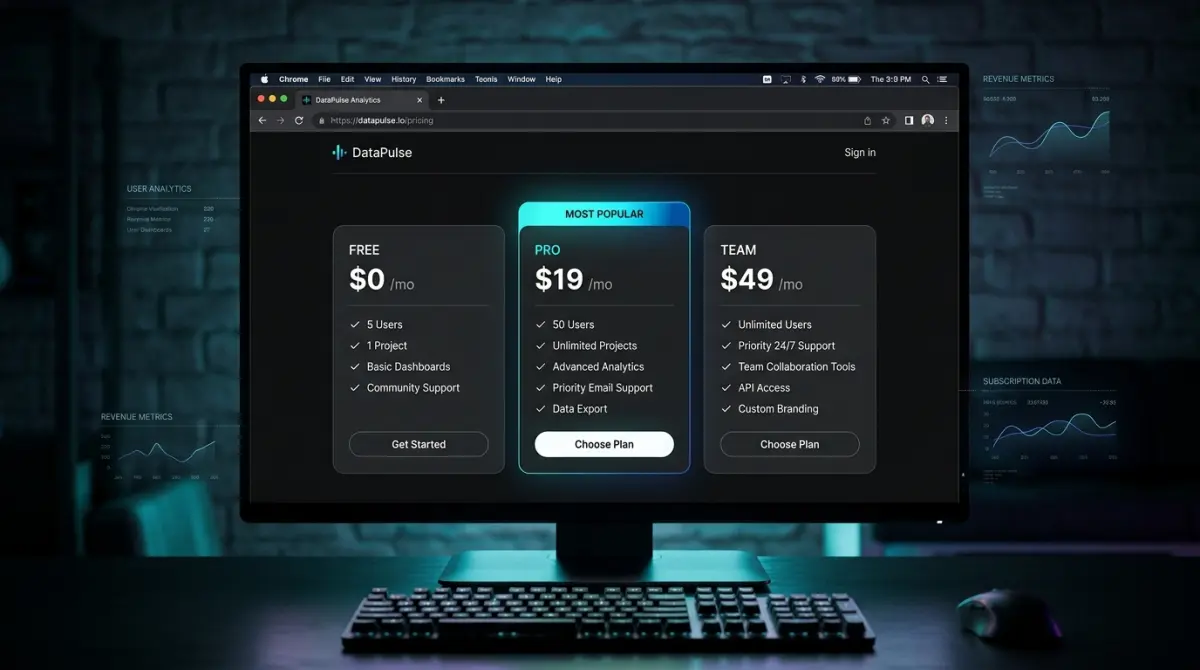
- Create a pricing table with your tiers (free, pro, team)
- Set up checkout — redirect users to the payment provider's hosted checkout
- Handle webhooks — listen for subscription events and update your database
- Build an upgrade flow — show current plan, upgrade/downgrade buttons, billing portal link
Important: Always verify webhook signature validation in the generated code. Ask Claude Code explicitly: "Show me where the webhook signature is verified."
Step 6: Build the Landing Page
Your landing page is the first thing potential customers see. Vibe coding makes it fast to build a polished one:
Landing Page Tips
- Lead with the outcome, not the technology. "Save 10 hours per week on standups" beats "AI-powered standup tool."
- Add social proof early — but only claims your own numbers support. If you have five teams, say five.
- Make the CTA obvious. One primary action per section.
- Keep it fast. Landing pages should load in under 2 seconds. Ask Claude Code to optimize images and minimize JavaScript.
Step 7: Deploy
Deployment depends on your stack:
For Next.js + Vercel:
For Vite + Cloudflare Pages: Connect your GitHub repo in the Cloudflare dashboard, set the build command to `npm run build`, and the output directory to `dist`.
For Supabase edge functions:
Ask Claude Code to help you set up environment variables, configure your domain, and verify the production deployment works.
Pre-Launch Checklist
Before sharing your URL with anyone:
- [ ] Auth flow works end-to-end (signup, login, logout, password reset)
- [ ] Payment processing works with test cards
- [ ] Webhook handling is verified
- [ ] RLS policies are in place for all user data tables
- [ ] Error tracking is configured (Sentry or similar)
- [ ] Environment variables are set in production
- [ ] HTTPS is working on your custom domain
Common Pitfalls (And How to Avoid Them)
After watching dozens of developers build SaaS products with vibe coding, these are the mistakes that come up repeatedly:
1. Not Reading the Generated Code
AI writes correct code most of the time. But "most of the time" is not good enough for auth, payments, or data access. Read every line of security-critical code. Trust but verify.
2. Skipping the CLAUDE.md File
Without a CLAUDE.md, Claude Code makes reasonable assumptions — but they might not match your architecture. Spending 15 minutes writing a good CLAUDE.md saves hours of corrections later.
3. Building Too Much Before Testing
Vibe coding is fast. Dangerously fast. It is tempting to build five features before testing any of them. Test each feature as you build it. Run the app, click through the flow, check the database.
4. Ignoring TypeScript Errors
When Claude Code generates code with TypeScript errors, do not ignore them. Tell it: "Fix all TypeScript errors in the project." Type errors often reveal real bugs.
5. Not Using Version Control
Commit frequently. Before asking Claude Code to make a major change, commit your working state. If the AI takes your code in a wrong direction, you can always revert.
After Launch: Document Your App
You have built and deployed your SaaS. Now you need users to understand it.
A short demo does work a feature list cannot. A 2-minute demo showing your app in action often lands better than a 2,000-word feature page.
The fastest way to create tutorials for your new SaaS is to screen record yourself using the app and let AI generate the narration. No microphone needed, no script writing, no audio editing. Just record the workflow silently, and tools like Vorec will watch what happens on screen and generate a professional voice-over that explains each step.
This is especially powerful when your app is evolving quickly — you can re-record a tutorial in minutes whenever the UI changes, without re-recording audio. Check out our guide on how to make tutorial videos in 2026 for a deeper dive on methods and tools.
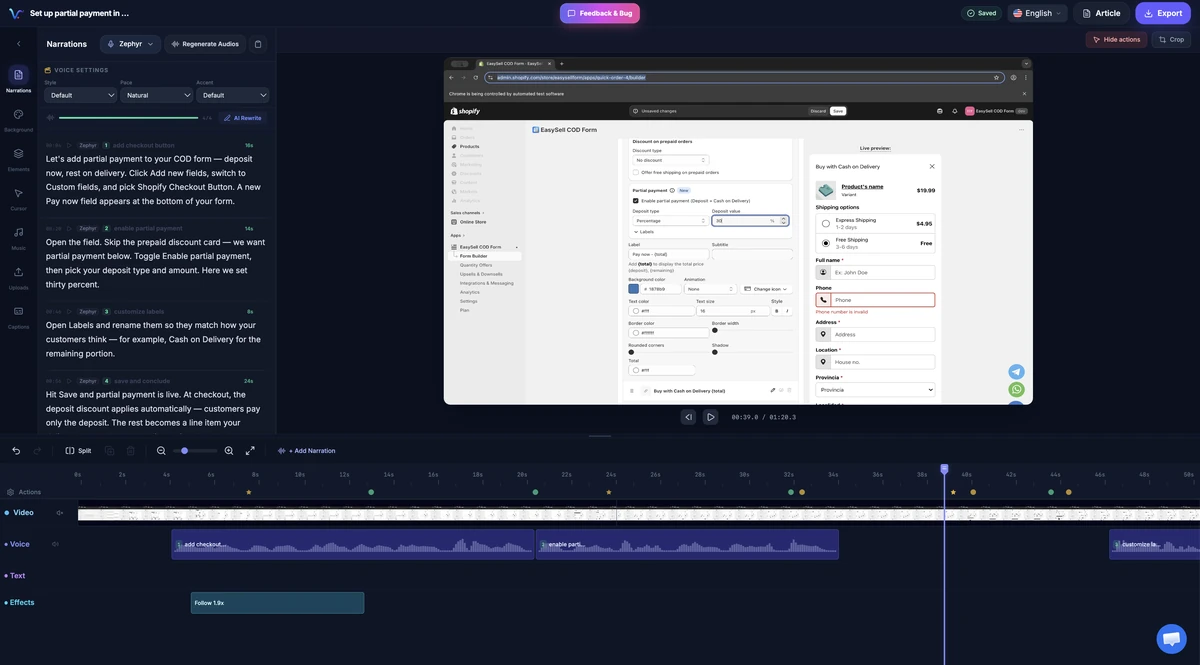
Vorec editor showing a Shopify tutorial recording and its narration and timeline tracks. Existing product capture; interface may differ by version.
Quick-Start Checklist
Here is everything in one place. Bookmark this and work through it:
- Define your SaaS idea — one sentence, one core feature
- Pick the standard stack — Next.js/Vite + Supabase + Tailwind + Stripe/Polar
- Install Claude Code — `npm install -g @anthropic-ai/claude-code`
- Write your CLAUDE.md — stack, structure, rules, commands
- Build the core feature first — the thing that makes your app unique
- Add auth — Supabase Auth with email + OAuth, add RLS policies
- Add payments — Stripe/Polar checkout, webhooks, subscription management
- Build the landing page — hero, features, pricing, FAQ
- Deploy — Vercel/Cloudflare, configure domain, set env vars
- Test everything — auth flow, payments, data isolation, error tracking
- Record a demo — screen record your app, add AI narration with Vorec
- Ship it — share with the world and start collecting feedback
Building a SaaS used to be a six-month project. With Claude Code and the right stack, you can go from idea to deployed product in a weekend. The barrier is no longer technical skill — it is having a clear idea of what to build and the discipline to ship it.
Start with one feature. Get it working. Add the next. Before you know it, you have a product.
Related reading: Vibe Coding Guide and From Vibe-Coded App to Narrated Demo, Fast.