Loom Video Prompts: Screen Recordings as Agent Input (2026)
Vorec Team · 2026-10-13 · About 7 min read
For most of its life, a screen recording has had one kind of audience: people. You record a walkthrough so a teammate, a customer or a new hire can watch it.
Loom is now building for a second audience. Its video prompts feature, which Loom's help centre calls Record for agent, turns a narrated screen recording into structured instructions an AI agent can act on. Atlassian announced it on 22 July 2026, and on 7 October 2026 it became part of a rebuilt, native Loom for Mac.
This post covers what Atlassian's own pages say about the feature: what it records, what it produces, its limits and who can use it. It ends with our reading of what the trend means for anyone who records software for a living. Every factual claim below links to one of three Atlassian sources: the video prompts announcement (22 July 2026), the Loom for Mac announcement (7 October 2026), and the help article Record for AI agents.
Checked on 13 October 2026. The feature is in open beta, so details can change. Treat the linked pages as the source of truth.
What Loom announced
The July announcement frames the problem as prompt overhead: getting an agent to make a UI change or update a design needs visual context, which used to mean long text prompts, pasted screenshots and rounds of clarification. Its pitch is to record your screen, talk through what you want done, and get "a structured action plan" you can share with an agent or turn into Jira work items.
The October Loom for Mac post adds the desktop side. Atlassian says the Mac app was rebuilt natively for macOS 15 and later, and that a new "screen awareness" layer, which tracks screen, windows, mouse movement and recording area, is what powers features including Video Prompts.
How Record for agent works
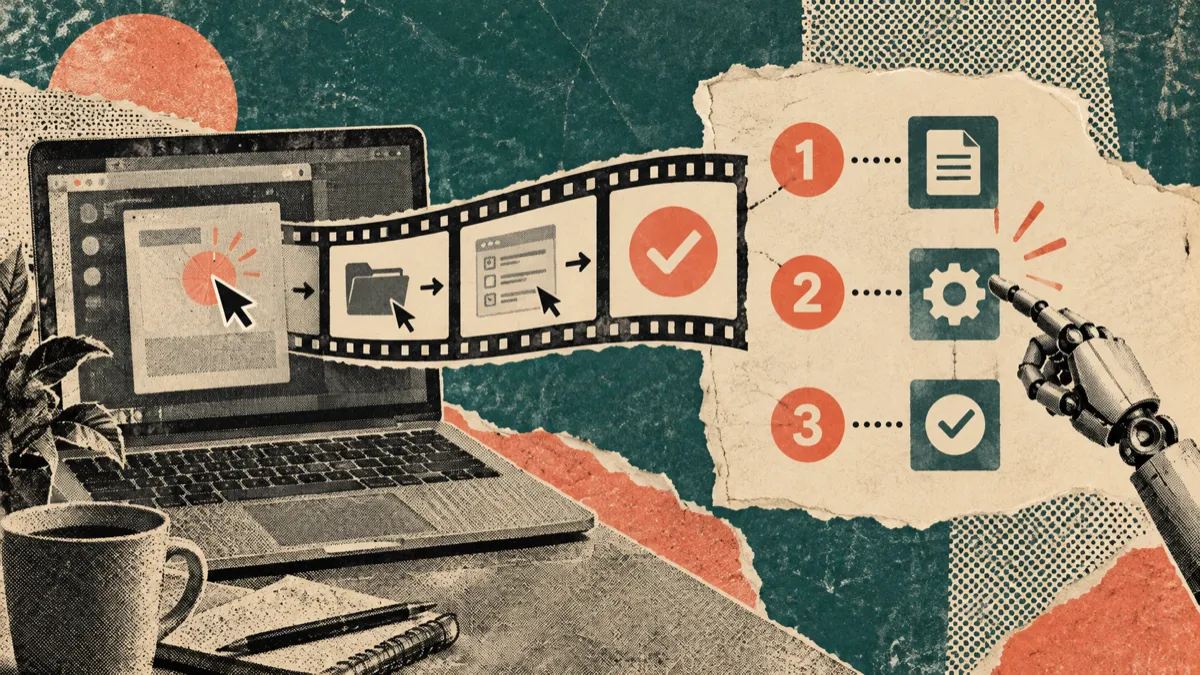
According to the help article, the flow has three parts:
- Record. Start Record for agent mode from the Loom Chrome extension or the desktop app (version 2.0 or later), navigate to the relevant screens, and describe aloud what you want the agent to do.
- Mark context while recording. A Selection tool pins specific UI elements, and a Magic Pen draws temporary freehand annotations on screen.
- Hand off. Loom generates an agent prompt for you to review. From there you can choose an agent and have Loom open it with the prompt pre-filled, copy the prompt to your clipboard for terminal or CLI tools, copy the raw markdown, or, with an Atlassian-managed account and Jira, create work items.
The announcement names Rovo, Claude and Cursor as examples of agents you can hand the plan to.
What it captures, and what it produces
The help article lists the data Record for agent captures:
| Captured | What the help article says |
|---|---|
| Transcript | A full text record of your spoken instructions |
| Keyframes | Snapshots of the shared screens, including Selection tool picks and Magic Pen drawings |
| Interaction events | Where you clicked during the recording |
| Visited links | A log of URLs you navigated to |
| Console and network logs | Chrome extension only: console log, warn and error messages, navigation messages, and network request and response metadata |
The output is an agent prompt that splits the video into discrete tasks. Per the help article, each task typically includes a concise title with bulleted instructions, a transcript quote, keyframes or other visual references, and timestamps.
One wording difference is worth noting. The July announcement calls the result "a deterministic action plan agents can use to execute tasks with zero ambiguity." The help article describes it more modestly, as a prompt "for you to review." We would plan around the help article's version: an agent prompt is a starting point that a person checks, not a guarantee of what the agent will do.
Limits and availability
| Item | What Atlassian's pages say |
|---|---|
| Status | Open beta |
| Plans | Business + AI and Enterprise |
| Jira work items | Atlassian-managed accounts with an active Jira subscription |
| Where | Loom Chrome extension, and the desktop app version 2.0 or later |
| Length | Maximum five minutes, with a countdown timer |
| Camera | Turned off automatically in this mode |
| Recommended length | The announcement suggests recording for more than 30 seconds for best results |
For what those plans cost, see our verified Loom pricing breakdown. We have not repeated the prices here because they change separately from this feature.
The rebuilt Loom for Mac, briefly
The 7 October post covers more than agents. The parts relevant to anyone recording software:
- Native rebuild. Atlassian says the app was rebuilt with Apple's native technologies and is about 80% smaller.
- Higher-resolution capture. It describes support for 4K video, richer colour and clearer text.
- Automatic decluttering. Loom says the app can hide desktop icons and the top menu bar from the final recording.
- Precise capture. Full screen, a specific window, a dragged custom area, or camera only.
- Speaker notes and teleprompter, with AI-generated speaker notes listed as coming soon.
What this trend means, in our reading
This section is our interpretation, not Atlassian's.
Screen recording is starting to run in two directions.
| Direction | Who records | Who consumes it | What the recording becomes |
|---|---|---|---|
| Recording as agent input | A person | An AI agent | A prompt or task list for the agent to execute |
| Recording as agent output | An AI agent, or a person | People | A tutorial, demo or guide for viewers to learn from |
Loom's Record for agent is a clear example of the first direction: the recording is a richer prompt. The second direction is the one tutorials and product demos live in, where an agent can do the clicking and people do the watching.
Three things seem likely to matter in both directions, whichever tool you use:
- Structured capture beats pixels alone. Loom's prompt is built from clicks, URLs and keyframes, not just video. Tutorial tools that track actions as data have the same advantage when writing narration or step lists.
- Short is a feature. Loom caps agent recordings at five minutes. Short, single-task recordings are easier for an agent to act on, and our reading is that they are easier for viewers to follow too.
- A person still reviews. Loom's own help article puts a review step between the recording and the agent. A review step between an agent's recording and its audience matters just as much.

Where Vorec fits
Vorec works in the second direction: it turns a capture of software into something people watch and read.
Vorec records your screen. It has its own macOS recorder, and an AI agent can drive it for you through the Claude Code plugin, capturing locally for you to review before anything is uploaded. It then drafts narration matched to the workflow it captured and generates the voiceover, so nothing is spoken into a microphone. In the editor you can add smooth cursor motion, cursor-follow zoom and click-based auto-zoom, and freeze-sync can hold a frame to give an explanation time to finish. The same capture can also produce a written step-by-step guide, with annotatable screenshots, and narration regenerates in supported languages on eligible plans, without re-recording. You can upload an existing recording instead if you already have one.
If you want a person-to-agent handoff, Loom's Record for agent is built for that. If you want an agent or a silent recording to become a narrated tutorial, that is what Vorec is for. For the agent side, see Use Any Coding Agent to Record Your App Demo. For a wider comparison, see the best Loom competitors.
FAQ
What are Loom video prompts?
A Loom recording mode, called Record for agent in Loom's help centre, that turns a narrated screen recording into a structured prompt for AI agents. It combines your transcript with clicks, visited links and keyframes.
Which Loom plans include Record for agent?
Per the help article, Business + AI and Enterprise. Creating Jira work items from the prompt also needs an Atlassian-managed account with an active Jira subscription.
How long can an agent recording be?
Up to five minutes, with a countdown timer. The camera is turned off in this mode.
Which agents can use the prompt?
Atlassian's pages name Rovo, Claude and Cursor as examples. You can also copy the raw markdown prompt and paste it into another tool.
Is it available on Mac?
Yes. The help article says Record for agent works in the desktop app from version 2.0, and Atlassian's 7 October 2026 post describes it built into the rebuilt Loom for Mac, which targets macOS 15 and later.
Does it capture console and network logs?
In the Chrome extension, yes, per the help article: console log, warn and error messages, navigation messages, and network request and response metadata.
Want the recording to narrate itself? Record with Vorec, or upload one you already have, and get a narrated tutorial plus a written guide. Start free. 7-day trial, 100 credits, no credit card required. Trial includes up to 3 projects; exports carry a watermark. Paid plans start at $9/month.