Client Training Videos for Agencies (2026): Fewer Calls
Vorec Team · 2026-11-05 · About 4 min read
Client training videos for agencies are short screen recordings that show a client how to run the site, store or tool you built for them, so the handoff does not turn into months of "quick questions". One way to make them is to record the task once, let the narration be drafted from what happened on screen, and hand over the video together with a written guide.
Want the recording to narrate itself? Record with Vorec, or upload one you already have, and get a narrated tutorial plus a written guide. Start free.
Why Vorec fits agency handoffs
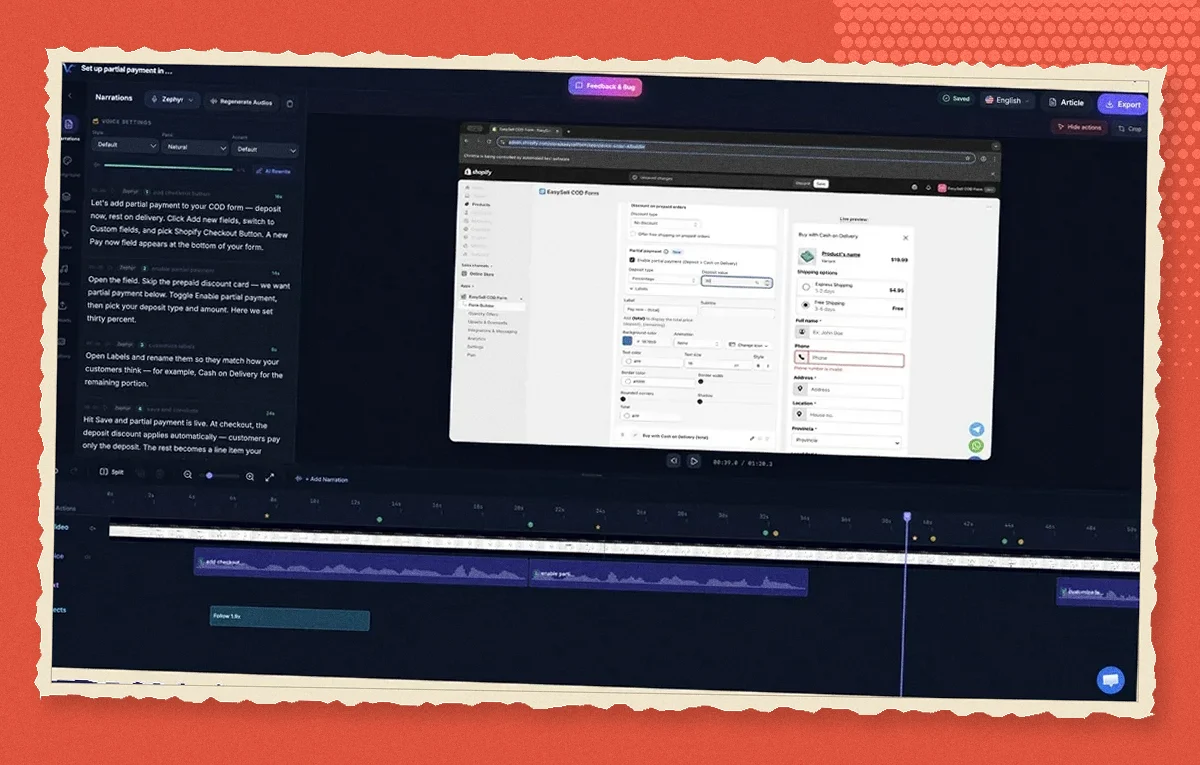
Vorec records your screen with its own macOS app, or takes a recording you already have, and drafts narration matched to the workflow it captured, then generates the voiceover. Nobody on the team has to script, record a microphone take or sound like a presenter. The same capture can also produce a written step-by-step guide with annotatable screenshots, which clients can keep in their own wiki. In the editor you can add smooth cursor motion, cursor-follow zoom and click-based auto-zoom, so a small button on a busy admin screen is easy to follow. When the client's team works in another language, narration regenerates in supported languages on eligible plans without re-recording.
A handoff workflow that holds up
Take a web agency that has just launched a client's site on a content management system. The client's marketing lead will need to publish posts, swap the homepage banner and add a colleague. Those three are common handoff tasks.
- List the tasks the client will actually do. Start with the three to five actions they will repeat: publish a post, edit a page, add a user, change a price, run a report. Leave out setup work you did once.
- Record each task as one short take. Open the client's own admin, not a demo account, and perform the task slowly from start to finish. With Vorec's recorder the clicks are tracked while you work; a recording from another tool works too.
- Let the narration be drafted, then check the names. The draft narration follows the actions on screen. Read it once and correct any label the client uses differently, such as the name of a product category.
- Add zoom where the control is small. Admin interfaces are dense. Cursor-follow zoom or a click-based auto-zoom on the publish button is the difference between a video a client can follow and one they pause and squint at.
- Generate the written guide from the same capture. Choose the steps, annotate a screenshot where a setting is easy to miss, and publish it as a page the client can search.
- Deliver both with the launch email. Send the video and the guide together. When the client asks a question that is already answered, reply with the timestamp.
What comes out at the end: a narrated video per task, a written guide per task, and a reusable pattern for every future client on the same platform.
When the platform changes
Admin interfaces get redesigned. Because the narration is drafted from the recording, updating a client training video means recording the new flow and regenerating the narration, not rewriting a script and rebooking a voice session. For agencies that hand off the same platform to many clients, that is the difference between a library you maintain and one you abandon.
Pricing
Vorec has a free trial, no credit card required (current allowances on the pricing page). Paid plans are $9, $24 and $59 a month. Translation into supported languages is available on eligible plans; check the pricing page for the current allowances before promising a client a localized set.
Related reading
For the client-facing side of the same problem, see customer onboarding videos. For the written output, see user guide software and one recording, two outputs. For localized sets, see how to translate tutorial videos.
Want the recording to narrate itself? Record with Vorec, or upload one you already have, and get a narrated tutorial plus a written guide. Start free.