What Is the Model Context Protocol (MCP)? 2026 Guide
Vorec Team · 2026-09-30 · About 8 min read
Every AI assistant that wants to read your files, query your database or act in another app needs a connector. Anthropic's announcement put the problem this way: "Every new data source requires its own custom implementation." The Model Context Protocol (MCP) is an attempt to make that a single, common interface: build a connector once, and compatible MCP clients can connect to it, subject to supported protocol versions, features and authorization.
This post explains MCP from its own documentation and specification — the parts, the vocabulary, what the 2026-07-28 revision changed, and the safety rules the spec sets out — and then where it sits next to Agent Skills and plain command-line tools.
Checked on 30 September 2026 against the rendered specification site, where the version selector reads "2026-07-28 (latest)". Specification quotes link to the official `modelcontextprotocol/modelcontextprotocol` repository at commit `046fa30`, so the wording stays checkable. This protocol is actively revised; check the spec for anything newer.
What is MCP, in one paragraph?
In its own words, MCP is "an open-source standard for connecting AI applications to external systems" (intro page source). It lets AI applications connect to data sources such as files and databases, tools such as search engines, and workflows such as specialised prompts. The project's own analogy is a USB-C port for AI applications: one standard shape of connection instead of a different cable for every device.
Anthropic announced and open-sourced MCP on 25 November 2024, releasing the specification and SDKs, local MCP server support in the Claude desktop apps, and an open-source repository of MCP servers. The intro page now lists support in assistants including Claude and ChatGPT and in development tools including Visual Studio Code and Cursor.
The three roles: hosts, clients and servers
The specification defines three participants that communicate using JSON-RPC 2.0 messages:
| Role | Spec definition | Everyday example |
|---|---|---|
| Host | "LLM applications that initiate connections" | A chat app, an IDE, a coding agent |
| Client | "Connectors within the host application" | The piece inside that app that talks to one server |
| Server | "Services that provide context and capabilities" | A connector for your files, a database or a SaaS API |
Per the architecture page, each client talks to exactly one server, and a host can run many clients. The host is the coordinator: it controls connection permissions, enforces security policies and consent requirements, and handles the user's authorisation decisions. Servers can be local processes on your machine or remote services.
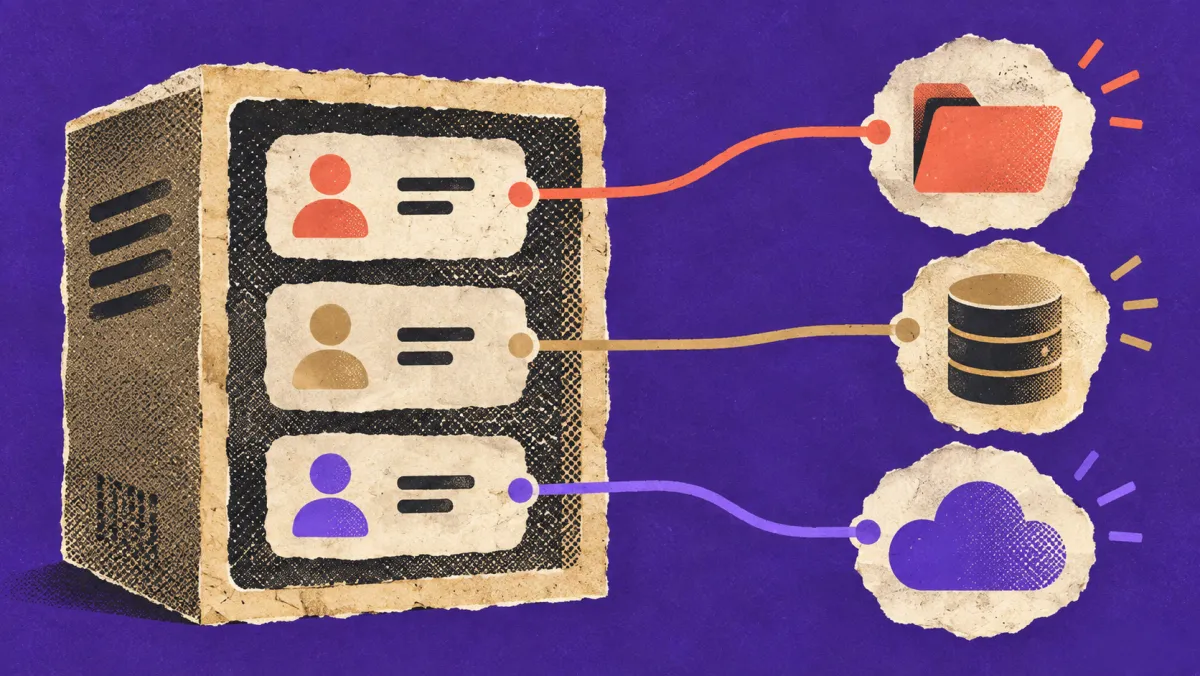
The spec says MCP takes inspiration from the Language Server Protocol, which standardised how programming-language support plugs into many editors. MCP aims to do the same for context and tools in AI applications.
What an MCP server can offer
Servers offer any of three kinds of feature:
- Tools — "Functions for the AI model to execute." Create a ticket, run a query, send a message.
- Resources — "Context and data, for the user or the AI model to use." A file, a record, a document.
- Prompts — "Templated messages and workflows for users." A predefined way to start a task.
Clients can offer elicitation: a way for a server to ask the user for more information mid-task.
The practical distinction: tools do things, resources provide things to read, and prompts package a way of asking. A useful server for, say, a help-center platform might expose a resource per article, a tool to create or update one, and a prompt for "draft an article from this ticket."
What changed in the 2026-07-28 revision
The 2026-07-28 changelog lists changes since the 2025-11-25 revision. The ones that change how you think about MCP:
- MCP is now stateless. The `initialize` handshake is removed. Every request carries its protocol version and client capabilities itself.
- Protocol-level sessions are gone from the Streamable HTTP transport, including the `Mcp-Session-Id` header. Servers that need state across calls pass explicit handles as ordinary tool arguments.
- A new `server/discover` method that servers must implement, to advertise their supported versions, capabilities and identity.
- Multi Round-Trip Requests. Instead of the server sending its own requests to the client (for example to ask the user something), it returns an "input required" result, and the client retries the original request with the answers.
- Tasks moved to an extension. Long-running asynchronous work is now an opt-in official extension rather than part of the core protocol.
- Roots, Sampling and Logging are deprecated. They still work during the deprecation window, but the changelog says new implementations should not add support for them.
Our reading: the direction is towards servers that are simpler to host and scale — each request stands alone — at the cost of client and server code written against earlier revisions needing updates. If you maintain an MCP server, read the full changelog; the list above is a summary, not a migration guide.
The security rules in the spec
MCP connects a model to things that can read data and run code, so the spec includes a "Security and Trust & Safety" section. Its key principles:
- User consent and control. Users must explicitly consent to and understand all data access and operations, and keep control over what is shared and what actions are taken.
- Data privacy. Hosts must get explicit consent before exposing user data to servers, and must not transmit resource data elsewhere without consent.
- Tool safety. Tools represent arbitrary code execution. Hosts must get explicit consent before invoking any tool. Descriptions of tool behaviour should be treated as untrusted unless they come from a trusted server.
One sentence deserves attention: the spec says MCP "cannot enforce these security principles at the protocol level." Implementors should build the consent flows, access controls and documentation. In other words, the safety of an MCP setup depends on the host application and the servers you install, not on the protocol alone.

Practical rule of thumb: treat installing an MCP server like installing any software that can act on your behalf. Know who wrote it, what it can access and what it can do.
MCP vs Agent Skills vs a CLI
MCP is not the only way to give an AI agent new abilities. Here are three approaches, which solve different problems:
| MCP server | Agent Skill | CLI the agent runs | |
|---|---|---|---|
| What it is | A service exposing tools, resources and prompts over a protocol | A folder with a `SKILL.md` file of instructions (plus optional scripts and references) | An ordinary command-line program |
| What it adds | New capabilities and data access | Know-how: how to do a task well, step by step | Capabilities, through a shell the agent already has |
| Where it runs | Local process or remote service | Instructions loaded by the agent, commonly from local files | Wherever the agent can run commands |
| Typical fit | Connecting to SaaS APIs and data sources across many AI apps | Encoding a workflow, house style or procedure | Tools that already have a CLI, local workflows |
They combine. The MCP project's own documentation has a page on building MCP servers with Agent Skills, where skills guide a coding assistant through designing a server. The 2026-07-28 spec overview also lists "Skills over MCP" among notable extensions. For the skills side in depth, see our explainer on what Agent Skills are.

What MCP means for documentation and tutorial teams
If your job is documenting software, training people on it or recording how it works, MCP matters in two ways.
1. Agents can be users of your product. The intro page's own examples include agents acting on calendars and notes, and a coding agent generating a web app from a Figma design. Where your product offers an MCP server, an agent can operate it through defined tools rather than the screen. Your docs then have two audiences — people and agents — and tool descriptions become a kind of documentation.
2. Agents can operate the tools you document with. An agent that can call a recorder, an editor or a publishing system can take on repetitive parts of producing documentation. Whether it should is a review question, not a protocol question: the spec's consent principles point to a human approving what the agent does.
Our reading, not the spec's: for tutorial work, the step that most needs a human is judging the result — is this the right flow, is the take clean, does the narration say the right thing. Whatever connects the agent, keep that review step.
Where Vorec fits
Vorec's agent workflow uses an Agent Skill and a command-line tool rather than an MCP server. Through the `record-tutorial` skill for Claude Code, a coding agent plans the tutorial and drives the Vorec CLI, which records with Vorec's macOS recorder locally. You review the take before anything is uploaded; only then does `vorec analyze` upload it, draft narration matched to the captured workflow and generate the voiceover — nothing spoken into a microphone. The same capture can also produce a written step-by-step guide.
We explain that workflow in using a coding agent to record your app demo, and the agent loop behind screen-operating AI in computer-use agents explained.
FAQ
What is the Model Context Protocol in simple terms?
An open standard that lets AI applications connect to external data, tools and workflows through one common interface, instead of a custom connector per app and per system.
Who created MCP?
Anthropic announced and open-sourced it on 25 November 2024. The specification and SDKs are developed in the open in the `modelcontextprotocol` GitHub organisation.
What is an MCP server?
A program or service that exposes tools, resources and prompts to AI applications over MCP. It can run on your machine or remotely.
Is MCP safe?
The spec requires explicit user consent for data access and tool use, but states that the protocol itself cannot enforce those principles. Safety depends on the host application and the servers you choose to install.
What is the difference between MCP and Agent Skills?
MCP adds capabilities and data access through servers. Agent Skills add instructions — how to do a task — through `SKILL.md` files. They can be used together.
Want an agent to record your tutorials — and a human to approve them? Record with Vorec — it has its own macOS recorder, and Claude Code can drive it, capturing locally for you to review before anything is uploaded — or upload a recording you already have. Vorec drafts narration matched to the workflow and generates the voiceover, plus a written guide from the same capture. Start free — 7-day trial, 100 credits, no credit card required. Trial includes up to 3 projects; exports carry a watermark.