Process Documentation: The Complete Guide (2026)
Vorec Team · 2026-09-27 · About 7 min read
Every team says the same sentence eventually: "we should really write this down." Then the person who knows how to do the thing gets busy, the process stays in their head, and six months later they leave and take it with them.
Process documentation is the discipline of getting that knowledge out of heads and into something other people can follow. This guide covers what it is, the formats that actually get used, a template you can fill in today, and the specific reasons most process documentation fails.
What is process documentation?
Process documentation is a written or recorded record of how a repeatable task gets done — the steps, the order, who does them, and what "done" looks like. It covers everything from refunding a customer to deploying a release.
It is distinct from a few neighbouring things people confuse it with:
| Term | What it is | When you need it |
|---|---|---|
| Process documentation | How a repeatable task is performed | Any task done more than a few times |
| SOP | A formal, standardised procedure, often with compliance weight | Regulated or quality-critical work |
| Runbook | Step-by-step operational response, usually technical | Incidents, deploys, on-call |
| Playbook | Guidance for choosing an approach in a recurring situation | Judgement calls, not fixed steps |
| Work instruction | The most granular version — one task, one way | Training, manufacturing, hand-offs |
The differences matter mostly for tone and rigour. An SOP implies a standard someone can be held to. A playbook implies choice. Process documentation is the umbrella.
We cover the distinctions in more depth in our guide to runbooks, playbooks and SOPs, and there is a dedicated walkthrough for writing an SOP if that is the format you need.
Why most process documentation fails
Before the template, the failure modes — because a template does not help if the underlying problem is one of these.
It is written once and never touched again. The process changes, the document does not, and people learn to distrust it. A distrusted document is worse than no document, because someone will eventually follow it.
It is written by someone who does not do the task. Second-hand documentation tends to capture the idealised version rather than the real one, and to omit the fiddly bits that cause errors. A central team can write good documentation by working with the people who actually perform the process.
It describes the interface instead of the decision. "Click the blue button" ages badly and teaches nothing — the button moves, changes colour, or becomes a menu item. "Publish once a second person has checked the wording" describes the decision, and survives any number of redesigns.
It lives where nobody works. A perfect document in a drive nobody opens is not documentation, it is an archive.
It is too long to use mid-task. Nobody reads eleven pages while a customer waits. Reference documentation and in-the-moment documentation are different products.
A useful test: hand your documentation to someone who has never done the task and watch them attempt it. Every question they ask is a gap — note it rather than answering immediately, so you capture what was missing. Run this on a dry run or test account, not on live customer data, and step in straight away if a real account or customer could be affected.
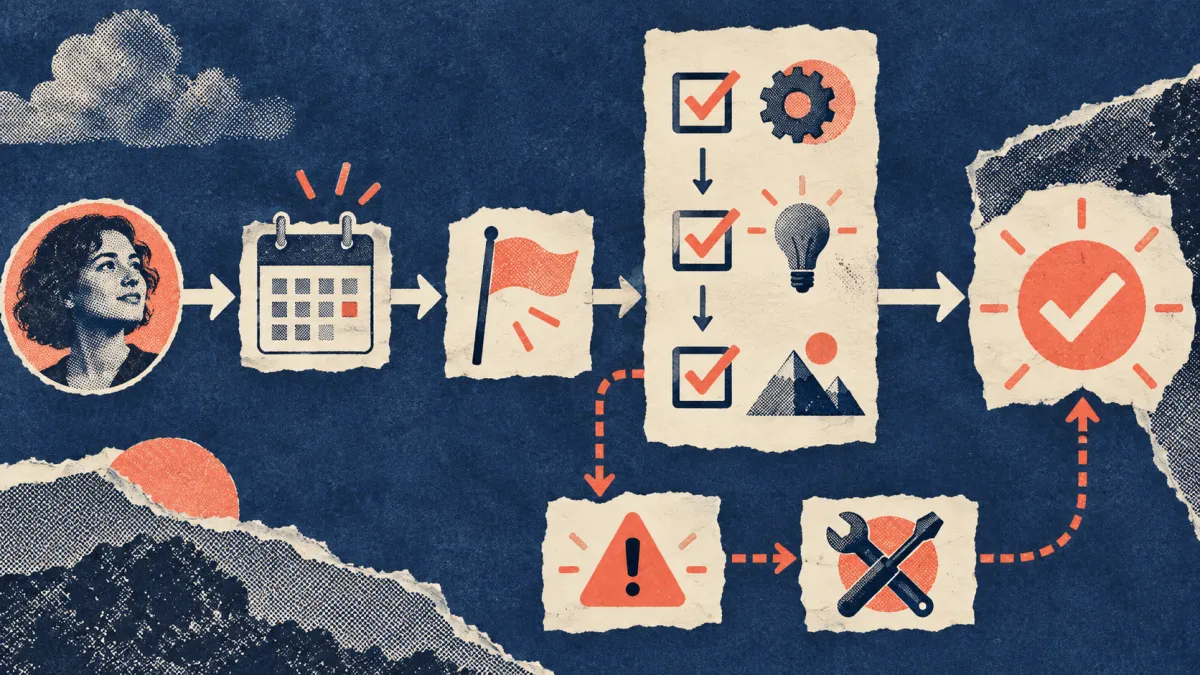
The process documentation template
Copy this. It is deliberately short, because long templates do not get filled in.
The same template, filled in
Abstract templates are easy to agree with and hard to use. Here is a worked example — invented for illustration, not a real policy from any company, and deliberately something low-stakes:
Notice what the filled version exposes that a blank template hides: the stop condition in step 2, the logged-out check in step 4, and a failure row that redirects you to a different process entirely. Those only appear when someone writes a concrete example — which is the argument for writing one, whatever your actual process is.
Two fields do most of the work and are the two most often missing.
"What you should see when it works" turns a list of instructions into something self-verifying. Without it, a person who takes a wrong turn at step 2 does not find out until step 9.
"Last reviewed" is what makes staleness visible. A document with no date is assumed current forever. A document dated fourteen months ago tells you to check before trusting it.
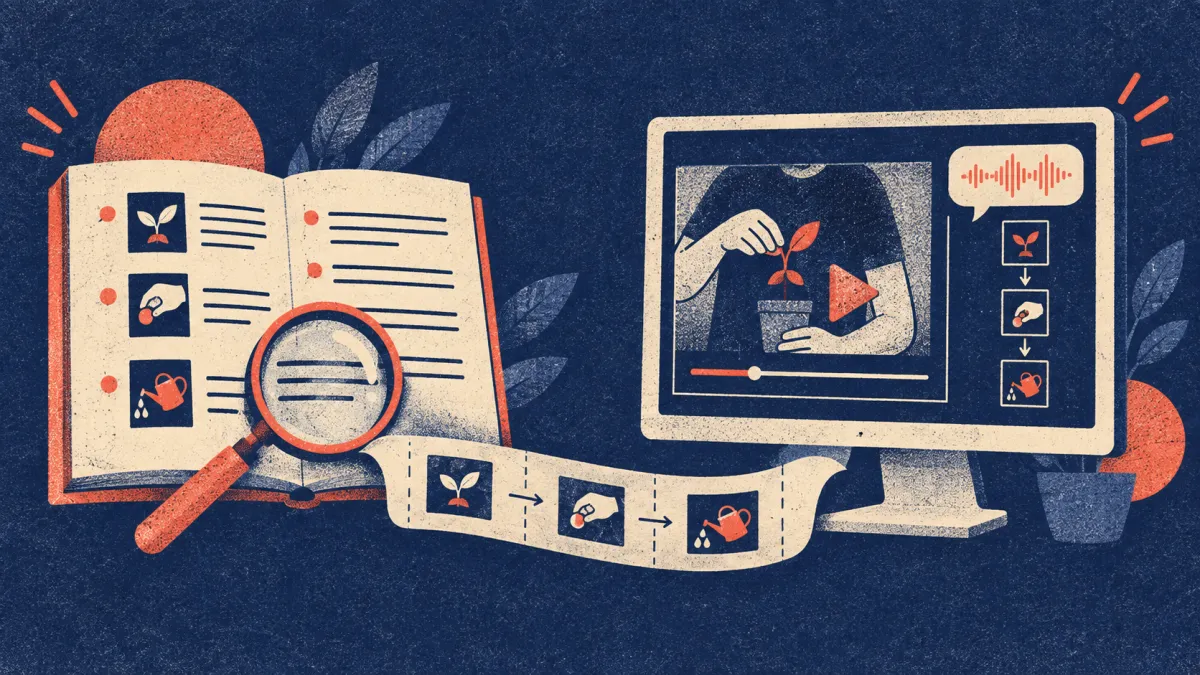
Choosing a format: written, screenshots, or video
The format question gets treated as taste. It is closer to a fit question.
| Format | Best for | Weakness |
|---|---|---|
| Written steps | Searchable reference, compliance, translation | Hard to follow for UI-heavy tasks |
| Screenshots + captions | Click paths through an interface | Captures tied to a specific UI need updating when that UI changes |
| Video walkthrough | Complex or visual workflows, onboarding | Harder to skim; searchability depends on whether a transcript exists |
| Video + written article | Most software processes | More work — unless generated together |
For many software processes the last row is the useful combination: something to watch when learning the task, and something to search when looking up one step later. Which matters more depends on whether your readers are mostly learning it or mostly referring back to it.
Historically producing both meant doing the work twice, so teams picked one. That trade-off has softened: a single capture can be the source for both, with the written version generated from it as a separate step rather than written from scratch.
A workflow that survives contact with reality
- Record the task while doing it for real. Not a rehearsed version — the real one, including the bit where you check something twice.
- Capture the decisions out loud or in notes. Why you chose this option, not just that you clicked it.
- Produce both formats from that one recording. Video for learning, text for looking up.
- Put it where the work happens — the help centre, the team wiki, the ticket template — not in a folder.
- Set a review date and put it in the document.
- Choose re-record or edit by change scope. If one line changed, edit it. If the interface moved, several steps reordered, or you cannot easily tell what is still accurate, re-capturing gives you a document you can trust rather than one you have patched.
Point six is where maintenance is won or lost. Documentation often dies because updating it feels expensive enough to postpone. Having both options available — patch a line, or re-capture when the patching becomes guesswork — is what keeps it from becoming a project each time.
What to document first
Do not try to document everything. Rank by this:
- High frequency + high error rate — document first, biggest return
- Low frequency + high stakes — document second, nobody remembers these
- Single point of failure — anything only one person can do
- New-hire blockers — whatever they ask about in week one
- Everything else — probably never
Teams that try to document everything produce a large stale corpus. Teams that document the top of that list produce a small trusted one.
FAQ
How detailed should process documentation be?
Detailed enough that someone with the right access and no prior knowledge can complete the task. Beyond that you are writing for an audience that does not exist. The test above — hand it to someone and count their questions — calibrates this better than any word count.
Who should own process documentation?
Give every document a named owner, and have someone who actually performs the process validate it before it is published. A central docs team can own the system and the standard; what it cannot do alone is confirm the steps match reality.
How often should it be reviewed?
Tie it to change, not the calendar where possible: review when the underlying tool or policy changes. Where that is not practical, a fixed review date in the document at least makes staleness visible.
What is the difference between process documentation and an SOP?
An SOP is a type of process documentation with more formality — a defined standard, often with compliance or audit weight. All SOPs are process documentation; not all process documentation needs to be an SOP.
Should process documentation include screenshots?
They earn their place where the interface itself is the difficulty — finding an unobvious control, say. The cost to weigh is that any capture tied to a specific UI needs revisiting when that UI changes, so a document dense with screenshots has more surface area to maintain than one describing decisions.
Related reading: How to Write a Standard Operating Procedure.
Want the recording to narrate itself? Record with Vorec — it has its own macOS recorder, and an AI agent can drive it for you — or upload a recording you already have. Vorec drafts narration matched to the workflow it captured and generates the voiceover, so nothing is spoken into a microphone. The same capture can also produce a written step-by-step guide. Start free — 7-day trial, 100 credits, no credit card required. Trial includes up to 3 projects; exports carry a watermark.