Localize Tutorial Videos Without Re-Recording
Vorec Team · 2026-05-31 · About 7 min read
You already recorded the tutorial that works. The clicks are clean, the workflow is correct, and the video answers the exact question customers keep asking. Then the localization request arrives: Spanish for LATAM, French for EMEA, German for DACH, Japanese for APAC, and maybe Portuguese next quarter.
The usual answer is expensive. You extract the script, send it to translators, hire voiceover artists, wait for review, sync each track to the original video, and hope the translated narration still lines up with what is happening on screen. If the original video has no script, bad audio, or a presenter who ad-libbed, the process gets even slower.
There is a simpler way to localize tutorial videos: keep the existing screen recording and generate new narration in each target language. The key is that AI should not only translate old words. It should watch the video, understand the actions, and write fresh narration that matches what is happening on screen.
That is the difference between translation and re-narration.
A 20-video English tutorial library becomes 100 localized assets when you support five languages. Re-recording every version turns a useful content library into a production backlog.
Vorec is built for this re-narration workflow. Upload an existing tutorial video, let AI analyze the visual actions, then generate new narration and a written article in the target language. The video stays the same. The voice track becomes local, polished, and context-aware.
Why tutorial video localization is hard
Tutorial videos are not like blog posts. You cannot translate them in a document and call the work done. A tutorial has timing, clicks, menus, cursor movement, screen changes, and product terminology. The narration has to fit the pace of the video.
Traditional localization creates several problems:
- The translated script may be longer than the original voiceover.
- Voiceover timing may not match the screen actions.
- The original speaker may mention things that are no longer accurate.
- Product terminology may vary by region.
- The source video may have no transcript or poor audio.
- Every language requires coordination with a translator, narrator, and editor.
That is why many companies postpone localization. They know global customers need help, but the cost and operational load make the project feel too heavy.
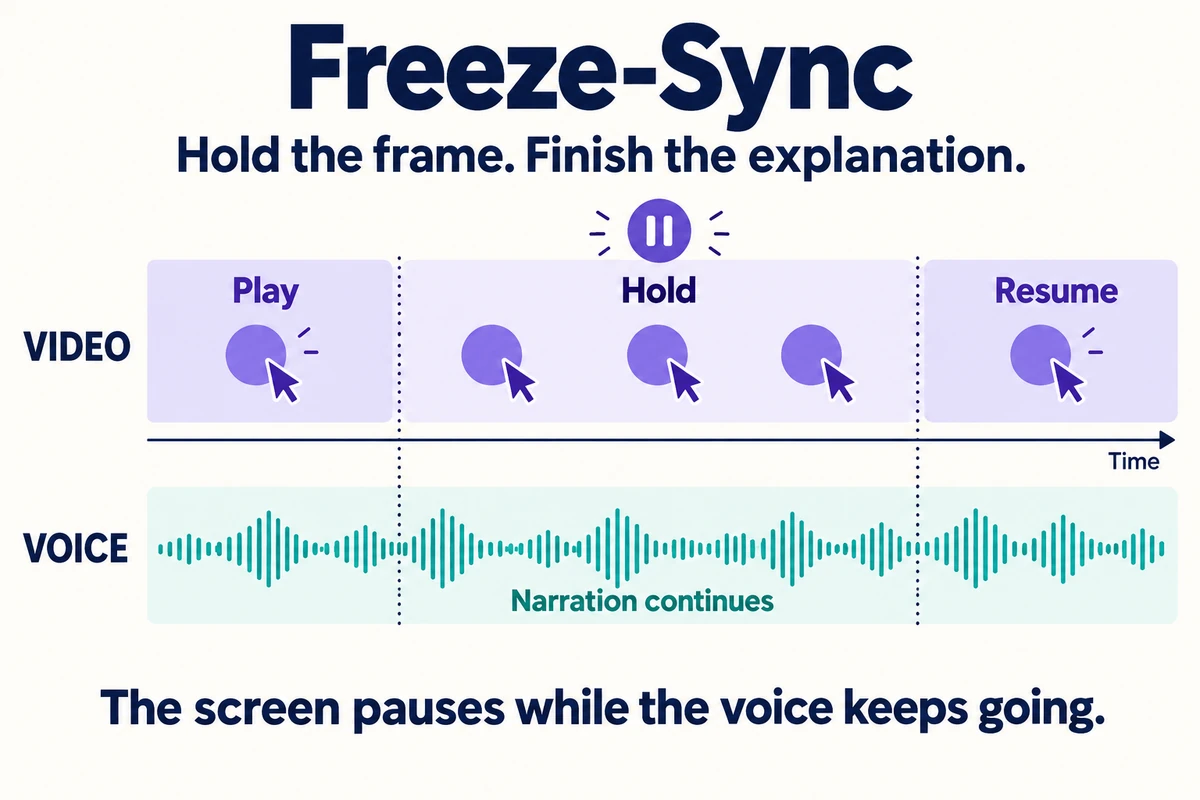
Concept diagram: the voice continues during a held frame; screen motion resumes afterward.
Translation vs re-narration
Most localization workflows start with the audio or transcript. Re-narration starts with the video itself.
| Approach | What it uses as source | What it produces | Best when |
|---|---|---|---|
| Direct translation | Existing transcript | Translated script | The original narration is accurate and polished |
| Dubbing | Existing audio | New voice track in another language | You need a close language replacement |
| Subtitles | Existing transcript | Captions in another language | Budget is limited and voice is optional |
| Re-narration | Visual workflow on screen | Fresh narration based on actions | The video matters more than the old voiceover |
Re-narration is especially useful for software tutorials because the screen is the source of truth. The UI shows what is actually happening. If the old voiceover is awkward, incomplete, accented, outdated, or missing, a re-narration workflow can still create a clear tutorial in the target language.
Use re-narration when your tutorial’s visual workflow is still correct but the narration is not ready for every market.
The modern workflow for localizing tutorials
A practical AI localization workflow looks like this:
- Choose an existing tutorial video.
- Confirm the screen workflow is still current.
- Upload the video to Vorec.
- Select the target language.
- Let AI analyze the actions on screen.
- Generate new narration in the target language.
- Review product names, labels, and terminology.
- Export the localized video.
- Publish the written help article generated from the same video.
This changes the production model. Instead of rebuilding each tutorial for every market, you treat the original video as reusable visual source material. The language layer becomes much easier to scale.
Why keeping the same video matters
Re-recording software tutorials is not just expensive because of voiceover. It also requires someone to reproduce the workflow perfectly in each language. That means logging into a clean demo account, setting the correct data, navigating the same path, avoiding mistakes, and editing the result.
Keeping the same video avoids that duplication. If the screen recording is correct, you can reuse it. The localized experience changes through narration and article output.
That is useful for:
- Product onboarding videos
- Help center tutorials
- Internal training walkthroughs
- Customer support answers
- Software rollout guides
- Compliance training clips
- Release update videos
The original recording becomes the visual master. Each language gets its own explanation.
Cost comparison: traditional localization vs AI re-narration
Costs vary by vendor, language, turnaround time, and review needs, but the operating model is very different.
| Requirement | Traditional localization | AI re-narration |
|---|---|---|
| Translate script | ✅ Required | ❌ AI writes from visual context |
| Hire voiceover artist | ✅ Usually required | ❌ AI voice generation |
| Re-sync audio to video | ✅ Required | ✅ Generated to match tutorial flow |
| Re-record screen | ⚠️ Sometimes | ❌ Same video stays |
| Handle no-audio source videos | ❌ Difficult | ✅ Works from visual workflow |
| Generate written article | ❌ Separate workflow | ✅ From same video |
| Scale to 10 languages | ❌ High coordination load | ✅ Repeatable workflow |
For a single flagship video, a fully human localization workflow may make sense. For a growing tutorial library, the bottleneck becomes too large. AI re-narration lets teams localize more of the library instead of only the top few assets.
What to localize first
Do not start with every video. Start with the assets that remove the most friction.
Prioritize tutorials that are:
- Viewed most often in your help center
- Linked by support reps repeatedly
- Required for onboarding or activation
- Used by global teams
- Connected to paid features
- Responsible for repeated tickets in non-English markets
A good first project is 10-20 high-impact videos. Localize those into the top three to five languages, measure usage, then expand.
Example: English to Spanish, French, German, and Japanese
Imagine a SaaS company has an English tutorial called "How to Invite Teammates and Assign Roles." The screen recording is still accurate, but the company now serves customers in Spain, France, Germany, and Japan.
The traditional path means writing a source script, translating it four times, recording four voiceovers, editing four videos, and creating four written help articles.
The re-narration path is more direct:
- Upload the original English tutorial.
- Generate Spanish narration and a Spanish article.
- Generate French narration and a French article.
- Generate German narration and a German article.
- Generate Japanese narration and a Japanese article.
The same screen recording powers every version. The audience hears a local-language explanation. The help center gets searchable written content in every language.
Quality control still matters
AI re-narration reduces production work, but it does not remove review. Localized tutorials still need quality checks.
Review for:
- Product terminology
- Button labels and UI names
- Regional phrasing
- Compliance wording
- Pronunciation of brand names
- Timing around important screen actions
- Whether the article matches the video
For technical tutorials, a reviewer does not need to be a video editor. They need product and language judgment. That is a much lighter review process than managing a full localization production chain.
Common mistakes
Localizing outdated videos
If the UI is wrong, localization will not fix it. Update the source video first.
Translating internal jargon literally
Some terms should stay in English. Others need market-specific wording. Build a glossary for product names, feature labels, and compliance phrases.
Making one language the afterthought
If the English help center has video and articles, localized help centers should not get only captions. Give global users the same quality of support.
Ignoring written output
Video helps users understand the workflow. Written articles help them search, scan, and share the answer. The strongest localization workflow creates both.
Where Vorec fits
Vorec helps when you already have tutorial videos and want to scale them across languages without re-recording. It analyzes the video, detects the workflow, writes new narration in the selected language, and generates a written article from the same tutorial.
This is not a literal subtitle workflow. It is re-narration. The AI uses what it sees on screen to explain the process in the target language.
Pricing and planning
Vorec includes a trial with 100 credits. Paid plans are Starter at $9, Pro at $24, and Business at $59. For localization planning, estimate how many source videos you want to localize, how many target languages matter now, and how often the source UI changes.
A practical rollout plan:
- Localize the top 10 support videos.
- Review with native speakers or regional owners.
- Publish in the localized help center.
- Track support ticket deflection by language.
- Expand to onboarding and product training videos.
Final recommendation
If your existing tutorial video is visually accurate, do not re-record it for every language. Reuse the visual walkthrough and generate fresh narration for each market.
Translation changes words. Re-narration rebuilds the explanation around what the viewer sees. That is a better fit for software tutorials, where the screen is the real source of truth.
Related reading: Re-Narrate Existing Tutorials with AI Voice, Multilingual Help Center Videos and How to Translate Tutorial Videos Into Other Languages.
Ready to localize tutorial videos without re-recording them? Start free with Vorec. The trial includes 100 credits, with Starter at $9, Pro at $24, and Business at $59.