How to Make Software Tutorials in 2026 (The No-Mic Method)
Vorec Team · 2026-02-28 · About 4 min read
The Old Way Is Broken
Every software company needs tutorial videos. Users expect them. Support teams depend on them. Onboarding flows require them.
But the traditional tutorial creation process is painful:
- Find a quiet room
- Set up a microphone
- Write a script or outline
- Record screen + voice (hope you do not stumble)
- Edit out mistakes, filler words, and long pauses
- Manually sync any additional annotations
- Export and upload
Each of those stages is manual. Multiply that by the dozens of features and workflows that need documentation, and you understand why most software companies have sparse, outdated tutorial libraries.
The No-Mic Method
There is a faster approach that eliminates the biggest bottlenecks (script writing, voice recording, audio editing):
- Record your screen silently — just demonstrate the workflow
- Upload to an AI tutorial engine — AI understands and narrates
- Review and export — done
No microphone. No script. No audio editing. You upload, review the generated script, and export.
Why This Works Now
Three AI capabilities have matured enough to make the no-mic method viable:
Intelligent Video Understanding
Modern AI can watch a screen recording and understand what is happening — not just detecting motion, but recognizing UI components, understanding user actions, and mapping workflow intent. When you click a "Save" button, the AI knows you are saving, understands the application context, and can explain why this step matters.
Natural Voice Synthesis
AI-generated voices now sound natural for instructional content. Proper emphasis on key terms, natural pauses between sentences, and correct pronunciation of technical vocabulary. For tutorial narration, AI voice quality matches or exceeds average human recordings.
Adaptive Timing
The hardest part of narrated tutorials is timing — syncing voice with on-screen actions. AI timing engines solve this by dynamically adjusting video playback to match narration pacing. No manual timeline editing.
Step-by-Step: Creating a Software Tutorial
1. Plan Your Walkthrough
Before recording, decide:
- What workflow are you demonstrating?
- Who is the audience? (new user, power user, admin)
- What is the expected outcome?
Keep it focused. One feature or workflow per tutorial. Aim for 2-5 minutes.
2. Prepare Your Screen
- Close unnecessary tabs and applications
- Hide bookmarks bar and personal files
- Use a clean browser profile if possible
- Maximize the application window
- Set screen resolution to 1920x1080 (standard HD)
3. Record
Use any screen recording tool:
- Mac: Cmd+Shift+5 or QuickTime
- Windows: Win+G (Xbox Game Bar)
- Cross-platform: OBS Studio (free)
Record the workflow naturally. Move at a comfortable pace. Pause briefly (1-2 seconds) between major steps to help the AI identify action boundaries.
Do not narrate. That is the whole point.
4. Upload and Generate
Upload your recording to Vorec. The AI processes the video and returns narration segments in seconds. Each segment maps to a specific action with a context-aware explanation.
5. Review
Read through the generated narration. The AI handles the "what" accurately in most cases. You might want to adjust:
- The "why" behind certain steps
- Prerequisites or warnings
- Company-specific terminology
- The level of detail for your target audience
6. Generate Voice and Export
Select a voice profile, generate the audio, and export your narrated tutorial as MP4. Optionally generate a written help article from the same analysis.
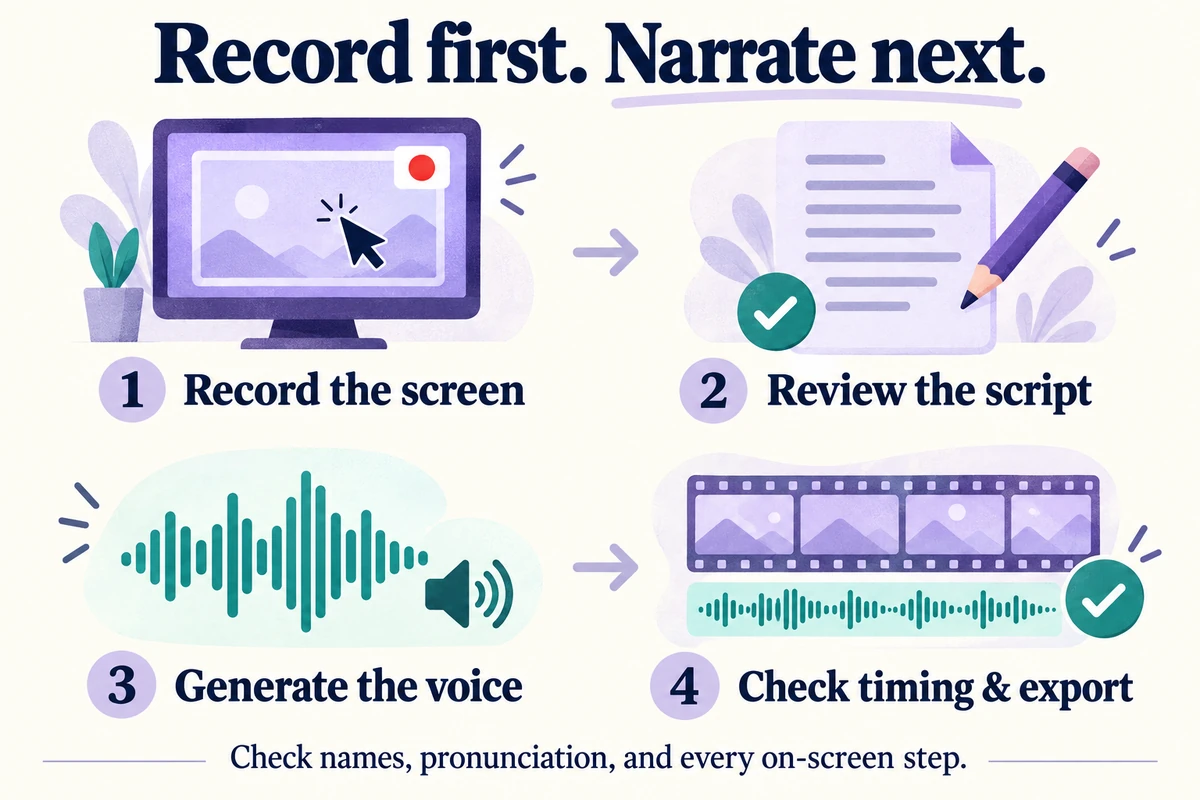
The narration is generated after capture, and you review the script before the voice is made.
Recording Tips for Better Results
- Be deliberate — click buttons clearly, do not rush through menus
- Show results — after each action, wait for the UI to respond before moving on
- Use real data — fill forms with realistic sample data, not "asdf" or "test123"
- Avoid corrections — if you make a wrong click, undo and redo it cleanly rather than clicking around
- Stay focused — resist the urge to check email or switch contexts during recording
What Types of Tutorials Work Best
The no-mic method excels for:
- Feature walkthroughs — showing users how to use a specific feature
- Onboarding flows — guiding new users through initial setup
- Admin configuration — documenting settings and configuration options
- Integration guides — showing how to connect with third-party tools
- Troubleshooting — demonstrating how to resolve common issues
It works less well for conceptual explanations that do not involve screen interaction (for those, you still need a human presenter or a slide-based approach).
Scaling Across Your Team
The no-mic method works for anyone on your team, not just content creators:
- Product managers can record feature demos during sprint reviews
- Engineers can document setup procedures and debugging workflows
- Support agents can record solutions to common tickets
- Customer success can create personalized tutorials for key accounts
No one needs a microphone, a quiet room, or video editing skills. Record screen, upload, done.
Getting Started
Create your first no-mic software tutorial:
- Record a 3-minute walkthrough of any feature (no mic)
- Upload to vorec.ai — 100 free credits
- Review AI-generated narration
- Export your tutorial
From recording to finished tutorial without a microphone, a script, or an editing timeline.
Related reading: How to Make a Screencast, How to Add AI Voice to Any Screen Recording and How to Automate Tutorial Video Creation with AI.